
What Are Spam Traps in Email? Types and List Risks
The answer to “what are spam traps in email” is straightforward: they’re addresses used to identify unwanted mail, and they can reach your list through purchased or scraped data, signup errors, bot submissions, or old addresses repurposed as traps. You can address the risk, but the safer approach is to fix how those addresses entered—and stayed on—your list, rather than hunt for individual traps and assume deleting them solves the problem.
This article explains pristine, recycled and typo traps; what evidence can suggest a trap hit; and why list cleaning alone is not enough. It also covers what to do next, how to prevent repeat problems, and when a broader deliverability review makes sense.
What are spam traps in email?
A spam trap is an email address used to collect and monitor unsolicited or abusive email, as explained in M3AAWG’s spam trap guidance. It serves as a monitoring address rather than a contact who has asked to receive your marketing messages.
A trap can look like an ordinary email address. Its spelling or domain does not necessarily reveal its purpose, and trap operators generally protect the address’s identity. Operators use the mail it receives as evidence that can inform sender reputation and filtering decisions. The consequences of sending to a trap vary; a trap hit does not automatically mean every message you send will be blocked.
For a sender, the important question is not simply, “Which address was the trap?” It is, “How did an address without valid permission enter—or remain on—our mailing list?” A trap report is a reason to examine list acquisition, permission records and ongoing list maintenance, rather than treating the address as an isolated bad contact.
That keeps the focus on list quality: where contacts came from and whether you have a sound basis for emailing them. For related context beyond spam traps, explore Digital Bulldogs’ email deliverability and audience data insights.
Pristine vs recycled spam traps—and where typo traps fit
The main distinction is an address’s history: whether it ever belonged to a real user, became inactive after normal use, or contains a spelling mistake. Twilio SendGrid’s spam trap definitions describe pristine, recycled and typo traps. Each points to a different part of your list-building or maintenance process worth investigating.
Pristine traps: check how addresses entered your list
A pristine trap never belonged to an ordinary email user. If you suspect one, investigate purchased, rented or scraped addresses, along with unsecured signup forms that allow bots or other people to submit addresses without verifying ownership. The question is not just which address caused trouble, but how an address without a genuine subscriber reached your mailing list.
Recycled traps: check how old records stay active
A recycled trap was formerly used by a person and later repurposed to detect unwanted mail. Investigate stale records, neglected subscriber inactivity and bounce handling. Continuing to mail abandoned addresses—or failing to suppress addresses after permanent delivery failures—can expose weaknesses in list maintenance.
Typo traps: check signup accuracy
A misspelled address or domain can be operated as a trap, but not every typo is a spam trap. Review how you catch signup errors and confirm that the person submitting an address controls it.
Terminology also varies. Spamhaus distinguishes classic pristine traps from deliberately seeded traps, so it is misleading to assume every pristine address was planted on a public website. Use the category as an investigation clue, not proof of one particular acquisition failure.

How can you tell whether you hit a spam trap?
The clearest evidence is feedback that specifically identifies trap activity—not simply a drop in delivery. Your email service provider (ESP), a blocklist operator or reputation monitoring may provide evidence without revealing which addresses are traps. As M3AAWG’s guidance on suspected spam-trap hits explains, trap identities are generally kept confidential, and the consequences of hitting one can vary.
A blocklist listing or an increase in rejected mail is a reason to investigate, not a diagnosis by itself. Read the explanation supplied by your ESP or the operator before deciding that a trap caused the problem.
- Look for explicit feedback. Does the notice actually mention spam-trap activity, or does it describe a broader reputation or sending-policy issue?
- Review the context. Check which sending domain or IP the report concerns and compare the reported activity with your sending records.
- Ask for actionable guidance. If the feedback is unclear, ask your ESP what it establishes and which acquisition sources or sending practices need review—not for a list of hidden trap addresses.
If messages are landing in junk without explicit trap feedback, review other reasons emails go to spam before assuming a trap hit. You can also use our free deliverability tools and resources for broader reputation checks; those checks are not a way to identify individual trap addresses.
Focus on understanding the report and auditing how addresses entered your list. Sending test messages to suspect addresses or trying to uncover an operator’s trap network is not a sound diagnostic approach.
Why spam trap removal is not just a list-cleaning job
Removing risky contacts can be part of the response, but it does not fix the process that let them into your list. The real question is not just “Which address should we delete?” It is “How did we collect—or keep mailing—addresses we should not be contacting?”
Spamhaus warns senders to fix the underlying collection or hygiene problem rather than hunt individual traps. Trap operators generally protect their addresses’ identities, so you should not expect a disclosed list of traps to remove. Even if one suspect address is deleted, the same acquisition source or stale-list practice may introduce more risk.
Validation is not proof of permission or a clean bill of health. A validator may help identify certain address problems, but a successful result does not establish that someone agreed to receive your email or that a segment is safe to mail. The Spamhaus Sender Guidelines emphasize confirmed opt-in, permission records, source-level remediation and ongoing list maintenance—not validation as a substitute for consent.
It also helps to separate two different tasks:
- Removing a risky segment means stopping mail to contacts whose source, permission or continued eligibility you cannot establish. That addresses exposure within your sending program.
- Obtaining removal of an IP or domain blocklist listing is a separate process governed by the relevant operator’s requirements. Deleting contacts does not itself remove a listing.
The goal is a defensible collection and suppression process, not a promise that every trap can be found or that deleting an address guarantees recovery.
What to do after a suspected or reported trap hit
Start by containing the suspected source and preserving the evidence. The goal is to find how the address entered your list—not simply to identify and delete a trap.
- Isolate the implicated segment. Pause sends to the affected acquisition cohort or import while you investigate. Collect available ESP notices, delivery logs, bounce responses and campaign details. Distinguish a suspected hit from a confirmed report or blocklist listing; M3AAWG’s investigation guidance explains why monitoring evidence and acquisition audits matter, and why operators may keep trap addresses confidential.
- Trace acquisition and import history. Identify the signup form, vendor, integration or upload behind the segment. Check when those addresses entered the system, whether they moved between platforms and what permission records accompanied them.
- Audit the controls behind the list. Review permission records, signup confirmation, protection against automated submissions and bounce processing. If the evidence identifies an unsafe collection source, stop using it and address the collection failure before adding more addresses from that route.
- Preserve suppression protections. Suppress hard bounces promptly and carry existing suppression lists across platform migrations. Spamhaus’s sender guidelines support these practices, along with permission records and remediation at the acquisition source.
- Follow the applicable resolution process. If a blocklist listing is confirmed, address its stated cause and work through the relevant operator’s or ESP’s process. Do not treat deleting suspected addresses as proof that the underlying issue is resolved.
If the investigation reveals wider sending or reputation issues, review how to improve your email domain reputation alongside the source-level fixes.
How to keep spam traps from reaching your list again
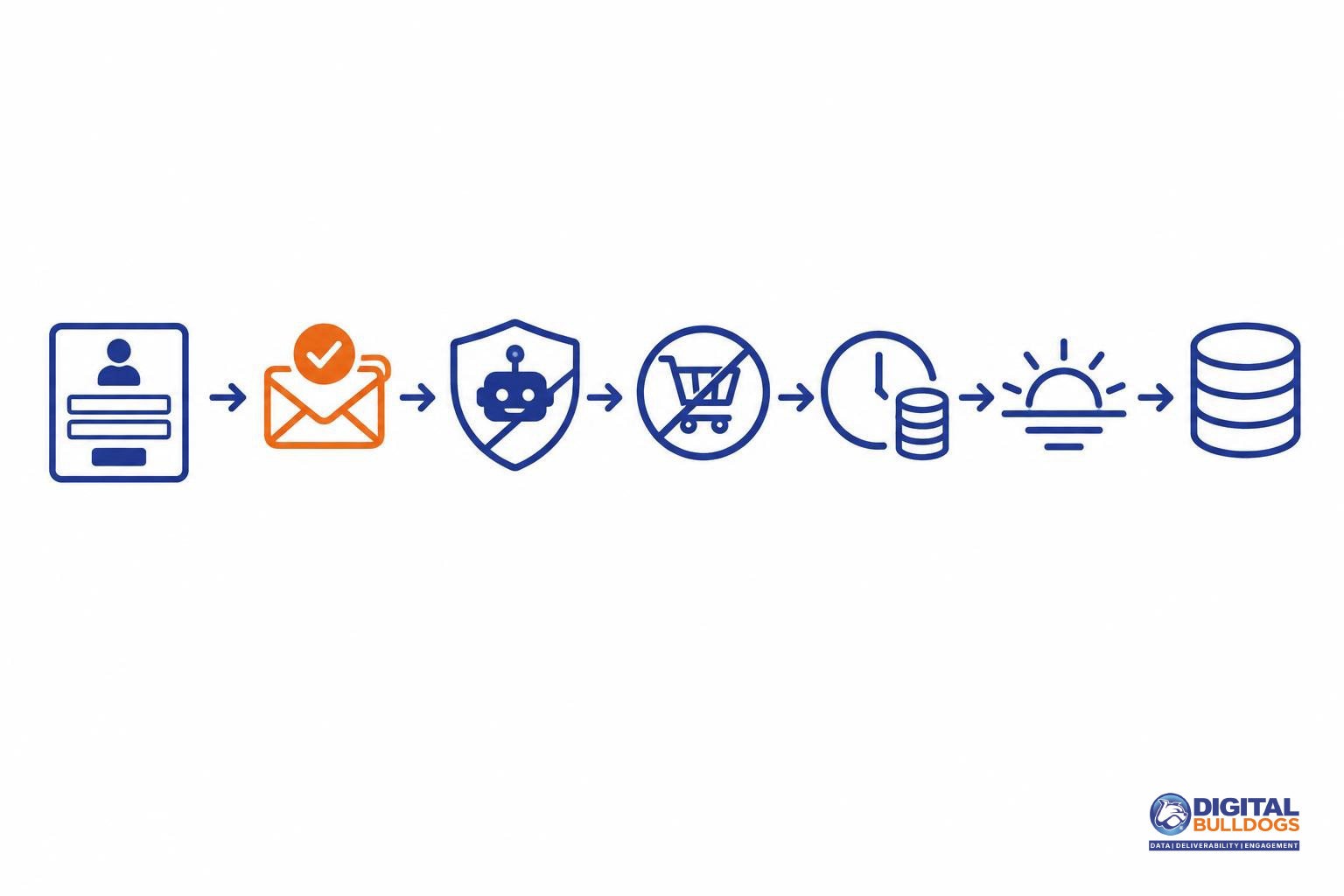
Make trap prevention part of how you collect, approve and maintain addresses—not a cleanup task you revisit only when delivery suffers. Use this checklist for each signup source and list import.
- Confirm the subscription before sending campaigns. Use confirmed opt-in: send a confirmation request and require the person controlling the address to act before adding it to routine marketing. Keep unconfirmed addresses out of those campaigns. This follows Spamhaus recommendations for verifying permission.
- Check how addresses enter your database. Review signup forms for bot submissions and address-entry mistakes. Make errors easy to catch before submission, and review form protections when suspicious signups appear. Twilio SendGrid identifies bots, signup errors and purchased or scraped lists as ways traps can enter a mailing list.
- Reject unsafe list sources. Avoid purchased, rented or harvested mailing lists. Do not treat a purchased or appended address as transferable permission to send marketing email; having someone’s address is not evidence that they requested your messages.
- Keep permission records. Record when, where and how each person subscribed, including the confirmation timestamp. Preserve those records and existing suppressions when moving between systems.
- Maintain an ongoing sunset policy. Define how you handle inactive contacts rather than relying on occasional bulk cleaning. Suppress hard bounces, and set inactivity rules appropriate to your sending program instead of assuming one cutoff works for every list.
These are deliverability practices and Spamhaus recommendations—not a claim that US federal law universally requires double opt-in. Address validation can support maintenance, but it cannot establish permission.
When a broader deliverability review makes sense
If you cannot connect a suspected trap hit to a clear list source or sending practice, a broader deliverability review may help. It is an optional next step—not a required purchase or a reason to replace your entire email setup.
The goal is to connect the evidence with how addresses entered your system and what happened afterward. M3AAWG recommends examining address acquisition and available monitoring evidence, while recognizing that trap operators may keep trap identities confidential. A useful review therefore looks for weaknesses in the process rather than promising to name a particular address.
Digital Bulldogs’ managed email delivery support can help review list inputs, suppressions, DNS authentication and reputation together. An email deliverability audit offers a focused way to examine those pieces when the acquisition history or current signals leave unanswered questions.
That review should include whether permission records are available, whether hard-bounced addresses stay suppressed and whether suppressions survived any platform migration. These are practical controls covered in the Spamhaus Sender Guidelines; they also help identify what needs attention beyond a list-validation pass.
The proposed work is process diagnosis and ongoing monitoring—not guaranteed trap identification or guaranteed recovery. Its purpose is to clarify what is known, identify gaps and guide changes you can evaluate over time.
Book a free consult.
Keep researching on Digital Bulldogs
Frequently asked questions
Can a legitimate subscriber’s old address become a recycled spam trap?
Yes. An address that once belonged to a real subscriber can later become a recycled spam trap after it is abandoned or deactivated, as M3AAWG’s spam trap guidance explains. An old subscription record does not establish that the address still belongs to that person. Keep permission records, but also review how you handle inactive subscribers and delivery failures.
Can an email verification tool remove every spam trap?
No. A verification result is not proof that an address is safe to email. Trap identities are deliberately protected, and trying to identify individual traps misses the underlying acquisition or maintenance problem, according to Spamhaus’s explanation of why trap hunting is not the solution. Use verification as a supporting check, not as permission to keep mailing a questionable source.
Are all mistyped email addresses spam traps?
No. A typing mistake does not automatically make an address a spam trap. Typo traps use addresses associated with misspelled domains, while ordinary signup errors can also produce incorrect addresses, as described in Twilio SendGrid’s spam trap documentation. Treat a suspected typo as something the subscriber should correct or confirm—not as a reason to guess a replacement address and start sending.
Does a spam trap hit always cause blocklisting?
No. The M3AAWG guidance linked above describes variable consequences, not automatic blocklisting after every hit. A report is still worth investigating, but it does not by itself establish the full extent of a delivery problem. Ask what evidence is available and review the affected list sources before deciding how broadly to pause or remediate sending.
Will changing email platforms solve a spam trap problem?
No—not if you move the same problematic addresses and collection practices to the new platform. Spamhaus’s sender guidelines emphasize addressing unsafe acquisition sources, maintaining suppression records during migrations, and suppressing hard bounces. Before moving, review where subscribers came from and preserve opt-outs and other suppressions so that a migration does not put excluded addresses back into circulation.
Sources
- M3AAWG Help! I Hit a Spam Trap! · Messaging, Malware and Mobile Anti-Abuse Working Group
- Spamtraps – fix the problem, not the symptom · Spamhaus Technology · 2022-02-15
- Spamhaus Sender Guidelines · The Spamhaus Project
- Spam Traps · Twilio SendGrid