
Email Tracking Domain Deliverability: Shared Link Risks
Yes—your ESP’s shared tracking domain can hurt inbox placement even when your sending domain is healthy: mailbox providers may consider domains throughout a message, and shared click-tracking domains can expose unrelated senders to delivery problems. To assess email tracking domain deliverability, check the domains behind your delivered links, review redirects and domain reputation separately from IP reputation, and consider a custom HTTPS tracking domain where your ESP supports it.
This article explains why a clean sending IP does not clear your links, how link branding differs from DMARC alignment between your From domain and your SPF or DKIM domain, and what to check when setting up branded tracking with HTTPS. You’ll also learn how to review shorteners and redirect chains, audit every domain in the delivered template, and monitor campaigns after fixing an identified issue.
Can a shared tracking domain hurt email deliverability?
Yes, it can. M3AAWG’s sender best practices explain that poor practices by one sender using a shared click-tracking domain may also affect delivery for unrelated senders using that domain. Mailbox providers can consider domains throughout a message—not just the sending IP or the domain in the From address—when evaluating reputation.
An email service provider can use the same tracking domain across multiple customers. Your campaign’s links may have different paths from another customer’s links while still sharing the same domain. Those separate paths do not necessarily create separate domain reputations. That makes the tracking hostname worth investigating when delivery changes, even if your own sending practices have not changed.
Shared tracking is a risk to investigate, not proof of a problem. Microsoft’s troubleshooting guidance describes filtering as a combination of signals, including sending IP, domain, authentication, list accuracy, complaints, and content. Neither a shared tracker nor a branded tracker determines inbox placement by itself.
Keep the difference between email delivery and inbox placement in mind as you investigate: a message being accepted does not establish that it reached the inbox. Treat tracking-domain reputation as one part of the diagnosis, alongside authentication, sender reputation, and list quality—not as an automatic explanation for every placement issue.
Why a healthy sending IP does not clear the links
A clean sending IP does not mean every domain in your email has a clean reputation. An IP-based check can miss a listed domain used in a tracking link, so checking only your sending infrastructure leaves part of the message unexamined.
The Spamhaus Domain Blocklist documentation describes checks against domains in message headers and bodies, including URLs, after message data is accepted. A receiving system using DBL can classify or reject a message containing a listed domain even when that message passes an IP-based check. The sending IP and the linked domain are different things to investigate.
A unique campaign URL does not create a separate reputation identity. DBL checks domains or hostnames, not full URL paths. If campaigns share a tracking domain, changing the text after the slash does not separate those campaigns for a DBL lookup. That matters when your email platform uses shared tracking infrastructure: your campaign-specific path does not isolate the link from a domain-level listing.
When investigating delivery trouble, review both the sending IP and the domains actually present in the delivered message. Knowing what to check in a domain versus IP blocklist lookup helps you avoid treating a clean IP result as an all-clear for your links.
A listing is evidence to investigate, not a universal delivery verdict. It does not establish that every mailbox provider uses DBL or that every receiving system will make the same decision about your message.
Keep link branding consistent without confusing it with DMARC
Use a recognizable tracking subdomain beneath your sending brand’s organizational domain where your email service provider supports it. For example, a brand sending from example.com could use click.example.com for tracked links. That keeps the link connected to the identity recipients recognize and follows M3AAWG’s recommendation for consistent organizational domains throughout a message.
The goal is clarity, not just a matching name. Link text should accurately describe the destination or action, rather than leave readers guessing where a click will take them. The Gmail sender guidelines call for visible, understandable message-body links. Those guidelines also describe a separate requirement: DMARC alignment connects the visible From domain with the domain authenticated through SPF or DKIM. A matching click-tracking domain is not an additional DMARC pass condition.
Keep these jobs separate when reviewing a campaign:
- Link branding: makes tracked links recognizable and consistent with the sending brand.
- Authentication alignment: connects the visible From identity to SPF or DKIM for DMARC.
Branded links do not replace SPF, DKIM, DMARC, recipient permission, or ongoing reputation management. Microsoft’s troubleshooting guidance recommends consistent redirect domains and transparent, traceable content, while explaining that filtering also considers sending IP, domain, authentication, list accuracy, complaints, and other factors. Treat link branding as one part of a well-maintained sending setup—not proof that the message will reach the inbox.
Set up a custom click tracking domain with HTTPS
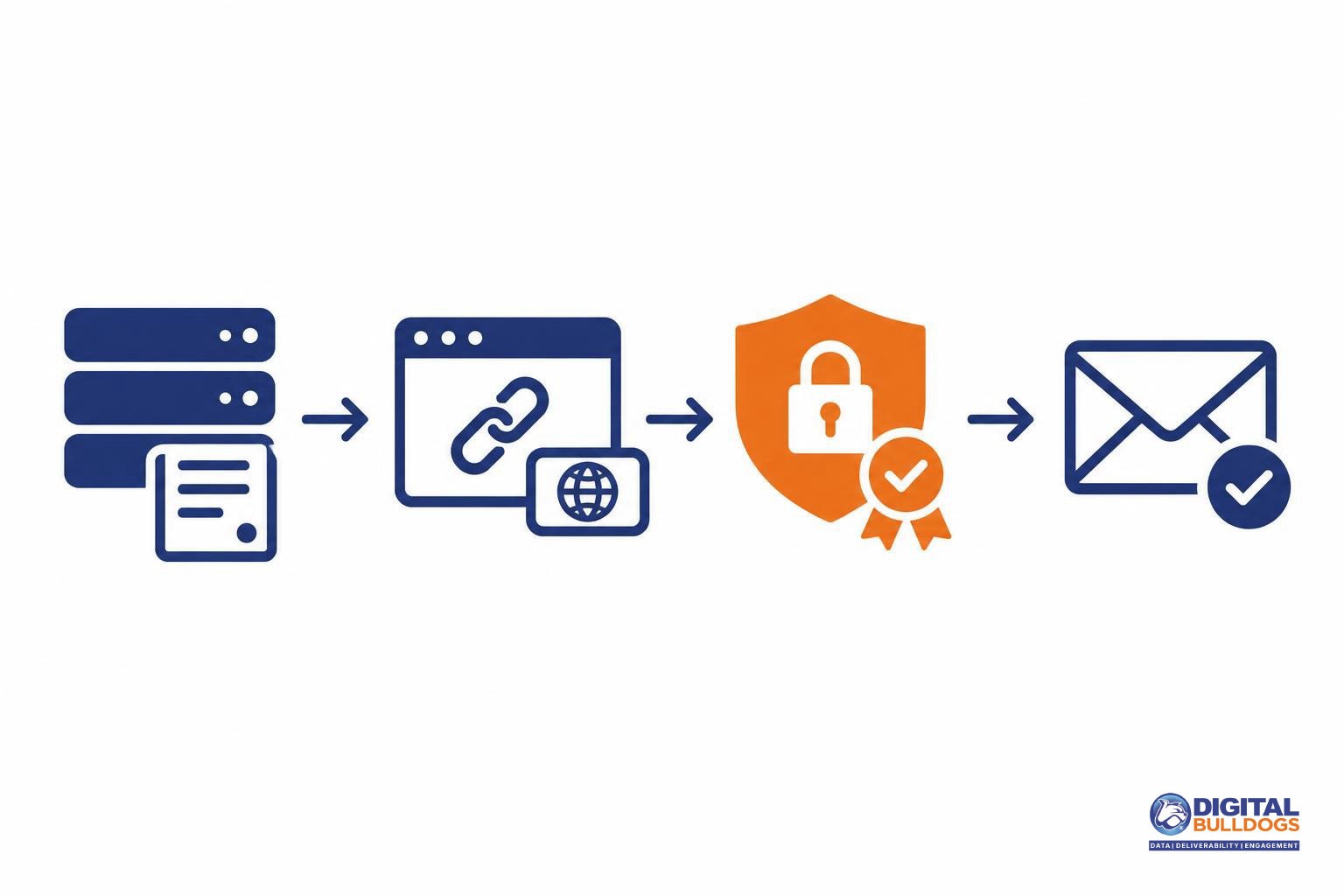
Configure your tracking subdomain through your email service provider (ESP), then verify both the DNS setup and the links in a delivered test message. DNS targets and certificate workflows depend on the provider, so use its instructions rather than copying another sender’s configuration.
- Confirm DNS access and choose a subdomain. Make sure you can update the brand’s DNS records. In the ESP’s link-branding settings, select a dedicated tracking hostname, such as click.yourbrand.com.
- Publish the exact records supplied by the ESP. Do not invent a CNAME target or assume it matches your sending domain. Twilio SendGrid’s link-branding documentation provides a concrete example covering custom subdomain selection, provider-generated CNAME records, certificate provisioning, and verification.
- Complete the supported HTTPS setup. Provision a valid TLS certificate through your provider’s supported workflow. Publish any additional certificate-validation records it requires, and confirm that certificate provisioning is complete before using the hostname in campaigns.
- Verify and test the delivered links. Run the ESP’s configuration check, then send a test message. Inspect the actual rewritten hostname—not just the destination entered in your editor. Open the link and check that HTTPS works without certificate warnings and that the redirect reaches the intended page.
HTTPS protects the connection to the tracking hostname; it does not establish a healthy domain reputation. Spamhaus evaluates domain reputation separately from IP reputation, while Microsoft’s filtering guidance identifies multiple factors, including authentication, complaints, list accuracy, and content. A working HTTPS link is a configuration check, not an inbox-placement guarantee.
Review URL shorteners and unnecessary redirect chains
Keep redirect domains consistent and destinations easy to trace. The goal is not to eliminate every redirect, but to understand which services a click passes through and remove intermediaries that serve no necessary campaign purpose.
Microsoft’s guidance for external email senders recommends consistent rather than varied redirect domains across advertising, unsubscribe, and profile links. It also emphasizes transparent, traceable message content. For marketers, that means reviewing the full click path—not just the landing page shown in the campaign brief.
Spamhaus documents abuse involving URL-shortening services. That supports checking the domains involved in a shortened link; it does not establish that every shortened URL is harmful.
For affiliate and agency campaigns, map each link before sending:
- ESP tracker: Identify the domain your email platform adds for click measurement.
- Partner tracker or shortener: Record any affiliate, agency, or other intermediary domain and confirm why it is needed.
- Final landing page: Follow the link through to its destination and check that it matches the offer and reader’s expectations.
Remove unnecessary intermediary services where campaign requirements allow. Keep redirects needed for attribution or link functionality, and make this review part of your affiliate email pre-send checklist.
Neither cited source establishes a universal redirect limit or an automatic deliverability penalty for every additional hop. Base changes on the domains and functions you find, not an assumed maximum chain length.
Audit every domain in the delivered template
Start with a received test message, not just the draft template. Inspect its full headers and rendered HTML: link branding can replace a provider’s default tracking domain with a customer domain, so the delivered message is the version you need to check.
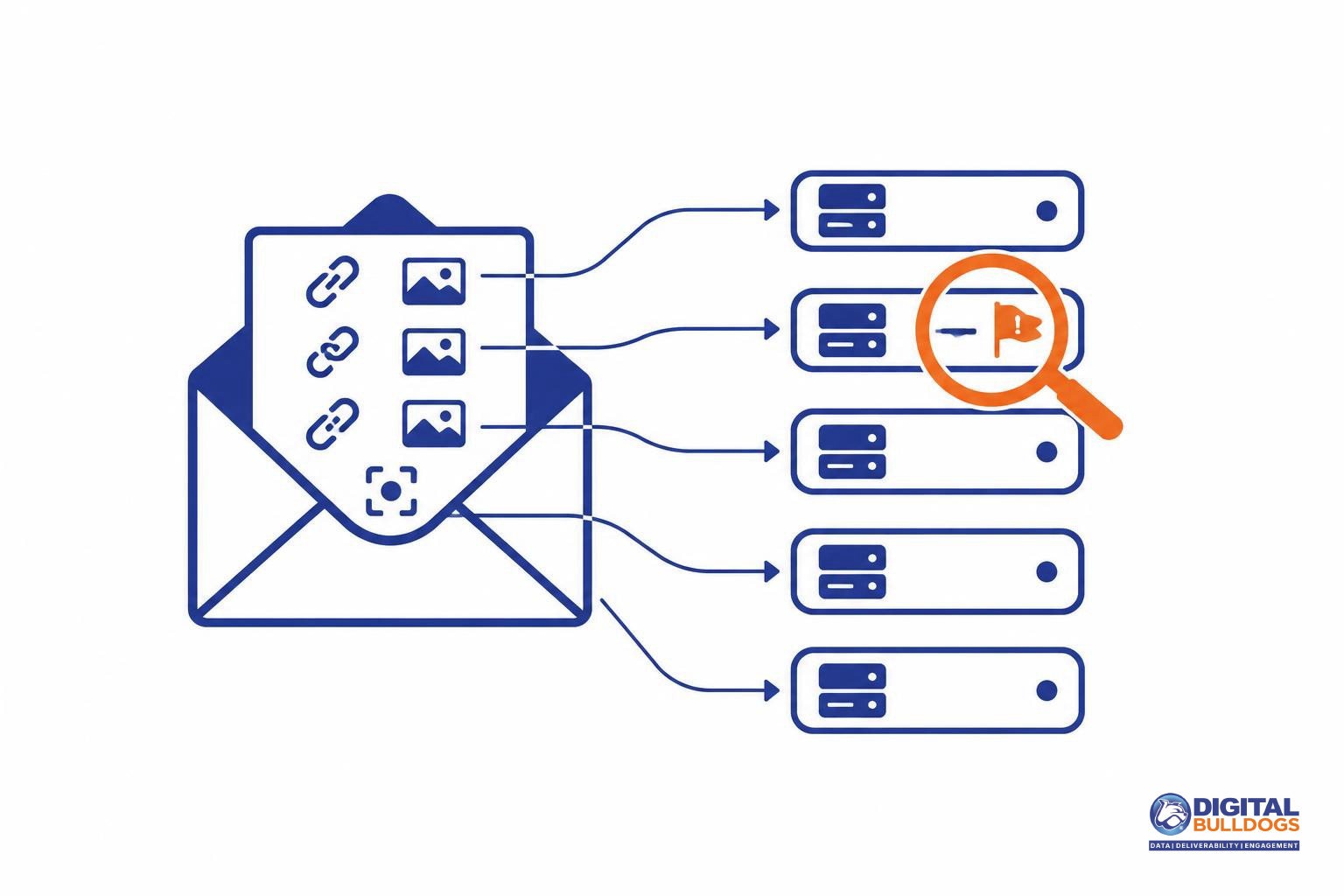
Make this inspection a repeatable part of your email deliverability audit. Inventory:
- Sender identifiers: the visible From address, Return-Path domain, and DKIM signing domain.
- Action links: click-tracking URLs, landing pages, unsubscribe links, and preference-center links.
- Remote assets: image hosts and tracking-pixel hosts.
For each relevant URL, record the complete hostname, who controls it, its purpose, redirect destinations, HTTPS behavior, and any blocklist findings. Note unexpected destinations, certificate warnings, or ownership you cannot confirm. Keep these observations alongside your deliverability tools and diagnostic resources so the next campaign can follow the same checks.
Check both the complete hostname and the organizational domain where appropriate. Spamhaus distinguishes ordinary domain listings from hostname-specific abused-legitimate listings; a campaign’s URL path does not isolate it from a domain-level listing.
Route findings to the responsible ESP, advertiser, or internal owner. Include the affected hostname, a sample URL, redirect sequence, and supporting results—not simply a request to investigate the sending IP. M3AAWG identifies domains throughout a message as potential reputation signals, making link and asset ownership part of the diagnosis.
Fix the identified issue, then monitor the campaign
Match the fix to the evidence. A branded tracking domain can give you more control over your links, but it is not a guaranteed reputation repair.
- If an ESP-controlled tracker is implicated: Ask your provider to investigate its reputation and explain its supported branded-tracking options. Confirm who handles DNS verification and HTTPS certificates. For example, SendGrid’s link-branding documentation describes custom subdomains, provider-generated CNAME records, and TLS certificate provisioning—not a promise of better placement.
- If your brand-controlled domain is listed: Address the underlying issue before following the listing operator’s review process. Check the listing type rather than assuming every domain listing means the same thing. The Spamhaus DBL documentation explains its listing distinctions and review procedures; submitting a removal request does not guarantee removal.
After making a change, monitor inbox placement alongside authentication, list accuracy, complaints, content, and sending reputation. Microsoft’s troubleshooting guidance identifies these as filtering factors, so do not attribute every placement problem to links. Also verify that authentication still meets Gmail’s sender requirements; changing a click-tracking domain does not establish DMARC alignment.
For broader reputation work, see how to improve domain reputation for email. If your findings span DNS, tracking infrastructure, and inbox placement, Digital Bulldogs’ email delivery services and a deliverability audit can help you decide what to address next. Book a free consult to discuss the findings, without a promised placement outcome.
Frequently asked questions
Can a shared click tracker affect my email when my sending IP is not blocklisted?
Yes. A healthy sending IP does not rule out a problem with the domains in your message. M3AAWG’s sender guidance explains that mailbox providers may assess domains throughout an email, and shared click-tracking domains can expose unrelated senders to delivery problems. Include the tracking domain in your investigation rather than treating a clean IP check as an all-clear.
Does a branded tracking domain guarantee inbox placement?
No. A branded tracking domain is not an inbox-placement guarantee. Microsoft’s troubleshooting guidance identifies sending IP, domain, authentication, list accuracy, complaints, content, and other factors as filtering inputs. Treat link branding as part of your sending setup, not a replacement for authentication checks, list maintenance, or monitoring how recipients respond to your campaigns.
Does my click-tracking domain have to match my From domain for DMARC?
No. DMARC alignment concerns your visible From domain and the domain used for SPF or DKIM authentication—not your click-tracking domain. Google’s email sender guidelines explain those alignment requirements separately from guidance on clear sender identity and understandable links. Keep link branding recognizable for readers, but check DMARC alignment in your authentication results, not by comparing the From address with a tracked URL.
Is publishing a CNAME enough to enable HTTPS tracking links?
No. Publishing the CNAME is a DNS configuration step, not proof that HTTPS tracking is ready. Twilio SendGrid’s link-branding documentation covers provider-generated CNAME records, DNS verification, and TLS certificate provisioning. Follow your provider’s full setup process, confirm that the branded domain is applied to the intended messages, and test an HTTPS link in a delivered email.
Are URL shorteners and tracking redirects always harmful to deliverability?
No. Their presence alone does not establish a deliverability problem, but the reputation of the domains involved deserves attention. Spamhaus’s Domain Blocklist documentation describes domain-based checks and URL-shortener abuse, including why a different campaign URL path does not isolate an ordinary listed domain. Review the complete redirect path and remove unnecessary hops rather than assuming every redirect is harmful.
Sources
- M3AAWG Sender Best Common Practices · Messaging, Malware and Mobile Anti-Abuse Working Group · 2026-08-27
- Domain Blocklist (DBL) · Spamhaus
- Email sender guidelines · Google
- External senders – Troubleshoot email sent to Microsoft 365 · Microsoft · 2025-07-28
- How to set up link branding · Twilio SendGrid