

Reverse DNS PTR Record for Email: Checks and Fixes
Yes—your sending IP needs a reverse dns ptr record for email; check it by looking up the IP’s PTR hostname, then confirming that hostname resolves back to the same sending IP through an A or AAAA record, as required by Gmail’s sender guidelines. If it is missing or mismatched, start with your IP provider or email service provider: the organization managing the IP’s reverse-DNS zone typically controls the PTR, rather than whoever manages your domain’s ordinary DNS records, as Microsoft’s PTR troubleshooting guidance explains.
This article explains forward-confirmed reverse DNS, the requirements for Gmail, Yahoo and Outlook.com, and how to check your actual outbound sending IP. It also covers who to contact for a fix, common configuration mistakes, and how to recheck the affected sending route before investigating remaining delivery failures.
A missing or mismatched PTR can stop email delivery
A missing PTR record—or a hostname that does not resolve back to your sending IP—can interrupt email delivery. Google documents both temporary rate limiting and rejection for these problems in its Gmail SMTP error reference. If a delivery error points to reverse DNS, start with the IP address named in that error or your outbound delivery logs, not the address used by your website.
A PTR record maps an IP address to a hostname. That reverse lookup is only part of the check: the returned hostname must also resolve forward to the original public sending IP through an A or AAAA record. This is the forward-and-reverse relationship described in Gmail’s sender guidelines.
For the affected sending route, check:
- The actual outbound IP: Identify the public IP used for the message that encountered the delivery problem.
- The reverse lookup: Look up that IP’s PTR record and note the hostname it returns.
- The forward lookup: Look up that hostname’s A or AAAA records and confirm that they include the original sending IP.
The key is to test the complete relationship, not simply confirm that a PTR record exists. A reverse lookup that returns a hostname still leaves a problem if that hostname points somewhere else.
What forward-confirmed reverse DNS actually checks
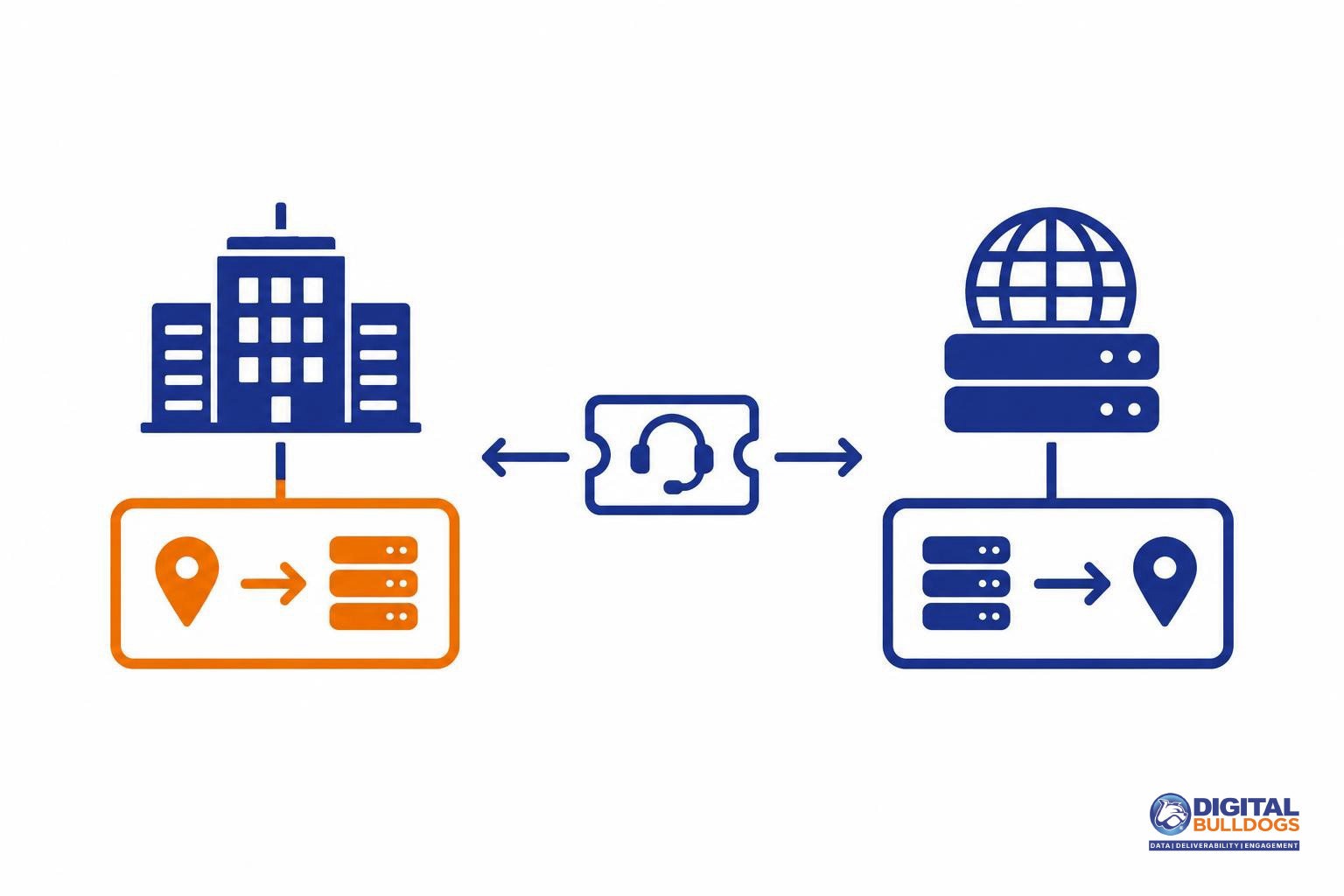
Forward-confirmed reverse DNS checks whether your sending IP and its reverse-DNS hostname point back to each other. The lookup makes a round trip: from the public sending IP to a hostname, then from that hostname back to the original IP.
- Start with the sending IP. A reverse-DNS lookup asks for the PTR record associated with the public IP that connects to the receiving mail server.
- Read the PTR hostname. The PTR response supplies a hostname. That answer is only the first part of the check.
- Look up the hostname’s address records. For an IPv4 sending address, check its A records. For an IPv6 sending address, check its AAAA records. The results must include the original sending IP.
Google’s sending-IP configuration requirements specify this matching relationship for both address families. A PTR answer alone is not enough: if its hostname resolves only to a different address, the round trip does not confirm the sending IP.
This checks infrastructure identity, not permission to send for your email domain. A matching PTR and address record do not replace SPF, DKIM or DMARC. Those are separate authentication checks. When troubleshooting delivery, treat reverse DNS as its own requirement: confirm the IP-to-hostname-to-IP relationship, then assess domain authentication separately.
What Gmail, Yahoo and Outlook.com require
All three providers publish reverse-DNS guidance, but their wording differs. Treat each provider’s stated requirements separately rather than assuming every PTR problem triggers the same delivery response.
- Gmail: Valid forward and reverse DNS is a requirement for all senders to personal Gmail accounts, not just bulk senders. Under Gmail’s email sender guidelines, the sending IP must have a PTR record, and that PTR hostname must resolve back to the same public sending IP through an A or AAAA record. Having a PTR alone is not enough if the forward lookup points elsewhere.
- Yahoo: Sending IPs must have valid forward and reverse DNS. Yahoo also recommends meaningful, non-generic PTR names that reflect the sender’s domain in some way, as described in its sender requirements and reverse-DNS recommendations. Keep that distinction clear: valid DNS is required; the naming advice is a recommendation.
- Outlook.com: Microsoft says it may not accept email from senders that fail a reverse-DNS lookup. Its Outlook.com sender support guidance does not describe every failed lookup as an automatic rejection.
Reverse DNS and email authentication are related infrastructure checks, but they are not interchangeable. A correct PTR does not replace SPF, DKIM or DMARC, and passing authentication does not establish that reverse DNS is correct. If you are investigating Outlook.com delivery, review Outlook bulk sender requirements and bounce troubleshooting alongside your PTR checks so you address the requirement identified by the delivery response.
How to run an rDNS check on your sending IP
Check the public IP that actually sent the message, then confirm that its PTR hostname resolves back to that same IP. Testing your website’s IP or a different outbound route will not tell you whether the affected delivery attempt has valid reverse DNS.
- Identify the outbound IP. Look for the sending IP in the relevant delivery error. Gmail’s SMTP error documentation describes responses for missing PTR records and forward-DNS mismatches. If the error does not identify the IP clearly, ask your ESP which public outbound IP handled that attempt.
- Look up its PTR record. Open Google Admin Toolbox Dig, select the PTR query type and enter the sending IP. Google lists this tool as a checking option in its email sender guidelines.
- Check the returned hostname. Query that hostname’s A record for an IPv4 sending address or AAAA record for an IPv6 address. Compare the returned addresses with the original sending IP.
Read the results separately:
- No PTR answer: reverse DNS is missing or the lookup failed; save the lookup response.
- A hostname, but no usable forward answer: the reverse lookup returns a name, but that name does not resolve to a usable address.
- A hostname resolving elsewhere: forward DNS returns addresses, but none matches the original sending IP.
- A forward answer that includes the original IP: the reverse-and-forward check passes for that IP. It does not establish that every delivery requirement is met.
Record the sending IP, PTR hostname, forward result and lookup time. Send those details to the provider so it can investigate the same route; Microsoft’s PTR troubleshooting guidance explains that the ISP typically controls the reverse-DNS zone. For additional checks, use our free deliverability tools and resources.

Who sets the PTR: your IP provider, ESP or delegated DNS team
Send the PTR fix to whoever controls reverse DNS for the sending IP—not automatically to the team managing your domain’s DNS. PTR records belong in the IP address’s reverse-DNS zone. Microsoft’s missing-PTR troubleshooting guidance explains that these zones are typically maintained by the ISP.
If your email service provider manages sending, ask its support team who controls reverse DNS for the affected IP. Having a dedicated IP does not, by itself, mean you control its reverse-DNS zone.
The fix may require coordination between two owners:
- Your hostname’s DNS administrator manages the forward A or AAAA record that points the intended hostname to the sending IP.
- Your IP provider or delegated reverse-zone operator manages the PTR that points the sending IP to that hostname.
Those records need to agree: Gmail’s sender guidelines require the PTR hostname to resolve back to the same public sending IP through an A or AAAA record.
To make the support request actionable, include:
- The affected public sending IP.
- The current PTR result, including whether no record was returned.
- The hostname you intend to use.
- That hostname’s current forward-DNS result.
- The delivery error or SMTP response associated with the affected IP.
If coordinating these responsibilities is holding up the repair, Digital Bulldogs’ DNS authentication setup support can help you work through the required changes with the teams that control each record.
Common mistakes that leave reverse DNS broken
A PTR fix is incomplete unless you check the affected sending IP and confirm that its reverse hostname resolves back to that IP. Watch for these common mistakes:
- Checking your website IP instead of your outbound mail IP. Start with the sending IP named in the delivery error, not the address behind your website. Gmail’s SMTP error guidance identifies missing PTR records and forward-DNS mismatches; checking a different address leaves the affected route untested.
- Publishing a PTR but leaving the forward record wrong. A reverse lookup returning a hostname is only part of the check. That hostname must resolve back to the sending IP. Microsoft’s PTR troubleshooting guidance explains the need for matching reverse and forward records. An old address or missing forward record leaves that relationship broken.
- Testing IPv4 and assuming IPv6 is covered. If mail also leaves through an IPv6 address, check that address separately. Under Gmail’s forward- and reverse-DNS requirements, the PTR hostname must resolve back to the public sending IP through the appropriate A or AAAA record. A successful IPv4 check does not validate a separate IPv6 route.
- Confusing a DNS PTR record with SPF’s ptr mechanism. They are not interchangeable. The SPF standard discourages publishing the ptr mechanism; adding it to SPF is not a reverse-DNS repair.
Keep troubleshooting SPF DNS lookup-limit errors and SPF, DKIM and DMARC setup for high-volume senders separate from the PTR repair. Those checks address authentication; the reverse-DNS task is to correct the sending-IP-to-hostname-to-IP relationship.
Recheck the affected route, then investigate remaining failures
After the responsible team publishes the correction, repeat both lookups for the affected sending IP. Confirm that the reverse lookup returns the intended hostname, then check that the hostname’s forward A or AAAA record resolves back to that same public sending IP. This is the relationship required by Gmail’s forward- and reverse-DNS guidelines.
Next, review a fresh delivery attempt through the affected sending route. Read its SMTP response rather than relying on an earlier bounce. If Gmail still reports a PTR or forward-DNS mismatch, compare the sending IP named in the response with the IP you checked. Gmail’s SMTP error documentation identifies these DNS problems as possible reasons for temporary rate limiting or rejection.
A corrected lookup closes the PTR issue—not the entire delivery investigation. It does not establish that authentication, sender reputation, list quality or other sender requirements are in order. Outlook.com’s sender guidance warns that failed reverse-DNS lookups can prevent acceptance; passing that check is not a promise of delivery.
If the lookup check passes and failures occur only on forwarded mail, investigate that path separately. Use the guide to ARC email authentication and what forwarding changes rather than repeatedly changing a working PTR record.
If ownership or diagnosis is still unclear, bring the sending IP, reverse and forward lookup results, and the fresh delivery error to Digital Bulldogs. Book a free consult to review the evidence and identify a sensible next step.
Frequently asked questions
Do I need a PTR record if SPF, DKIM and DMARC already pass?
Yes. Passing authentication does not replace valid reverse DNS for your sending IP. Yahoo requires valid forward and reverse DNS and recommends meaningful, non-generic PTR names that reflect the sender’s domain. Treat authentication and reverse DNS as separate checks when investigating delivery problems.
How do I know whether my PTR record is forward-confirmed?
Look up the PTR record for your public sending IP, then look up the returned hostname’s A or AAAA records. The hostname must resolve back to that sending IP. Google describes this reverse-and-forward check and lists Google Admin Toolbox Dig as a tool you can use to inspect the records.
Can I add a PTR record at my domain registrar?
Usually, you need the provider responsible for your sending IP’s reverse-DNS zone, not simply the company managing your domain. Microsoft explains that the ISP typically manages that reverse zone. Ask your IP provider where to request the PTR change, and make sure the chosen hostname resolves back to the sending IP.
Who should fix reverse DNS when I send through an ESP?
Start with your ESP’s support team. Give them the public sending IP shown in the affected delivery attempt and ask them to check its PTR and matching forward record. The key is to reach whoever manages reverse DNS for that IP, rather than changing unrelated records in your domain’s DNS settings.
Can a PTR problem cause a temporary deferral instead of a rejection?
Yes. Gmail documents both temporary rate limiting and permanent rejection associated with missing PTR records or forward-DNS mismatches. Read the actual SMTP response rather than assuming every reverse-DNS failure behaves the same way. Use the sending IP identified in that response to focus your checks on the affected route.
Is a DNS PTR record the same as the SPF ptr mechanism?
No. A DNS PTR record maps an IP address to a hostname; the SPF ptr mechanism uses reverse-and-forward lookups during SPF evaluation. The SPF standard recommends against publishing the ptr mechanism. That recommendation is not advice to remove your sending IP’s DNS PTR record.
Sources
- Email sender guidelines · Google
- Sender Best Practices · Yahoo
- Sender Support in Outlook.com · Microsoft
- IP Address does not have a PTR record in DNS · Microsoft Learn · 2011-01-25
- Gmail SMTP errors and codes · Google · 2026-10-26