
What is a Feedback Loop? Email Complaints Explained
What is a Feedback Loop? In email, it is a way for mailbox providers to share spam-complaint feedback with senders; when a report identifies a recipient, suppress that address from the relevant marketing mail before the next campaign rather than treating the complaint as a routine delivery failure.
The feedback you receive depends on the provider: Yahoo sends complaint reports through its enrolled feedback loop, while Gmail provides aggregate campaign feedback, not individual addresses to remove. This article explains how Yahoo, Gmail and Outlook differ, what your sending platform may already handle, and how to carry complaint suppression into audience records and exports. It also covers using feedback to review audience selection and checking reporting coverage before drawing conclusions.
What is a feedback loop in email?
An email complaint feedback loop is a mailbox-provider service that gives participating senders information about messages recipients report as spam. Here, “feedback” means email spam complaints—not customer surveys, product reviews or general feedback systems.
You may see it called an FBL, short for feedback loop, or a CFL, short for complaint feedback loop. The operational foundation is described in Complaint Feedback Loop Operational Recommendations, an informational RFC that offers guidance rather than a mandatory technical standard.
Complaint feedback can help senders take two practical steps: suppress an identifiable recipient from further relevant mailings and review the mailing practices that may have prompted the complaint. That review can include whether the audience expected the messages and whether the sending frequency was appropriate. Some reports may redact recipient details, so feedback does not always identify an address you can suppress.
A complaint report is not a bounce: it reflects a recipient’s spam report rather than a delivery failure. It is also not a direct unsubscribe request, because the recipient reported the message to their mailbox provider instead of asking the sender to stop. Even so, commercial senders should generally treat an identifiable complaint similarly to an opt-out and suppress the recipient from the relevant commercial mailings. Essential transactional messages may need separate treatment rather than a blanket stop on every type of email.
Yahoo, Gmail and Outlook return different feedback
A feedback loop does not always send you a complaint email that identifies a recipient. Yahoo, Gmail and Outlook.com offer different kinds of feedback, so separate reports you can use for suppression from aggregate signals you can use to review campaigns.
Yahoo: complaint reports for suppression
Yahoo’s service is domain-based and requires DKIM-signed mail. It sends Abuse Reporting Format (ARF) reports to the address enrolled for your domain. These reports help you suppress recipients who complain and review your targeting or sending frequency. See Yahoo’s Complaint Feedback Loop documentation for enrollment and report-handling requirements.
Gmail: aggregate campaign feedback
Gmail uses the Feedback-ID header to group campaign feedback in Postmaster Tools. This is aggregate reporting, not a recipient suppression feed: use it to investigate which campaigns attract complaints, not to identify individual people to remove.
Google’s Feedback Loop implementation guide documents coverage for gmail.com recipients. Reporting depends on sufficient message volume and distinct spam reports, along with the required DKIM signing and domain verification. A missing campaign report should not be read as proof that nobody complained.
Outlook.com: complaint reporting through SNDS
Outlook.com’s Smart Network Data Services (SNDS) includes the Junk Email Reporting Program, which provides reports when users mark messages as junk. Use Microsoft’s current SNDS portal to manage access rather than the former sender-support destination. SNDS data access is IP-based and requires authorization, so confirm who manages that access for your sending infrastructure.
Check what your sending platform already handles
Before enrolling a domain or setting up complaint processing, ask your email service provider (ESP) what it already manages. Establish who owns each task so you do not create duplicate workflows or leave complaints unhandled.
- Enrollment: Who registers sending domains and requests access to provider reporting?
- Report receipt: Where do complaint reports go, and who monitors that destination?
- Suppression: Who prevents an identifiable complainant from receiving later campaigns, and where is that suppression recorded?
- Processing failures: Who investigates missing reports, rejected messages or failed suppression updates?
Then check the setup for each mailbox provider:
- Yahoo: If your team manages enrollment, create a sender profile, verify the domain and enroll the DKIM signing domain. Yahoo’s domain-based Complaint Feedback Loop sends ARF complaint reports to the enrolled reporting address.
- Gmail: Confirm that your sending system adds the Feedback-ID header before DKIM signing and that the signing domain is verified in Postmaster Tools. Gmail’s feedback setup requirements support aggregate campaign reporting, not an individual-recipient suppression feed.
- Outlook.com: Have the responsible operator request access to the sending IPs through the current SNDS portal, which also integrates the Junk Email Reporting Program. Coordinate with your ESP when it controls the sending IPs.
Ask your ESP to demonstrate its actual handling: show where a report arrives, how an identifiable complaint becomes a suppression, and how a failure is flagged. Do not assume every platform handles these steps alike.
If ownership of authentication, complaint reporting or suppression handling is unclear, Digital Bulldogs can help you review the setup. Book a free consult to discuss the gaps.
Handle an identifiable complaint before the next campaign
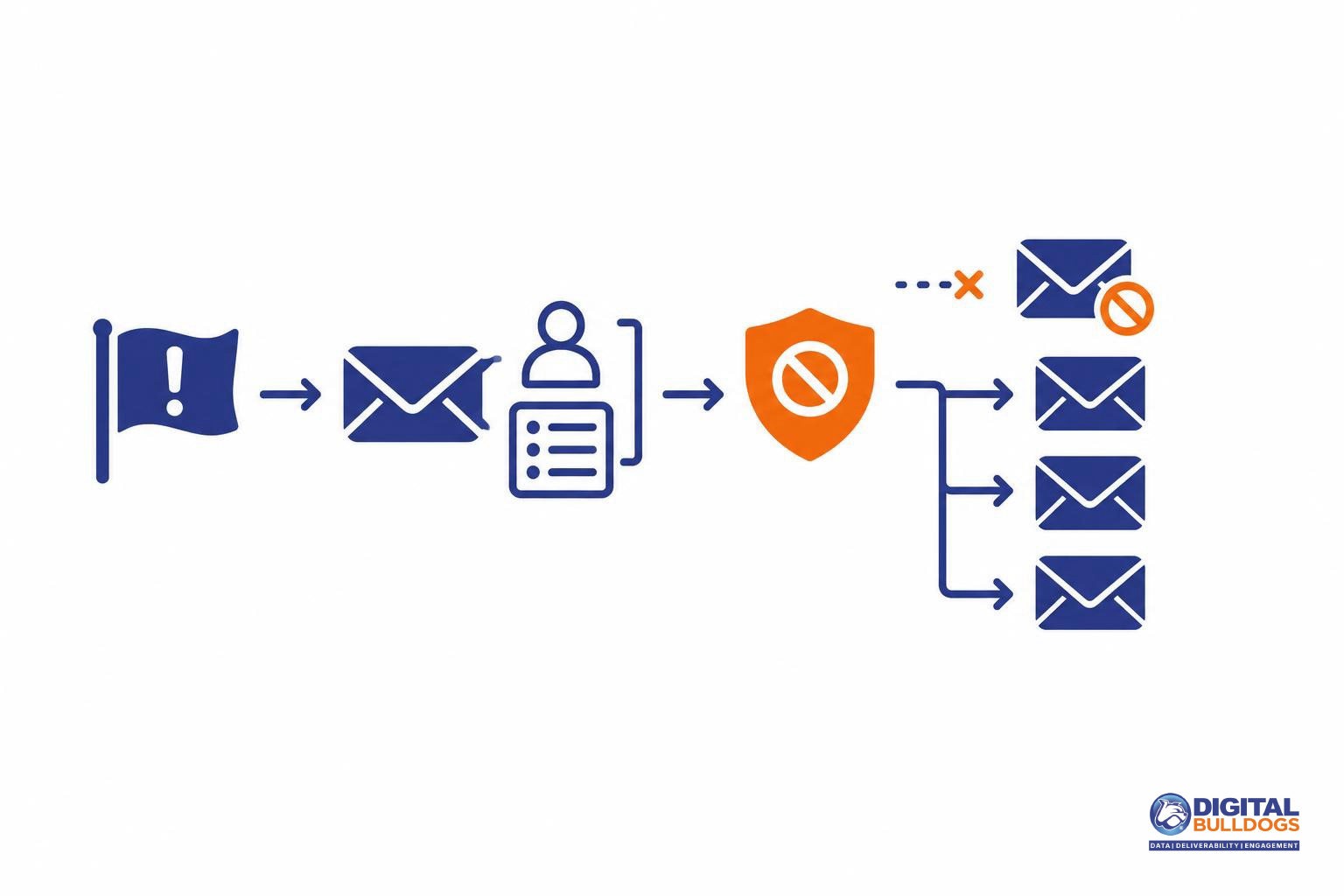
When a complaint identifies a recipient, suppress further marketing from the affected list before the next campaign. First, match the reported message to the recipient, campaign and sending list using the message details and your available sending records. Some reports redact recipient information, so do not assume every report gives you an address you can suppress. The complaint feedback-loop operational guidance explains these identification limits and the need for appropriately scoped suppression.
- Stop the relevant marketing. Record the complaint in your suppression system, not just in a campaign report. Check that queued campaigns and future list imports will respect that suppression.
- Review related segments. If the same sender reaches that recipient through overlapping marketing segments, assess whether those segments should also be suppressed. Yahoo specifically recommends using complaint reports to suppress recipients and review targeting or frequency.
- Keep the scope appropriate. Do not automatically turn a complaint about one sender into a block across every unrelated agency client or ESP customer. Keep the recipient’s relationship with the affected sender central to the decision.
- Separate marketing from necessary transactions. A marketing complaint should not automatically stop necessary messages such as receipts or account notifications. Review transactional mail separately rather than treating every message type as interchangeable.
Keep direct unsubscribe requests working alongside complaint processing. A feedback loop is not a replacement for an unsubscribe path: set up and test one-click unsubscribe, and make sure both processes update the suppression records used for future marketing sends.
Carry suppression into audience records and exports
A complaint suppression should stay with the audience record when you rebuild a segment or prepare an export. Otherwise, a recipient removed from one campaign could be selected again through another workflow.
Complaint feedback loop operational guidance recommends using complaint reports to prevent further unwanted mail, while recognizing that reports may hide recipient details and that suppression scope needs care. The workflow below is implementation guidance derived from that goal—not a provider-mandated database design.
- Keep the complaint tied to a reliably matched recipient. In the system responsible for marketing eligibility, retain the recipient, relevant sender or list, complaint event and current suppression status. This gives later audience jobs a record to check.
- Recheck eligibility when audiences change. Apply suppression when rebuilding segments, appending fields or exporting an email audience. An enrichment job should not reset a record’s suppression status, and an export should not rely only on an earlier campaign’s exclusions.
- Separate matching from permission to send. Deciding that records represent the same person is different from deciding whether a particular address is eligible for marketing. Do not use an uncertain match to extend suppression to unrelated records—or treat a successful match as permission to send.
For this workflow, it helps to understand data append versus identity resolution: enriching an existing record and matching records are different operations. Neither should silently overwrite the marketing eligibility decision attached to a complaint.

Use campaign feedback to review audience selection
Use campaign feedback to decide which traffic groups need review—not to identify who complained. Gmail’s Feedback Loop provides aggregate reporting through Feedback-ID identifiers, which can represent campaigns, customers or other sending groups. Google recommends choosing identifiers that group relevant traffic and warns against identifiers unique to every message, which can prevent useful aggregate reporting.
For marketers and agencies, that makes consistent campaign naming important. When a reported group raises concern, compare it with the audience and sending records you actually have. Treat these as investigative questions, not proven explanations:
- Acquisition source: Did this group come from a different signup source or offer than other audiences?
- Segment: Were the selection rules consistent with the audience’s recorded interests and subscription expectations?
- Message type: Did the campaign’s content match what recipients expected to receive?
- Frequency: Did overlapping campaigns change how often this audience received mail?
A complaint pattern can help prioritize those checks. It does not establish which individual complained or why.
Before the next send, use a short handoff checklist:
- Campaign identity retained: Keep the campaign or customer identifier connected to the audience export and sending records.
- Applicable suppressions applied: Confirm that the destination audience reflects the relevant suppression records.
- Destination eligibility checked: Verify that each record is eligible for the intended email use before activation.
To connect those checks to your export workflow, check the audience activation handoff. Appended attributes or resolved identities may help organize records, but they do not create permission to email.
Check reporting coverage before drawing conclusions
An empty complaint report is not proof that nobody complained. Gmail’s Feedback Loop covers gmail.com recipients and requires sufficient sending volume and distinct user spam reports before data appears. Missing data can reflect reporting conditions, not an absence of complaints.
Before treating silence as success, review the full path from enrollment to action:
- Verify coverage and enrollment. Confirm which providers your platform supports and whether setup is complete. Yahoo’s complaint feedback loop requires domain-based enrollment and DKIM signing, with complaint reports delivered to the enrolled reporting address.
- Check report receipt. Confirm that the reporting mailbox or platform integration is receiving and accepting reports—not simply that someone submitted an enrollment request.
- Name the processing owner. Establish whether your team or sending provider handles reports. For Microsoft, verify who has the necessary IP-data access and authorization in the SNDS portal and integrated Junk Email Reporting Program.
- Verify suppression outcomes. Where a complaint identifies a recipient, check that processing produces the intended suppression and that later campaign exports preserve it.
Keep complaint feedback separate from inbox-placement measurement. Complaint reports help you understand reported spam; they do not establish where all your messages landed. Enrollment alone should not be treated as evidence of inbox delivery or repaired sender reputation.
If you need to review complaint handling alongside authentication, list hygiene and inbox placement, you can book a free consult with Digital Bulldogs.
Keep researching on Digital Bulldogs
Frequently asked questions
Does Gmail send individual spam complaint reports?
No. Gmail’s Feedback Loop provides aggregate campaign feedback for mail sent to gmail.com addresses, rather than reports identifying individual complainants. Senders use Feedback-ID headers to group that feedback. Use it to investigate campaign patterns, not to identify a recipient for suppression; missing feedback does not establish that nobody complained.
Do I need DKIM to enroll in Yahoo’s complaint feedback loop?
Yes. Yahoo’s complaint feedback loop requires DKIM-signed mail and domain-based enrollment. Complaint reports are sent in Abuse Reporting Format to the enrolled reporting address. Before enrolling, check which domain signs your campaigns and who will process the reports, especially if an agency or sending platform manages delivery for you.
Is a feedback-loop complaint the same as an unsubscribe?
No. A complaint reports that a recipient marked a message as spam; an unsubscribe asks the sender to stop a subscription. They are different signals, but an identifiable complaint should inform suppression. Complaint-handling guidance discusses suppression scope and transactional-mail exceptions, so avoid treating a complaint as an instruction to stop every type of message.
Should an agency suppress a complainant across every client?
Not automatically. The operational guidance cited above treats suppression scope as something senders and service providers need to establish together. An agency should preserve which sender or mailing relationship generated the complaint, rather than automatically applying it to unrelated clients. Carry that context into suppression records so later audience exports respect the appropriate scope.
Where do I manage Outlook.com complaint feedback?
Use the current Outlook.com Smart Network Data Services portal, which integrates the Junk Email Reporting Program. SNDS data access is tied to sending IP addresses and requires appropriate authorization. If your sending platform controls those IPs, check who manages access and complaint handling before assuming your own account covers the mail you send.
Sources
- Complaint Feedback Loop Operational Recommendations · RFC Editor / Messaging Anti-Abuse Working Group
- Complaint Feedback Loop · Yahoo Sender Hub
- Feedback Loop · Google Gmail Help
- Outlook.com Smart Network Data Services · Microsoft