

Email Revenue Per Subscriber: Measure People vs. Sends
Calculate email revenue per subscriber by dividing attributed email revenue by the distinct subscribers in your defined audience and period; calculate revenue per send by dividing that same revenue by messages sent. To understand what changed, keep your revenue and attribution rules consistent, then examine inbox placement, list removals and within-segment performance separately.
The denominator matters: Klaviyo’s revenue per recipient calculation uses delivered messages, not distinct subscribers. That is a different measure from revenue per person or per attempted send. Attribution matters too, because your model, eligible channels and lookback window affect which activity receives credit.
This article walks through the denominator difference, setting consistent revenue rules, checking delivery before blaming the offer, and separating list hygiene gains from segmentation effects. It also explains why audience matching should stay separate from permission and earnings, then brings those checks together in a scorecard that helps you explain the result—not just report it.
Calculate email revenue per subscriber without mixing denominators
For this worksheet, email revenue per subscriber = email-attributed revenue for a reporting period ÷ distinct subscribers in a documented reporting cohort. Count each subscriber once, even if that subscriber received multiple emails during the period.
Define the cohort before calculating. You might use subscribers eligible to receive marketing email at the start of the period, or distinct subscribers sent email during it. Record which definition you chose and keep it consistent between comparisons.
Use separate labels for calculations based on sending volume:
- Revenue per subscriber: email-attributed revenue divided by distinct subscribers in your defined cohort.
- Revenue per email sent: the same revenue divided by attempted recipient-message sends—not campaign launches. Each message attempted to each recipient counts as a send.
- Revenue per delivered email: the same revenue divided by successful message deliveries.
These terms are not interchangeable. Klaviyo defines revenue per recipient using successful message deliveries, excluding messages that could not be delivered. That denominator measures delivered messages, not distinct subscribers.
Your worksheet should record the reporting dates, revenue definition, attribution rule, cohort definition, distinct subscriber count, attempted sends and successful deliveries. This keeps changes in audience size separate from changes in sending frequency or delivery.
Treat this email list value calculation as observed revenue productivity for the selected period. It is not a sale valuation, a profit measure or a prediction of subscriber lifetime value.
Worked example: delivered messages are not subscriber counts
Delivered emails measure message volume, not distinct people. Keep those denominators separate when calculating email revenue.
In an illustrative example reproduced from its documentation, Klaviyo divides $500 in attributed revenue by 1,000 delivered emails to produce $0.50 per delivered email. This is not a Digital Bulldogs result. Klaviyo’s denominator excludes unsuccessful deliveries.
That example supplies neither a distinct subscriber count nor an attempted-send count. You therefore cannot calculate revenue per subscriber or revenue per attempted send numerically from those inputs alone.
A separate symbolic ledger for subscribers and sends
To calculate those metrics, define the following inputs for the same reporting period and eligible audience:
- A: campaign revenue
- B: automation revenue
- F: recorded refunds against that revenue
- S: distinct eligible subscribers
- M: attempted recipient-message sends
This illustrative ledger assumes campaign and automation revenue have been reconciled so the same transaction is not added twice. It also assumes A and B are measured before subtracting F. If your revenue source already deducts refunds, do not deduct them again: Google Analytics defines purchase revenue as purchase-related revenue less refunds.
- Net email revenue: R = A + B − F
- Revenue per subscriber: R ÷ S
- Revenue per email sent: R ÷ M
- Attempted sends per subscriber: M ÷ S
The ledger demonstrates the method without inventing financial inputs or subscriber totals. With consistent inputs and nonzero denominators, the algebraic check is:
Revenue per subscriber = revenue per attempted send × attempted sends per subscriber.
Sending frequency can therefore change revenue per subscriber even when revenue per attempted send stays unchanged. Track both to distinguish revenue per person from revenue per message attempt.

Set the revenue and attribution rules before comparing periods
Email revenue per subscriber can change because the revenue calculation changed—not because your sending performed differently. Before comparing periods, record the reporting dates, revenue source, attribution model and lookback window alongside the subscriber denominator.
Record the Attribution Rules Behind Revenue
Reporting model
Record the model used to assign credit to marketing touchpoints.
Eligible channels
Record which channels can receive credit in the report.
Lookback window
Record how far back a touchpoint remains eligible for attribution credit.
Attribution determines which interactions receive credit for a purchase. Google Analytics explains that attribution settings control credit assignment and touchpoint eligibility. Changing those settings can change the revenue credited to email without establishing that inbox placement improved or declined.
Also decide whether your worksheet uses gross revenue or revenue after recorded refunds, and label the choice explicitly. Google Analytics defines purchase revenue as purchase-related revenue minus refunds. Do not compare a gross-revenue figure from one source with a refund-adjusted figure from another as though they measure the same thing.
For affiliate campaigns, keep a separately labelled ledger of recognized email-attributed commissions, rather than using the merchant’s order value as your earnings. For sponsorships, document how recognized revenue is allocated to the relevant messages so the same payment is not counted repeatedly.
Use this checklist with every comparison:
- Reporting scope: Record the dates, revenue source and treatment of refunds.
- Attribution model: Identify the model used to assign credit.
- Eligible channels: Identify which channels can receive credit.
- Lookback window: Record how far back eligible interactions can occur.
- Revenue allocation: State the commission or sponsorship rules, where applicable.
Treat differences between attribution reports as reconciliation questions first. Align the definitions before deciding whether a change in revenue per subscriber reflects a change in sending performance.
Check inbox placement before blaming the offer
A successful delivery is not proof of inbox placement. Klaviyo’s revenue-per-recipient calculation uses delivered messages and excludes unsuccessful deliveries; that denominator does not establish how many messages reached the inbox. Review delivery and placement evidence alongside attributed revenue before deciding that a weaker offer caused the decline.
Google’s sender guidelines connect authentication, recipient complaints and sender reputation with delivery outcomes. Meeting those requirements does not guarantee inbox placement. Google also cautions that low open rates reported by third parties are not necessarily an accurate indicator of delivery problems.
When revenue falls, check the delivery path before attributing the change solely to copy or offer performance:
- Authentication results: Review SPF, DKIM and DMARC results for the sending domains involved.
- Rejections and deferrals: Inspect provider responses for evidence that messages were rejected or temporarily delayed.
- Provider-level signals: Check available reputation and complaint diagnostics, including Google Postmaster Tools for Gmail traffic, rather than relying only on a blended campaign total.
- Placement tests: Compare test findings with delivery logs and revenue trends. Use them as diagnostic evidence, not as a direct count of subscriber inboxes.
Understanding what seed list tests reveal about inbox placement helps keep that distinction clear. A seed result describes what happened to the test accounts; it does not establish what every subscriber saw. Keep placement findings beside the revenue calculation so you can distinguish delivery concerns from possible offer or audience issues without claiming either has been proven.
Separate list hygiene gains from segmentation effects
A higher revenue-per-subscriber ratio can reflect a smaller audience, not more earnings. Keep list hygiene and audience selection separate so you can tell what actually changed.
Google’s sender guidelines recommend sending to people who want your messages, confirming email addresses, making unsubscribing easy and removing recipients whose addresses repeatedly bounce. Those practices help define who is eligible to receive email; they do not establish how much revenue that audience will generate.
In your worksheet, keep these groups distinct:
- Eligible subscribers: the full cohort eligible to receive your messages during the reporting period.
- Suppressed records: records excluded from sending, with the reason recorded separately.
- Engagement-selected cohorts: subsets chosen using engagement criteria, reported separately from the full eligible cohort.
If you exclude records that produced no attributed revenue, the revenue-per-subscriber ratio can rise while total revenue stays unchanged. Show revenue and cohort size together, and explain any eligibility changes. A smaller denominator is not new earnings.
When comparing engagement-based segments, use the same revenue definition, attribution rules and reporting period. Track clicks, purchases, complaints and unsubscribes alongside revenue ratios rather than making opens the sole selection rule. For a practical approach to choosing an initial audience, see engagement-based segmentation and who to send first.
Treat a stronger observed ratio as a result for that selected audience under those sending conditions—not proof that expanding the segment or sending more frequently will reproduce it.
Keep audience matching separate from permission and earnings
Audience matching can change how you count subscribers, but a matched record is not automatically an eligible email subscriber—or revenue.
Check Matched Records Before Counting Subscribers
Identity accuracy
Assess whether the matched address belongs to the intended person. Appended correlations can be incorrect.
Channel-specific permission
Assess email permission separately from an identity match or permission granted for another channel.
Sending readiness
Review bounce and complaint risks separately. Message acceptance does not establish that the intended person received it.
Google Analytics describes using consistent business-assigned User-IDs to connect activity across sessions and devices. Assigning the same identifier to different people can distort user reporting. For this worksheet, document whether your subscriber denominator counts email addresses or resolved people. Keep that rule stable across reporting periods, and do not silently substitute website visitors or matched records for eligible subscribers.
M3AAWG’s position on email appending warns about incorrect identity correlations, non-permission-based messages, bounces and complaints. This is industry guidance, not a statement that US law universally requires opt-in. It also cautions that message acceptance does not establish delivery to the intended person.
Assess these questions separately before including appended records in a sending cohort:
- Identity accuracy: Does the address belong to the person you intend to reach? Understanding what email append match rates actually measure helps keep match coverage separate from identity accuracy.
- Channel-specific permission: What supports contacting that person by email? Review website visitor matching and US email rules rather than treating a visitor match as permission.
- Sending readiness: Has the address passed your list-quality checks, including suppression review?
Only after those checks should appended attributes define a documented cohort for comparison. Keep its eligibility and identity rules visible in the worksheet. A visitor match or append match is not itself email revenue, subscriber permission or evidence of future earnings.
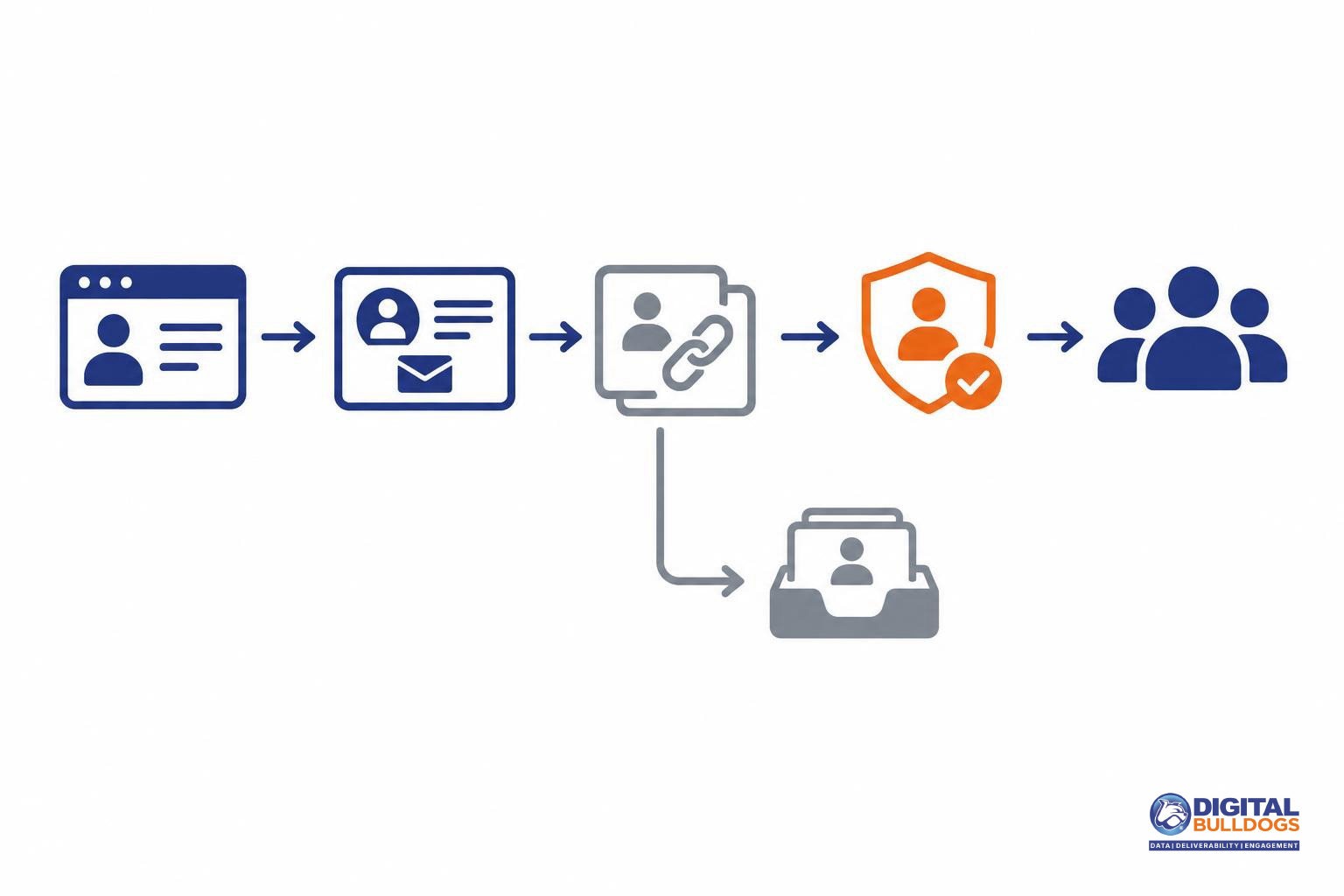
Build a scorecard that explains what changed
Use a worksheet that keeps people, messages and revenue separate. Keep campaigns and automations in distinct rows or views so their results remain distinguishable.
- Reporting basis: Record the period, cohort definition, subscriber count and revenue after your chosen adjustments. Document the attribution model, eligible channels and lookback window; these settings determine how credit is assigned.
- Sending activity: Record attempted sends and delivered messages separately from subscriber count.
- Revenue ratios: Label revenue per subscriber as revenue divided by the defined subscriber count. Label revenue per delivered message separately. Klaviyo’s revenue-per-recipient calculation uses delivered messages, excluding unsuccessful deliveries—not a distinct subscriber count.
- Diagnostic context: Add authentication status, bounces, complaints, placement observations, acquisition source and engagement segment. Use Gmail’s sender guidance and Postmaster Tools diagnostics to inform delivery checks rather than treating open rates alone as placement evidence.
- Identity changes: Note revisions to audience matching or deduplication. Google warns that reusing a User-ID across different people distorts user reporting.
Read a rising ratio alongside total revenue and cohort size. Identify whether it follows revenue growth, a smaller audience, changed sending frequency, different attribution rules or revised identity matching. A higher ratio alone does not explain the change.
For client-facing presentation, use our guide to email deliverability reporting metrics for clients. Explore our email deliverability and audience data guides when the scorecard raises deeper questions.
If inbox placement, list condition or audience matching remains unresolved, Digital Bulldogs can help review those areas. You can book a free consult to discuss what needs closer investigation.
Frequently asked questions
What is the difference between email revenue per subscriber and revenue per email sent?
They answer different questions: how much revenue your subscriber base generates versus how much revenue each send generates. For your scorecard, divide attributed email revenue by distinct subscribers for the first measure, and by messages sent for the second. Keep the reporting period and revenue definition identical, and label delivered-message metrics separately rather than treating them as subscriber metrics.
Why does my platform divide revenue by delivered emails instead of subscribers?
Check the platform’s metric definition: it may be reporting revenue per recipient rather than revenue per subscriber. For example, Klaviyo calculates revenue per recipient using delivered emails and excludes unsuccessful deliveries. Use that measure to evaluate revenue relative to delivered volume. To assess subscriber-level performance, calculate a separate metric using a clearly defined count of distinct subscribers.
Should refunds be included in an email list value calculation?
For a refund-adjusted view of list value, subtract refunds from the revenue numerator. Google Analytics defines purchase revenue as purchase-related revenue less refunds. You can track gross revenue alongside it, but label both clearly. Decide how to handle refunds recorded after the original purchase period, then apply that rule consistently when comparing results.
Can revenue per subscriber rise without total email revenue increasing?
Yes. With revenue unchanged, dividing by a smaller subscriber count produces a higher revenue-per-subscriber figure. That is a denominator change, not additional earnings. Show total attributed revenue and the subscriber count alongside the ratio, and note any exclusions or list removals. Keep your subscriber definition stable so a reporting change does not look like improved marketing performance.
Does a visitor match or appended email address count as a subscriber?
No—not on the strength of the match alone. M3AAWG warns that email appending can create incorrect identity correlations and does not establish channel-specific permission. Identity resolution serves a different purpose: Google’s User-ID connects activity across sessions and devices using consistent business-assigned identifiers. Keep matched identities separate from your permission-based subscriber count, and do not treat a match as evidence of email-attributed earnings.
Sources
- How to calculate revenue per recipient · Klaviyo Help Center · 2026-10-26
- Analytics dimensions and metrics · Google Analytics Help
- Select attribution settings · Google Analytics Help
- Email sender guidelines · Google Gmail Help
- M3AAWG Position on Email Appending · Messaging, Malware and Mobile Anti-Abuse Working Group
- Measure activity across platforms with User-ID · Google Analytics Help