

Engagement Based Email Segmentation: Who to Send First
Use engagement based email segmentation to identify subscribers with recent, meaningful activity—such as clicks, replies or purchases—while excluding anyone who has opted out or is otherwise ineligible to receive email. Send to that active group first at a steady volume, expand gradually as delivery feedback allows, and give inactive subscribers a separate review or reconfirmation path rather than treating opens alone as proof of interest.
Open tracking can be misleading: Apple’s Mail Privacy Protection can download remote content in the background whether or not someone engages with the message. Google’s sender guidelines recommend starting with low volume to engaged users, increasing gradually and avoiding sending bursts.
This article explains how to define your engaged segment, connect activity to the right subscriber record and keep eligibility checks intact when activating an audience. It also covers handling inactive subscribers separately and reviewing delivery feedback before expanding your sends.
Start with meaningful activity, not opens alone
Send the next campaign first to eligible subscribers with meaningful recent activity. Before ranking anyone, exclude suppressed addresses, including unsubscribed contacts. Keep newly subscribed contacts in a separate group so you can assess their signup context without treating a lack of history as inactivity.
Opens alone are a weak basis for that decision. Apple Mail Privacy Protection downloads remote content regardless of engagement, so a recorded image load is not sufficient evidence that someone read your message. An open can provide context, but it should not decide who receives your next campaign first.
Use the following as an editorial decision framework, not a mailbox provider scoring formula:
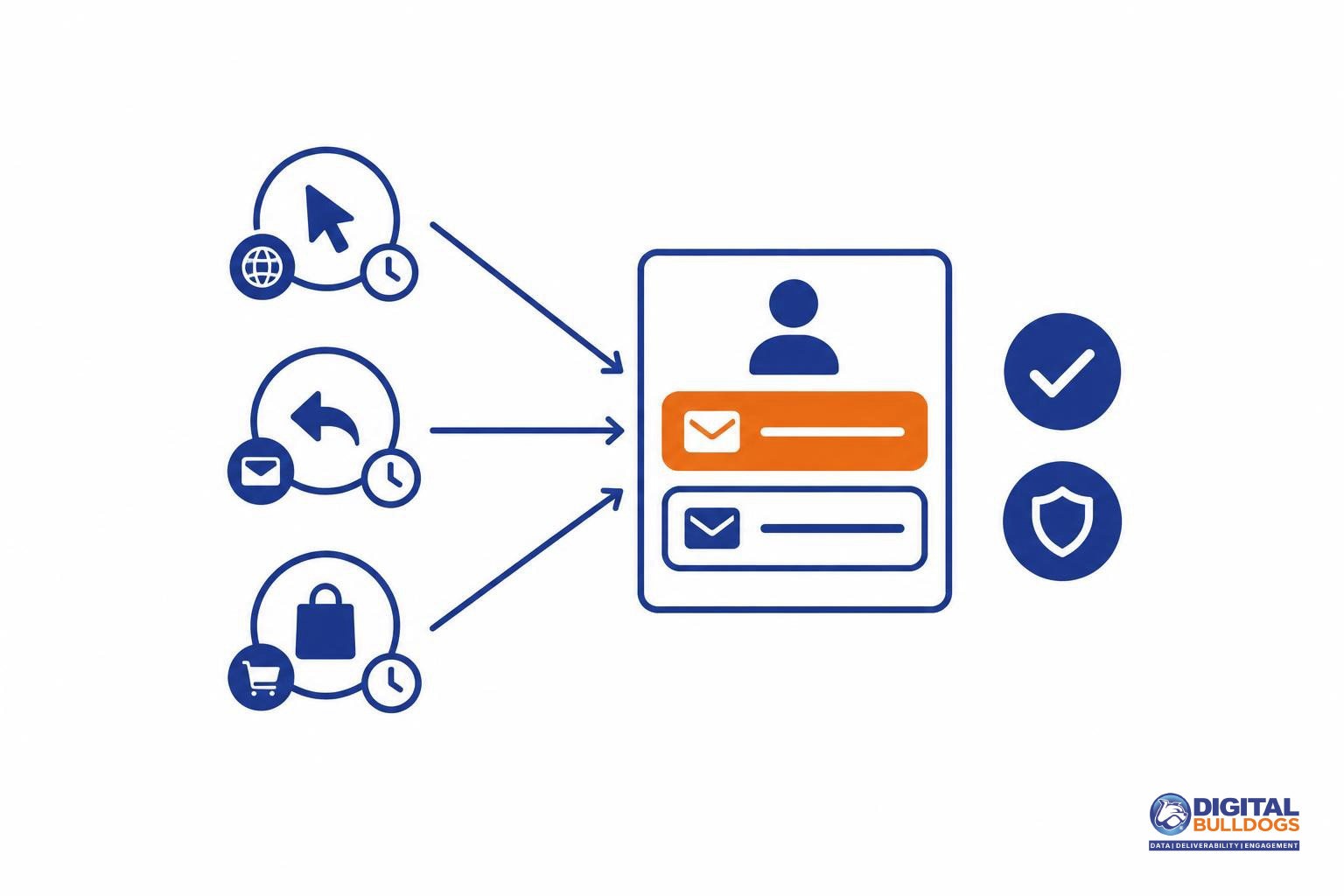
- Review attributable clicks: Look for activity connected to the subscriber and relevant to the campaign, rather than treating every recorded click as equally meaningful.
- Consider genuine replies: A relevant response can help you understand what the subscriber wants to hear about.
- Add relevant first-party conversions: Use purchases, registrations, or other actions recorded through your own customer touchpoints to guide message relevance alongside email activity.
Keep commercial interest separate from email interest. A recent purchase may make a product update useful, but it should not automatically move someone into your most frequent email track. Prioritize subscribers whose recent activity supports both the subject of the campaign and continued email contact—not simply those who spent money or registered an open.
Build an engaged subscriber segment with clear exclusions
Build your segment around meaningful activity and sending eligibility—not activity alone. Use the working groups below as operational labels, not industry standards.
For each group, record qualifying activity, the observation window, normal campaign cadence, exclusions, intended sending treatment, and the condition for moving to another group. Set windows around how often you normally send and the customer relationship. Missing tracking data should mean “activity unknown,” not automatically “disinterested.”
- Recently active: Define qualifying signals, such as relevant clicks, replies, or purchases. Choose a window that covers meaningful opportunities to respond at your normal cadence. Send eligible subscribers relevant campaigns first; move them to lapsing when they no longer meet your documented activity rule.
- Newly subscribed with limited history: Use the subscription event as the entry condition, not proof of ongoing engagement. Observe activity through your normal welcome or introductory sequence. Keep treatment aligned with what they requested, then move them into an activity group when enough history exists.
- Lapsing: Include subscribers with earlier qualifying activity but no recent signal within your chosen window. Document their usual campaign frequency and consider a more selective cadence. Move them back after qualifying activity, or to inactive when your longer observation window closes.
- Inactive: Define this group using an extended lack of qualifying activity across actual sending opportunities. Record the previous cadence and a separate review or reduced-contact treatment. Require a documented qualifying signal before returning someone to the active group.
- Suppressed: Record the exclusion reason, when it applies, and a no-send treatment. Activity does not override suppression; any status change needs a valid, documented basis.
Apply exclusions before every send. Record applicable suppression rules against every group, so a click or purchase cannot accidentally restore sending eligibility. Spamhaus recommends carrying suppression lists onto new sending infrastructure so previously excluded addresses are not mailed again.
Send active subscribers first without creating a volume spike
Send your most engaged, eligible subscribers first, then expand at a measured pace. For a campaign launch or restart, use Google’s guidance to begin with low volume to engaged users and increase gradually as the basis for your sending order. That guidance also calls for avoiding bursts, monitoring delivery responses and reputation, and reducing volume when bounces or deferrals occur.
Sending order is not permission to rush the rest of the audience. Starting with active subscribers does not make a sudden jump to the full list a controlled rollout. When planning an email warm-up schedule, build in consistent pacing and review points before each audience expansion—not just dates when larger sends automatically begin.
- Start with the active segment: Keep the initial send limited to eligible subscribers with meaningful recent activity.
- Review before expanding: Check delivery responses, bounces, deferrals and available reputation feedback before adding the next group.
- Hold when signals worsen: Pause the next expansion and reduce volume where needed rather than advancing simply because the next scheduled date has arrived.
If your team needs help implementing that pacing and monitoring process, Digital Bulldogs offers email warm-up and seeding support. Keep subscriber activity as the basis for engagement-based sending order, and let delivery feedback guide whether the rollout is ready to grow.
Connect activity to the right subscriber record
Before using engagement to decide who receives email first, check that each qualifying event belongs to the subscriber record and email destination you intend to send to. A purchase or click attached to a duplicate profile should not automatically make every associated address eligible.
AWS documents identity resolution as finding and consolidating similar customer profiles using configured matching criteria. That is an implementation example, not evidence that every platform matches or merges records the same way.
For your segmentation workflow, we recommend retaining these fields together:
- Email destination: the address being evaluated for the send.
- Stable customer identifier: where available, a consistent reference for connecting records.
- Activity timestamp and event source: when the action occurred and which system recorded it.
- Subscription status and suppression status: separate eligibility checks that remain visible alongside engagement.
Our recommended merge safeguards: review ambiguous matches before consolidating records, preserve each event’s provenance, and avoid copying activity indiscriminately across every address associated with a person. Keep the connection between an event, its source record, and its destination clear enough to inspect before activating the segment.
Keep appended attributes separate from observed behavior. We recommend using enrichment to add relevant audience context—not to replace evidence of email engagement or subscription eligibility. Reviewing first-party and third-party data uses and limits can help you define that boundary before enriched records enter your sending workflow.
Activate the segment without losing eligibility checks
Move the engagement criteria and sending eligibility with the addresses—not just the list itself. For agencies and direct-response teams, a useful handoff lets the sending platform show why each subscriber qualified and whether that subscriber remains eligible.
Use this recommended checklist for each exported record:
- Destination address: The email address selected to receive the campaign.
- Segment label: A clear name that identifies the audience and its selection rules.
- Qualifying event: The activity that earned inclusion, such as a purchase or confirmed reply.
- Event time: When that activity occurred, so the destination can preserve the engagement window.
- Subscription evidence: The recorded signup source, preferences, and other available evidence relevant to sending eligibility.
- Suppression state: Whether the address is excluded and why.
- Export time: When the source selection was captured, making later status changes easier to identify.
Before launch, compare the destination audience with the source selection. Check that qualifying events and dates still match, exclusions survived the transfer, and recent unsubscribes or other eligibility changes have been applied. Resolve discrepancies before scheduling the send.
The FTC requires commercial email opt-outs to be honored. Recent activity or an identity match must not override an applicable opt-out. Treat US legal obligations and mailbox-provider subscription requirements as separate checks: CAN-SPAM is not a blanket opt-in law, and it does not settle every permission question involving audience data.
For the broader transfer workflow, see our guide to turning customer data into an email audience. At this stage, the priority is preserving who qualified, why they qualified, and whether they can still receive the campaign.
Give inactive subscribers a separate handling path
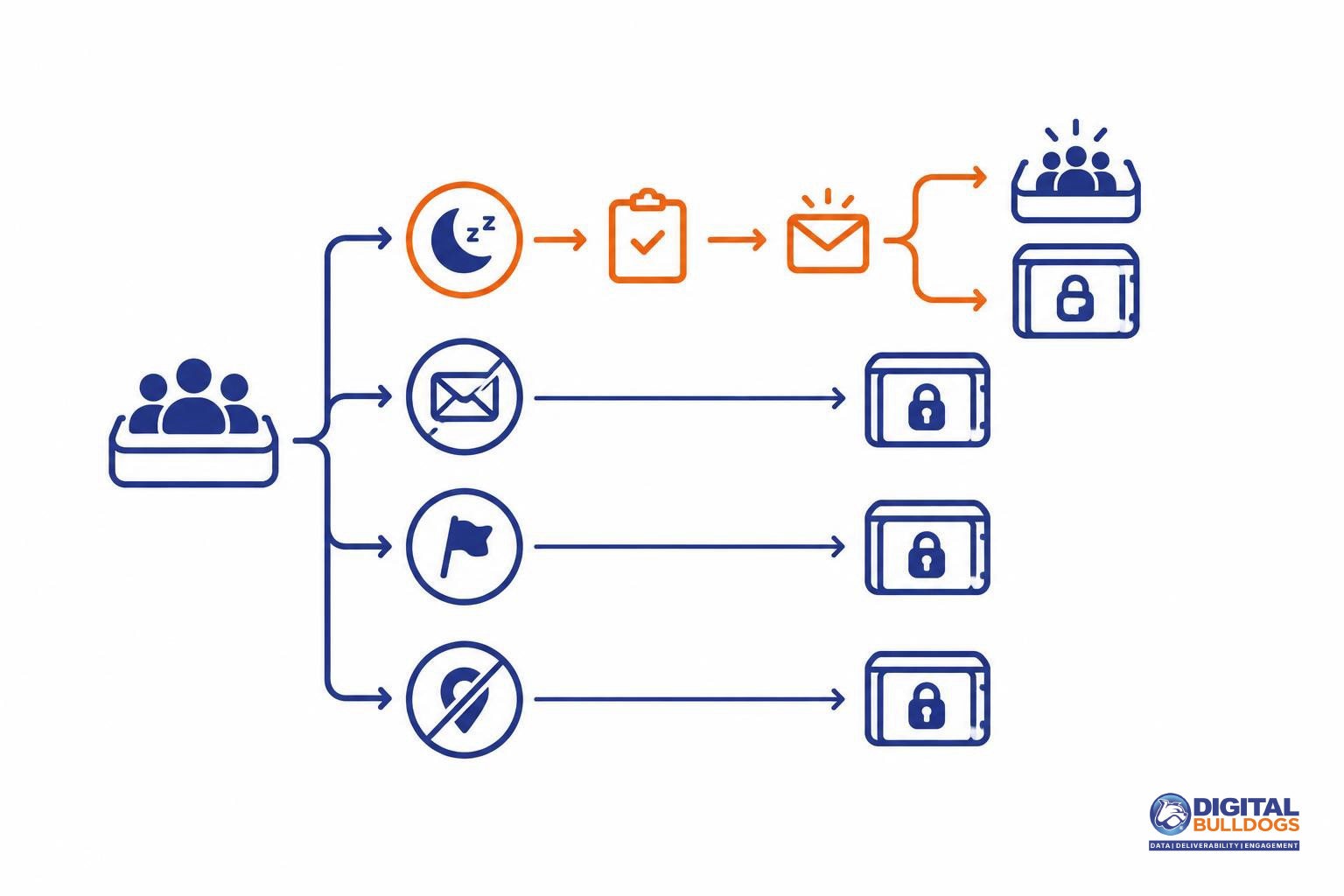
Reduced activity is a reason to review a subscriber, not to treat every quiet address the same. Keep these groups separate before building a re-engagement audience:
- Inactive subscribers: Contacts with little recent activity whose permission and delivery history need review.
- Unsubscribed recipients: People who opted out. Exclude them from promotional sends, including reconfirmation campaigns.
- Complainants: Recipients who reported your messages as spam. Keep them out of re-engagement and on your suppression path.
- Invalid addresses: Undeliverable addresses that need removal from active sending, not another attempt to generate engagement.
Yahoo advises monitoring inactive recipients and removing invalid recipients promptly, and suggests considering periodic reconfirmation for inactive subscribers. That calls for a separate review process—not an automatic send to everyone marked inactive.
Before approving a limited reconfirmation effort, review how permission was collected, the subscriber’s previous sending frequency, available activity evidence, and delivery history. If eligibility is unclear, hold the contact out while you investigate. Make those checks part of your list management and hygiene process.
Define the exit condition before sending. Specify what counts as a genuine response, such as an explicit confirmation or a relevant action. Return responsive subscribers to the appropriate sending track; suppress the remaining inactive contacts from routine promotions under your documented policy.
Do not send reconfirmation messages to people who already opted out. The FTC’s CAN-SPAM guidance requires honoring commercial-email opt-outs, including those from subscribers or members. Retain the suppression information needed to prevent an import, profile merge, or platform change from accidentally reactivating them.
Review delivery feedback before expanding the audience
Expand only after reviewing how the current segment performed. Follow Google’s recommendation to monitor server responses, spam rate, and domain reputation as volume increases. If messages begin bouncing or being deferred, reduce volume rather than pushing ahead with the next audience group.
Review recipient activity and campaign outcomes by segment and receiving provider. Keep clicks, conversions, unsubscribes, bounces, and deferrals visible separately instead of relying on one blended open-rate figure. This makes it easier to spot a segment or provider that needs attention before you widen the send.
Keep seed testing in a separate diagnostic workflow. It can help investigate delivery, but it does not establish that your engaged subscriber segment contains the right people. Use this guide to seed list testing versus real inbox placement to keep testing results distinct from subscriber eligibility and engagement evidence.
Before each expansion, run the same checklist:
- Audience eligibility: Does every recipient meet the segment’s subscription and engagement criteria?
- Exclusions: Are unsubscribes, complaints, invalid addresses, and other suppression records excluded?
- Signal quality: Is inclusion based on meaningful activity rather than opens alone?
- Destination accuracy: Is activity connected to the correct subscriber record and eligible email address?
- Pacing: Does the next send follow a gradual plan without an abrupt volume spike?
- Delivery feedback: Have you checked provider-level responses and resolved issues that call for holding or reducing volume?
Repeat this review before adding another segment. If you need help with list hygiene, warm-up planning, or inbox placement monitoring, Digital Bulldogs can help you plan the next step. Book a free consult.
Keep researching on Digital Bulldogs
Frequently asked questions
What should count as an engaged email subscriber?
Use deliberate activity as your working definition: a recent click, reply, purchase, or preference update can help you decide whom to prioritize. Choose signals relevant to your campaign, and keep subscription eligibility as a separate check. Google recommends starting with low volume to engaged users, then increasing gradually. Build your segment around meaningful actions rather than treating every recorded interaction as equally useful.
Can I build an engaged subscriber segment from opens alone?
Not reliably. Apple’s Protect Mail Activity downloads remote content in the background regardless of engagement, so a tracked open is not proof that someone read your message. Treat opens as supporting context, not the sole entry rule for your most-active segment. For that segment, favor a deliberate action that fits your campaign, such as a click or reply.
Should newly subscribed contacts join the most-active segment immediately?
Keep new subscribers in a separate welcome segment initially rather than automatically labeling them your most active contacts. Use their signup context to choose an appropriate first message, then promote them into your active segment when they meet your chosen activity criteria. Schedule that welcome traffic alongside existing campaigns so adding new subscribers does not become an unplanned jump in sending volume.
Should inactive subscribers receive a reconfirmation email or be suppressed?
Consider reconfirmation for inactive subscribers who remain eligible to receive email, but do not make it an automatic step for every old address. Yahoo recommends monitoring inactive recipients and bounces, promptly removing invalid recipients, and considering reconfirmation for inactive subscribers. Keep invalid and already opted-out addresses out of that campaign. Define in advance what response would retain a subscriber and how you will handle nonresponders.
Can a profile merge or data append make an unsubscribed contact eligible again?
No—do not treat a merge or append as renewed permission. AWS describes identity resolution as matching and consolidating similar profiles using configured criteria; that is a record-management function, not a subscription action. The FTC’s CAN-SPAM guidance requires honoring commercial-email opt-outs, including those from subscribers and members. Preserve suppression status through record updates, and check it again before activating an audience.
Sources
- Mail Privacy Protection & Privacy · Apple
- Sender Guidelines · Spamhaus
- Email sender guidelines · Google
- Use Identity Resolution to consolidate similar profiles in Connect Customer · Amazon Web Services
- CAN-SPAM Act: A Compliance Guide for Business · Federal Trade Commission
- Sender Best Practices · Yahoo