

Dedicated vs Shared IP for Email: Which Fits Your Volume?
If you send large, steady volumes every day, a dedicated IP can be worth paying for. If your sends are smaller or irregular, a well-run shared IP is usually the better fit. That’s the practical answer to dedicated vs shared IP for email. Amazon SES, for example, advises that once a dedicated IP is warmed up, you should keep sending around 1,000 emails a day to each mailbox provider from each IP. If you can’t sustain that kind of rhythm, a dedicated IP has little to stand on.
The trade-off comes down to control versus shared risk. On a shared IP, Google points out that other senders’ activity affects the reputation of everyone using it. A dedicated IP removes that problem and, in Amazon’s words, gives you complete control over your sender reputation. That control also means every bounce, complaint and quiet week is yours alone, and the IP has to be warmed up before mailbox providers trust it.
Below, we walk through how shared IP reputation works and when it starts to hurt, what “enough volume” really looks like, and what warm-up involves and how long it takes. We also cover what a dedicated IP actually costs and the authentication and complaint rules that apply no matter which IP you use. We finish with a simple way to decide, plus when it makes sense to bring in help.
The short answer: shared vs dedicated IP for email
For most senders, a shared IP is the sensible starting point. A dedicated IP is worth it once your sending volume is steady and predictable and your list habits are solid. It won’t rescue a list with quality problems. Here is what each option means.
Shared IP: one address, many senders
A shared IP is an address that more than one sender uses to send email. Google’s Gmail email sender guidelines explain that everyone’s activity on a shared IP affects the reputation of all the senders using it. That shared reputation can help or hurt you. Shared IPs are a common default. Amazon SES, for example, sends your mail from shared IPs unless you choose otherwise.
Dedicated IP: an address reserved for you
A dedicated IP is used only by you. According to Amazon’s documentation on dedicated IP addresses for SES, dedicated IPs are leased at an additional cost. They give you complete control over your sender reputation. They also let you keep the reputation of different email streams separate, so your marketing newsletters don’t affect your password resets or receipts.
The trade-off is that control works both ways. On a dedicated IP, no one else’s good sending props you up. Every bounce, complaint and gap in your sending schedule is yours alone.
The bottom line
- Choose a shared IP if your volume is low, irregular or still growing. A well-run shared pool can carry you while you build good habits.
- Consider a dedicated IP when you send steady, consistent volume and your list hygiene, consent practices and engagement are already strong.
- Don’t treat either one as a cure for poor list quality. Switching IPs doesn’t change the mail you’re sending or the people you’re sending it to.
The rest of this article covers what “enough volume” means, what warm-up involves and what a dedicated IP costs. If you want background on related topics, we keep more email deliverability and audience data guides on our blog.
How shared IP reputation works and when it hurts you
On a shared IP, your reputation is partly in other people’s hands. Google defines a shared IP as one used by more than one sender and states that the activity of other senders on a shared IP affects the reputation of every sender using it. If that shared reputation turns negative, your delivery rate can drop even if your own sending is clean.
Google also gives shared-IP senders two practical checks:
- Blocklists: Make sure the shared IP isn’t on any internet blocklist. Mail from blocklisted IPs is more likely to be marked as spam.
- Postmaster Tools: If you send through an email service provider’s shared IP, use Google Postmaster Tools to monitor your reputation.
The upside of sharing
Shared IPs are the normal starting point for good reasons. Amazon SES, for example, sends from shared IP addresses by default. The provider manages the pool, so you don’t have to warm up a new address or keep up a steady sending history on your own. For smaller or irregular senders, that’s a real advantage. A well-run pool carries consistent volume that a single small sender couldn’t produce alone.
Signs a shared pool may be holding you back
Most of the time, delivery problems on a shared IP come from the sender’s own list, content or authentication. Those are worth ruling out first. But a few patterns point to the pool itself:
- Blocklist listings you didn’t cause: The IP shows up on a blocklist, but your complaint rates, bounces and list sources haven’t changed.
- A reputation drop with no change on your side: Postmaster Tools shows your reputation falling while your audience, volume, content and practices stayed the same.
- Repeat episodes: The same unexplained dips keep coming back, and your provider can’t point to a cause on your end.
If you’re seeing these signs, raise them with your provider first. Many can move you to a different pool. If the problems keep recurring, it’s time to look at whether your volume can support a dedicated IP.
What ‘enough volume’ really means for a dedicated IP
No mailbox provider in the guidance we reviewed publishes a minimum volume for a dedicated IP. If someone gives you one magic number, ask where it comes from. A better approach is to compare your real sending pattern with the few published benchmarks that do exist.
The most concrete benchmark comes from Amazon SES. Its documentation on warming dedicated IPs says that after warm-up you should keep sending around 1,000 emails a day to each mailbox provider where you want to maintain a positive reputation, on every dedicated IP you use. The same page describes SES’s automatic warm-up plan, which raises the daily maximum over 45 days until it reaches 50,000 emails a day. That gives you a rough idea of the load a single warmed IP is ramped up to carry.
Two practical points follow from this:
- The floor applies to each provider. Sending 1,000 emails a day in total is different from sending about 1,000 a day to Gmail, about 1,000 to Outlook, and so on.
- The floor applies to each IP. Adding a second dedicated IP means you need enough mail to keep both of them active.
Steady sending matters as much as the total. M3AAWG’s Sender Best Common Practices treat warming as a way of introducing a sender to mailbox providers. That means providers pay attention to how you send over time, not only to how much. A large burst after weeks of near-silence can look a lot like a brand-new or compromised sender.
A quick self-check
- Daily sends per provider: Split your list by mailbox provider, such as Gmail, Outlook and Yahoo, and estimate how many emails a day each one receives from you.
- Sending days: Count how many days a week you actually send. Daily mail behaves differently from a single weekly blast.
- Seasonal swings: Compare your quietest month with your busiest. If volume drops well below the per-provider floor for long periods, a dedicated IP may be hard to keep warm.
Dedicated IP warm-up: what it takes and how long
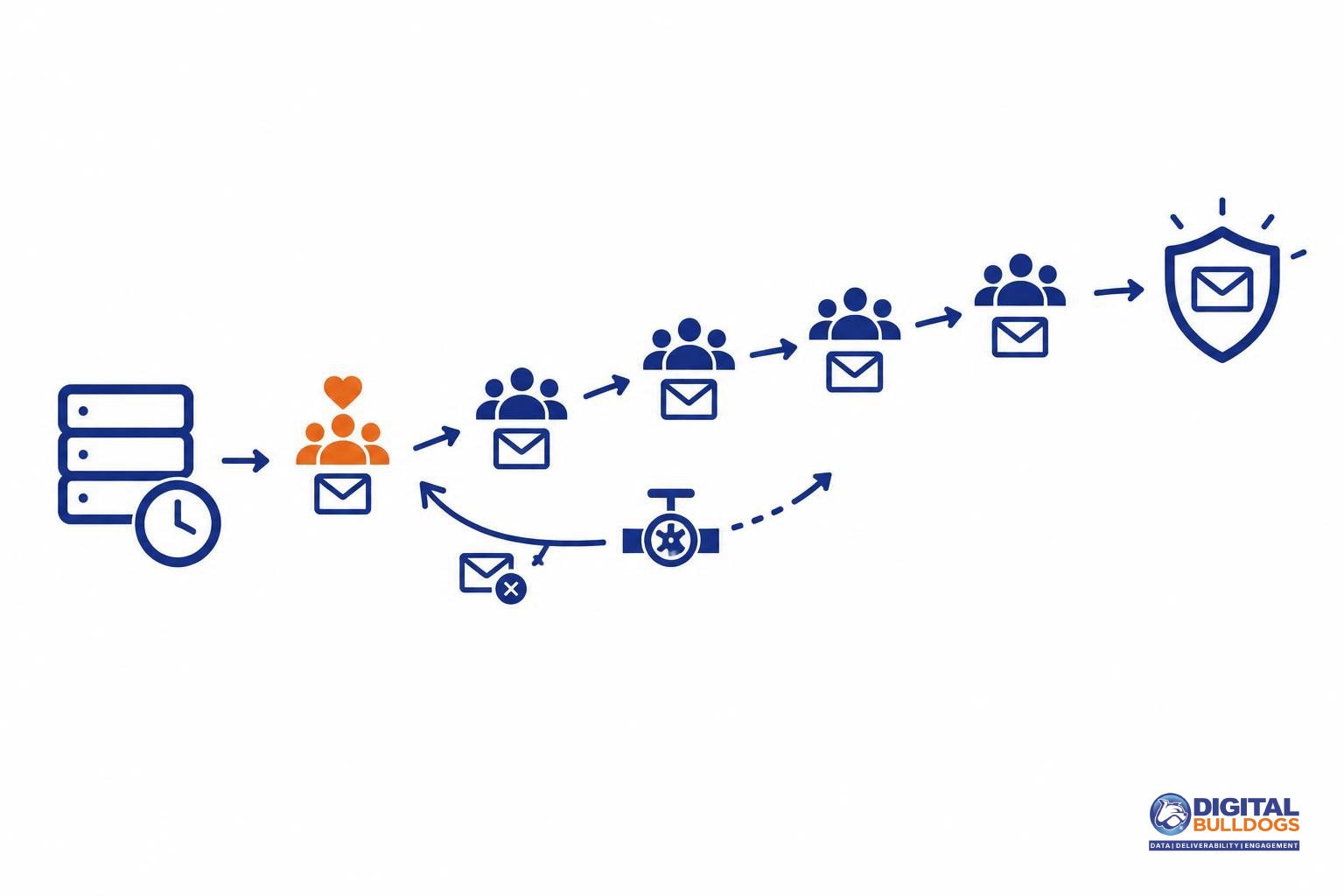
A new dedicated IP needs gradual, careful sending before mailbox providers trust it. Until then, your mail is more likely to land in junk or be blocked outright, even if your content and list are solid.
The reason is simple: mailbox providers are wary of IPs with little or no sending history. In its Amazon SES guide to warming up dedicated IPs, AWS notes that building a positive reputation can take around two weeks with some providers and up to six weeks with others, and that SES’s automatic warm-up is time-based, running over 45 days regardless of how much you actually send.
What a good warm-up looks like
- Start with your most engaged recipients. People who open and click regularly are less likely to mark you as spam, which keeps complaint rates low while the IP is still new.
- Read your bounce messages closely. They tell you early when a provider is unhappy.
- Slow down when you see blocking or throttling notices. Pushing through them tends to dig the hole deeper.
- Handle temporary failures properly, and prune addresses that keep bouncing. The M3AAWG Sender Best Common Practices recommend removing addresses that bounce consecutively at least twice over a period of two weeks or more, because repeated bounces hurt IP reputation.
Letting the platform do some of the work
If you use Amazon SES, managed dedicated IPs warm up for each mailbox provider automatically, which takes some of the manual pacing off your plate. You still need clean lists and engaged recipients, though. Automation can’t make up for those.
Keep in mind that a new IP is often paired with a new domain. If that’s your situation, our guide on how to warm up a new sending domain without hurting reputation walks through the domain side of the process.
What a dedicated IP costs
A dedicated IP costs more than shared sending, but the amount depends on your provider and plan. Amazon SES is a useful example because it publishes its rates. It puts every account on shared IPs by default and leases dedicated IPs at an additional cost, offering both standard IPs you manage yourself and managed IPs that SES warms up and scales for you.
Here is what Amazon SES lists on its own pricing page for its à la carte options. All figures in the table below come from that page.
| SES option | What you pay | Good to know |
|---|---|---|
| Standard dedicated IP | $24.95 per IP per month | You handle warm-up and decide how many IPs you need. |
| Managed dedicated IPs | $15 per account per month, plus $0.08 per 1,000 emails for the first 10 million each month | The per-email fee drops to $0.04 per 1,000 from 10 to 50 million, and to $0.02 per 1,000 from 50 to 100 million. |
| Bring Your Own IP (BYOIP) | Minimum of $6,387.20 per month | Requires at least 256 addresses. |
Treat these numbers as one example, not a market rate. Other email service providers price dedicated IPs differently. Some bundle them into higher-tier plans and others charge separately. Check your own provider’s pricing page before you budget.
The line item on the invoice is often the smaller part of the cost. Someone has to plan the warm-up, decide which segments to send first, watch bounces and throttling, and adjust volume when a mailbox provider pushes back. That work continues after warm-up ends. Factor in the hours your team will spend on it, or the cost of having someone do it for you, when you compare a dedicated IP with staying on a well-run shared pool.
The rules don’t change: authentication and complaint limits apply on any IP
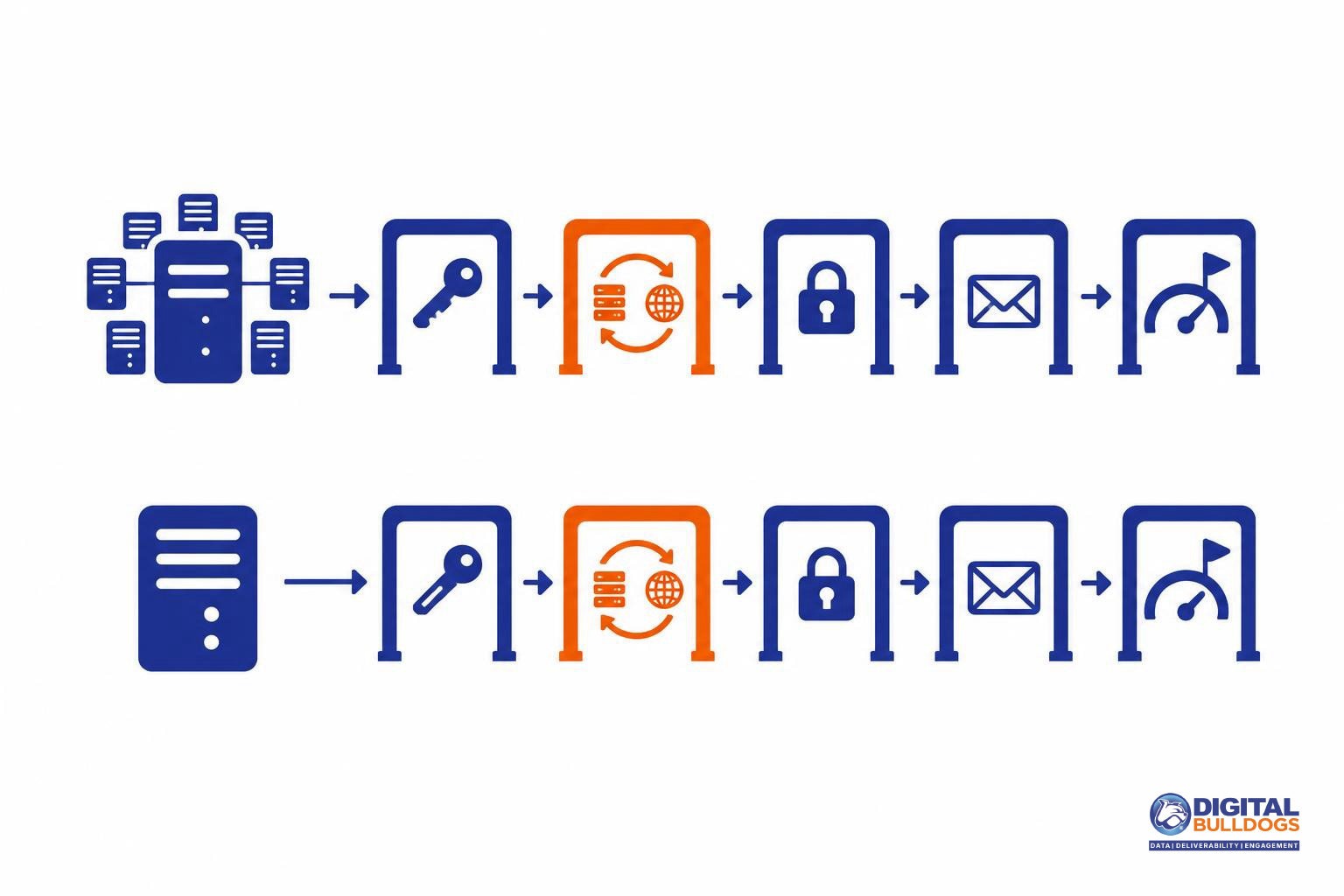
A dedicated IP changes whose reputation you carry. It doesn’t change the rules. Google’s email sender guidelines apply the same technical requirements and the same spam-rate ceiling to every sender, whatever IP the mail leaves from. That ceiling is a spam rate below 0.3%, as reported in Postmaster Tools.
Under those guidelines, senders to Gmail need:
- SPF or DKIM authentication for the sending domain
- Valid forward and reverse DNS (a PTR record) for sending domains or IPs
- TLS when transmitting email
- Messages formatted to RFC 5322, the internet standard for email message structure
If your SPF, DKIM and DMARC setup involves several brands, offers or sending tools, our guide to email authentication for affiliates and lead generators walks through it step by step.
What a dedicated IP adds to your to-do list
Once an IP is yours, its DNS setup is yours to verify. The PTR record for your sending IP has to resolve to a hostname. That hostname’s A or AAAA record then has to point back to the same sending IP. If the two don’t line up, the forward-and-reverse check fails, and a clean list won’t make up for it.
The bigger shift is accountability. On a dedicated IP, there’s no pool of other senders’ traffic around you. A missing DKIM signature, a broken PTR record or a run of spam complaints lands on your reputation alone. The work of fixing it is yours too.
Before moving volume to a new IP, run through this plain-English checklist of Gmail and Yahoo bulk sender requirements. That way, the first mail from your new IP goes out with everything already in place.
A simple way to decide, and when to get help
Most senders land clearly on one side once they run through a few honest checks.
Stay on a shared IP if:
- Your volume is low, irregular or seasonal, with quiet stretches between campaigns.
- Your provider’s pool has a healthy reputation, and its IPs aren’t showing up on blocklists.
- You’d rather not take on warm-up and day-to-day monitoring yourself.
Consider a dedicated (or managed dedicated) IP if:
- You send steadily every day. After warm-up, Amazon SES recommends continuing to send around 1,000 emails a day per mailbox provider from each IP.
- You want transactional and marketing mail on separate reputations, so a promotional dip doesn’t touch password resets or receipts.
- You have the time and tools to handle warm-up and keep an eye on the results.
Either way, your list does the heavy lifting
No IP choice makes up for a list full of stale addresses. Industry guidance from M3AAWG says to remove addresses that bounce consecutively at least twice over a span of two weeks or more. Beyond that, focus your sending on people who actually open and click. If you’re not sure which contacts are real, active people, it helps to understand when identity resolution makes sense for email marketers.
Watch closely after any change
- Blocklists: check your sending IPs, whether shared or dedicated.
- Postmaster Tools: track your reputation and keep your spam rate below 0.3%.
- Bounces and complaints: sudden jumps are your earliest warning sign.
If you’d like someone to handle warm-up, monitoring and list hygiene for you, take a look at our done-for-you email delivery support. Or, if you just want a second opinion on your current setup, book a free consult. We’ll talk it through with you, with no pressure either way.
Keep researching on Digital Bulldogs
Frequently asked questions
Will a dedicated IP improve my deliverability by itself?
No. A dedicated IP changes who controls your reputation, not how good that reputation is. Amazon SES explains that dedicated IPs give you complete control over your sender reputation and let you separate reputation by type of mail. That control cuts both ways. If your list is clean and people want your mail, the reputation you build belongs only to you. If not, no other senders share the damage.
Mailbox providers such as Gmail still look at authentication, complaints and engagement no matter which IP you send from. If you want a second opinion on whether switching makes sense for your program, you can book a free consult.
How long does dedicated IP warm-up take?
Plan for weeks, not days. Amazon SES says reputation on a new IP takes about two to six weeks to build, depending on the mailbox provider. Its automatic warm-up raises volume over 45 days, up to 50,000 emails a day. Send to your most active subscribers first and watch bounces and throttling closely. Until the IP has some history, expect some mail to land in junk or be blocked.
Can other senders hurt my shared IP reputation?
Yes. On a shared IP you send from the same addresses as other companies, so their sending habits become part of your reputation. Google’s email sender guidelines (linked in the next answer) say other senders’ activity affects the reputation of everyone on a shared IP, and a poor reputation can lower your delivery rate. If you use shared IPs, ask your provider how it screens senders, check those IPs against blocklists, and monitor your results in Postmaster Tools.
How much does a dedicated IP for email cost?
Prices vary by provider. Amazon SES publishes one useful reference point. On Amazon SES pricing, a standard dedicated IP costs $24.95 per IP per month. Managed dedicated IPs cost $15 per account per month, plus $0.08 per 1,000 emails for the first 10 million. That rate drops to $0.04 per 1,000 between 10 and 50 million, and to $0.02 per 1,000 between 50 and 100 million.
The fee is often the smaller part of the cost. Warm-up, ongoing monitoring and list upkeep take steady time and attention, and you need to plan for them before you commit.
Do Gmail’s sender requirements change if I use a dedicated IP?
No. Google’s email sender guidelines apply whatever IP you send from. You still need SPF and DKIM, matching forward and reverse DNS (PTR records), TLS, and messages formatted to RFC 5322. You also need to keep your spam rate below 0.3%. A dedicated IP changes only one thing: every result counts toward your own reputation alone.
Sources
- Email sender guidelines · Google (Gmail Help)
- Dedicated IP addresses for Amazon SES · Amazon Web Services
- Warming up dedicated IP addresses (standard) · Amazon Web Services
- Amazon SES pricing · Amazon Web Services
- M3AAWG Sender Best Common Practices (August 2026) · Messaging, Malware and Mobile Anti-Abuse Working Group (M3AAWG) · 2026-08-27
This article is general information, not legal advice. Laws and deadlines vary by state and change over time; check the linked sources or speak with a licensed attorney about your situation.