How to Audit an Acquired Email List Before You Send to It
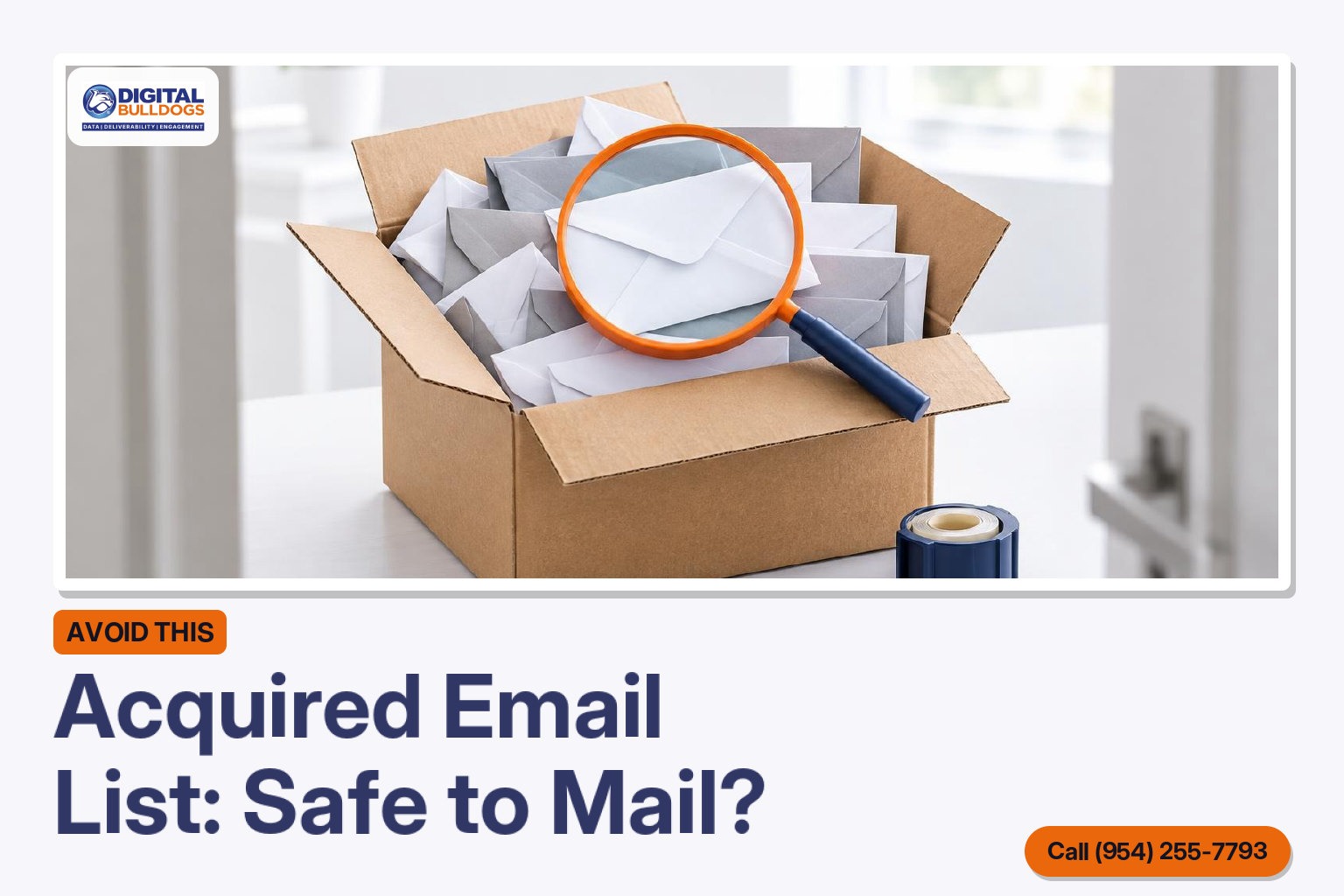
Before you send anything, audit an acquired email list by tracing where each group of addresses came from and how consent was collected, then verify the file and sort it into people you can mail now, people you need to re-permission and people you suppress. Who can you actually email? Only the contacts whose permission you can document, because Spamhaus’s sender guidelines treat permission as non-transferable, so consent doesn’t automatically come with the list when it changes hands.
Mailbox providers expect the same discipline. Google’s email sender guidelines ask senders to mail only people who want their messages and to keep spam rates below 0.10%. An inherited file of unknown origin is one of the fastest ways to miss that mark and damage a sending domain you’ve spent time building.
This guide walks through the order to do it in. First come the questions to answer before you open the file. Next is how to profile it by domain mix, role accounts and record age, then how to verify and sort what’s left. We’ll also cover why one big send to the whole file is the worst option, and finish with a checklist you can work through on any list you inherit.
Short answer: don’t mail an inherited list until you know where it came from
Short answer: treat an acquired or inherited list as unverified until you can answer three questions. Where did each group of addresses come from? What consent wording did people agree to? When was the file last mailed? Run the audit before your first send, not after the first campaign goes wrong.
A list you built yourself comes with your own sign-up form, your brand and your sending history. A list that arrives through a purchase, merger or client handover has none of those. Spamhaus states that permission is not transferable. It also warns against assuming consent after the fact or moving it from one organisation or domain to another.
The people on that file agreed to hear from the previous owner, not from you. Gmail’s sender guidelines say list managers should send only to people who want their messages, and a new sender name in the inbox is not something these subscribers asked for.
There is a legal side too. Under the FTC’s CAN-SPAM guide, once people opt out, their addresses cannot be sold or transferred. The only exception is a company you hire to help you comply. That means the previous owner’s suppression data needs careful handling when the file changes hands. The law has no exception for business-to-business email, and each email that violates CAN-SPAM can carry a penalty of up to $53,088.
The sections below show how to question the source, profile the file, verify it and sort it before anything is sent. Once the audit is complete, whatever survives moves into ongoing list management and hygiene, where it is kept clean over time rather than cleaned once and forgotten.
The questions to answer before you open the file
Before you run a verification tool or load the list into a sending platform, get clear answers from the seller, the client or whoever owned the list before you. If they can’t answer these questions, treat that as a warning about the list.
What to ask before mailing the list
Collection source
How and where each group of addresses was collected, and whether any part was ever bought.
Consent wording
What people were told at signup, with a record of when and how they agreed.
Last send date
When the list was last mailed and how often it was mailed.
Suppression records
Every unsubscribe and opt-out, loaded before your first send.
Complaint and bounce history
Past spam complaints and hard bounces, so those records can be suppressed.
- Where did each group of addresses come from? Ask how and where every segment was collected: signup form, purchase, event or co-registration. Ask about each segment separately, not the file as a whole. M3AAWG’s vetting best practices ask for the source of permission for each recipient or group of recipients. How risky a segment is depends on how it was collected, and this guide to signup sources ranked by deliverability risk explains the differences.
- Was any part of it ever bought? Ask directly, because the M3AAWG vetting questions do too. Spamhaus’s sender guidelines describe bought, rented and harvested lists as the most common source of spam trap hits. They also say permission is not transferable.
- What were people told, and is there a record of it? Ask for the exact wording people saw when they signed up. Also ask for a timestamped record of when and how each person gave permission, which Spamhaus recommends keeping.
- When was the list last mailed, and how often? Yahoo’s sender best practices ask senders to keep to the frequency the list was set up for. People who signed up for a monthly note didn’t agree to daily offers.
- What is the suppression and complaint history? Get every unsubscribe, bounce and complaint record so no one who opted out gets mail from you. The FTC’s CAN-SPAM compliance guide requires opt-outs to be honored within 10 business days.
Profile the file: domain mix, role accounts and record age
Before you upload anything to a verification tool, open the file and read it like an investigator. Its make-up often tells you more about where the list came from than the seller or previous owner did.
Domain mix
Count addresses per domain. A healthy opt-in list usually mirrors the mix of mailbox providers your audience actually uses. A heavy cluster on one consumer or corporate domain, or a long tail of domains you don’t recognize, doesn’t prove anything on its own. It does tell you which segment’s source to look into first.
Role accounts and column headers
Filter for addresses such as sales@, staff@, support@ and info@. People rarely sign up for marketing with a shared inbox. The M3AAWG vetting best common practices treat role accounts on a customer list as a possible sign of poor collection practices, including list purchase. The same guidance points to the file itself. Column headers or field names that include terms like “append” can suggest the data was bought or enhanced rather than collected through sign-ups. Check every header, including hidden or leftover columns.
Record age
Look for signup dates, last-open or last-click dates, and consent timestamps. Spamhaus’s sender guidelines note that mailboxes left inactive for more than 12 months can be turned into spam traps. Old records with no engagement history carry the most risk, and records with no dates at all should be treated as old.
Completeness and formatting
Scan for blank fields, malformed addresses, mismatched names and inconsistent formatting. Patterns of sloppiness often trace back to a single bad source. Compare what you find against what makes a contact record accurate and mailable. Then note which segments fall short before you move on to verification.
Verify, then sort into send-now, re-permission and suppress
Verification and segmentation turn one unknown file into three groups, and each group gets different treatment. Start by cleaning out addresses that cannot receive mail, then sort what’s left by the evidence you have for each record.
Send now, re-permission or suppress
Documented consent, recently engaged
Send now, at a steady volume, starting with this group.
Plausible consent, no recent activity
Ask once for re-permission and keep only those who confirm.
Opt-outs, complainers, unknown source
Suppress. Permission does not transfer between organisations.
Inactive over 12 months
Suppress. Spamhaus says mailboxes inactive over 12 months can become spam traps.
Remove invalid addresses first. Yahoo’s sender best practices tell senders to remove invalid recipients promptly. Mailing dead addresses wastes volume and gives mailbox providers an early reason to doubt your list.
A clean verification result does not prove permission. The Spamhaus sender guidelines say list validation does not remove spam traps and cannot replace permission. An address can be technically deliverable and still belong to someone who never agreed to hear from you.
| Group | Who belongs here | What to do |
|---|---|---|
| Send-now | Records with documented consent, recent engagement, and no complaints or opt-outs | Add them to your normal sending at a steady pace |
| Re-permission | Records with plausible consent but no recent activity | Ask once whether they want your mail, and keep only the people who say yes |
| Suppress | Opt-outs, past complainers, hard bounces, records with no known source, and records inactive for more than 12 months | Do not mail them |
The 12-month line matters because Spamhaus notes that mailboxes inactive for longer than that can become spam traps. When a record’s history is unclear, put it in the suppress group.
Keep the groups current. Sorting is not a one-time job. As Spamhaus recommends, use bounce data, feedback loops and engagement data to move people between groups. Postmaster tools add a provider-level view of complaints and reputation. Suppress new bounces and complainers as soon as they appear, and move re-permission contacts into send-now only after they confirm.

Why a single blast to the whole file is the worst option
Sending to every record at once is the fastest way to learn that a list was bad, and the most costly. Mailbox providers judge you by how your traffic behaves. A large, unfamiliar file sent all at once looks like the kind of traffic their filters are built to distrust.
It is the burst providers ask you to avoid
Google’s email sender guidelines for Gmail ask senders to keep a consistent sending rate and avoid bursts. They also ask senders to keep the spam rate reported in Postmaster Tools below 0.10% and never let it reach 0.30%. A sudden send to a file you have never mailed is a burst by definition. If even a small share of those recipients don’t recognize you, their complaints can push you past those limits in one campaign.
Yahoo sets a similar bar. Its sender best practices for bulk mail ask bulk senders to keep complaints below 0.3% and to monitor them through Yahoo’s complaint feedback loop (CFL).
The damage outlasts the send
Gmail also notes that improvements in your spam rate can take time to count in your favor in spam filtering. One bad blast can drag down the mail you send afterward, including messages to subscribers who actually want to hear from you.
What to do instead
- Start with the send-now group only. These are the records with the clearest permission and the best verification results.
- Keep the volume steady. Send similar amounts on a regular schedule instead of spiking.
- Watch complaints and bounces after each send. Remove invalid addresses promptly, and pause if complaints rise.
- Add more records gradually. Bring in the next batch only once the numbers from the previous one look healthy.
This is the same thinking behind warming up a sending domain without hurting reputation. You build trust in small, consistent steps instead of asking providers to accept a large, unknown volume all at once.

Acquired list audit checklist
Run through this list before the first send to any file you did not build yourself. If you cannot tick an item, stop and fix it before moving on.
- Provenance documented. For every group of records you know the source, the exact consent wording people agreed to, the signup timestamps and the date each address was last mailed.
- Suppression records received and loaded. Unsubscribes, complaints and earlier suppressions came over with the file and sit in your suppression list before anything goes out.
- File profiled. You have checked the domain clusters, role accounts, signs of purchase and the age of each record.
- Invalid addresses removed, then the file sorted. Bad addresses are gone first. The rest are split into three groups: send-now, re-permission and suppress.
- Authentication and compliance in place. Google’s email sender guidelines for Gmail ask bulk senders to set up SPF, DKIM and DMARC. Every commercial message also follows the rules in the FTC’s CAN-SPAM compliance guide. That includes honoring opt-outs within 10 business days, and there is no exception for B2B mail.
- First sends limited and watched. Only the send-now group gets mail at first. Google Postmaster Tools is set up to track Gmail reputation. Yahoo’s complaint feedback loop is also running, since Yahoo’s sender best practices ask bulk senders to keep complaints below 0.3%.
Agencies and affiliates can use this list together with our pre-send deliverability checklist for affiliate and agency mailers. That way list checks and campaign checks happen in the same review.
Some lists are large or have gaps in their history that you cannot fill. In that case, a full email deliverability audit can show where the risk sits before you commit your domain to it. If you would like to talk it through first, you can book a free consult with Digital Bulldogs and decide from there.
Frequently asked questions
Does consent carry over when we buy a company that owns an email list?
No. Permission comes from the relationship between a subscriber and the sender they signed up with. It doesn’t move with the database when ownership changes. Spamhaus’s sender guidelines state plainly that permission is not transferable, and they recommend keeping timestamped records of when and how each person consented. If the seller can’t produce those records, treat the affected addresses as needing fresh permission before they get regular mail from you.
Can I keep mailing people who unsubscribed from the previous owner?
No. The FTC’s CAN-SPAM compliance guide says opt-out requests must be honored within 10 business days. There is no exception for business-to-business email, and opted-out addresses can’t be sold or transferred except to a company hired to help with compliance. Penalties can reach $53,088 for each email that breaks the rules.
Before anything goes out, load the previous owner’s unsubscribe and complaint records into your own suppression list and keep them there permanently. If the seller’s opt-out history is incomplete or missing, raise that gap with your legal counsel before the first send.
Will email verification remove spam traps from an inherited list?
Not reliably. Verification is good at flagging addresses that are malformed or no longer accept mail, but it doesn’t tell you whether anyone agreed to hear from you. Spamhaus identifies purchased lists as the main source of spam traps and warns that long-abandoned mailboxes can become traps. That describes many older, inherited files. Spamhaus is also explicit that validation is no substitute for permission.
Use verification to clear out invalid addresses. Then rely on bounces, feedback loop complaints and engagement data to decide who stays. If you’d like help working through an inherited file, you can book a free consult with Digital Bulldogs.
What complaint rate should I watch for when I first mail an acquired list?
Google’s email sender guidelines ask senders to keep their user-reported spam rate below 0.10% and never let it reach 0.30%. Yahoo’s sender best practices set the limit for bulk senders at 0.3% and recommend its Complaint Feedback Loop (CFL) for monitoring complaints.
Start with a small, recently engaged segment, and send at a steady rate rather than in bursts, as Google recommends. Check complaints after every send. If the rate climbs toward those limits, pause and tighten the segment. Google notes that reputation improvements take time, so recovering from a bad first send is slow.
Sources
- CAN-SPAM Act: A Compliance Guide for Business · Federal Trade Commission
- Email sender guidelines · Google (Gmail Help)
- Sender Best Practices · Yahoo Sender Hub
- Vetting Best Common Practices (BCP) · M3AAWG · 2011-11-01
- Spamhaus Sender Guidelines · Spamhaus