

Email Deferral 421 and 451: What Temporary Failures Mean
A 421 or 451 reply is not a block. It is a temporary failure, so your server should keep the message and try again, and it can still be delivered if the cause clears before your sending system gives up. What you change depends on the reason in the reply text, but an email deferral 421 or 451 usually points to the same fixes: slow your sending rate, tighten who you mail, and make sure your authentication passes.
The difference between a deferral and a bounce comes down to the first digit. The SMTP standard, RFC 5321, treats 4xx replies as transient and 5xx replies as permanent. It requires queued mail to be retried, with retries spaced at least 30 minutes apart and a give-up time generally of at least 4 to 5 days. Mailbox providers use these temporary codes on purpose. Yahoo’s sender documentation lists unusual traffic patterns, spam characteristics, user complaints and busy servers among the causes of its 421 and 451 errors. Gmail’s SMTP error reference includes a 421 that rate-limits mail because it is unauthenticated.
This guide walks through how to read a 421 or 451 reply line by line, what Gmail’s and Yahoo’s specific temporary errors point to, and how ESPs and mail servers retry before a deferral turns into a bounce. It then covers the practical changes that help, such as throttling, segmenting and fixing authentication. Finally, it explains how to tell when a steady stream of deferrals is a sign of a wider sender reputation problem.
Deferred vs bounced email: what a 4xx reply really means
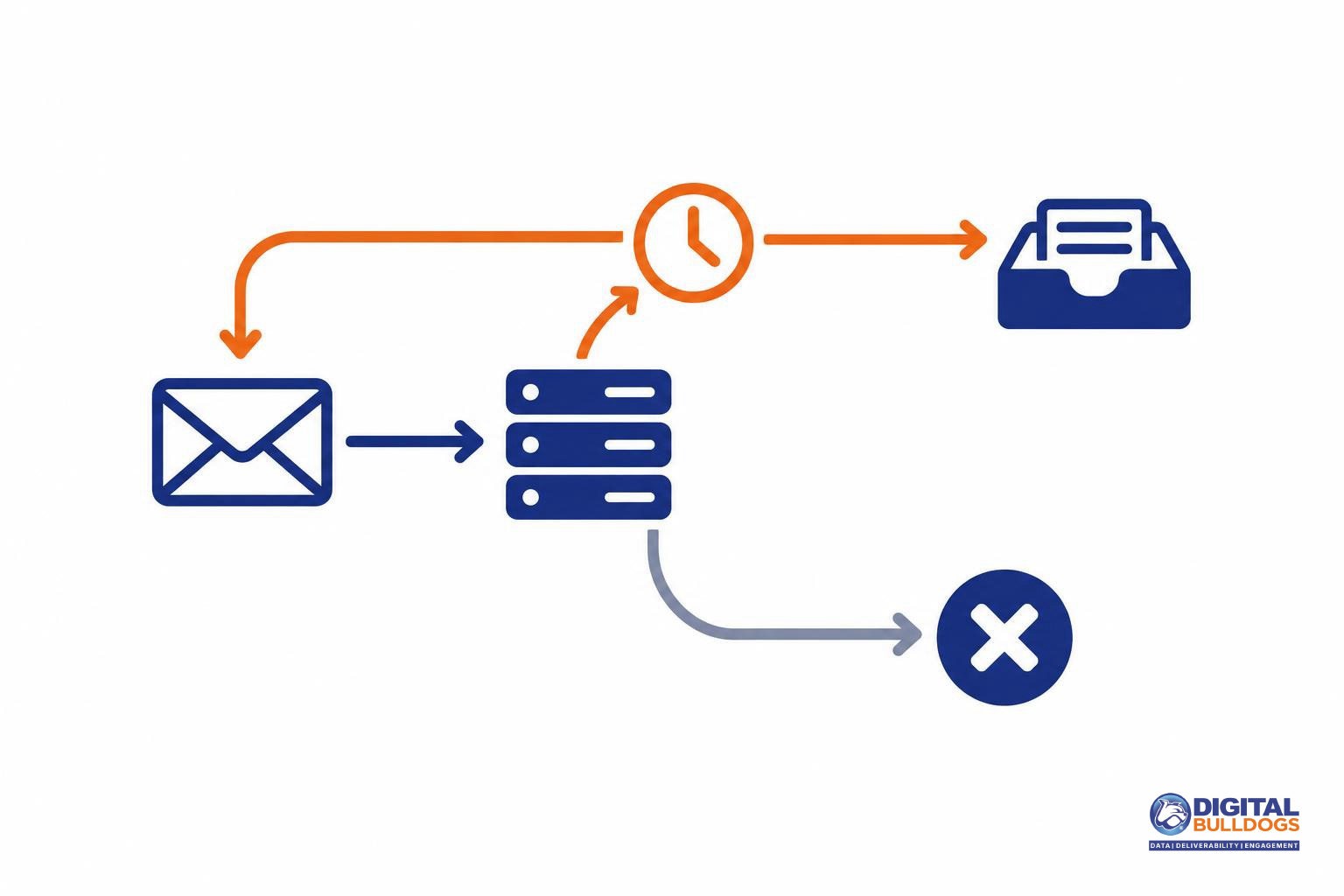
A reply that starts with 4, such as 421 or 451, is a deferral. It is not a bounce. The receiving server is saying “not right now,” and your message is still sitting in your sending queue. A reply that starts with 5 is different. That is a permanent rejection, and that message will not be delivered to that address as sent.
Temporary 4xx vs permanent 5xx replies
4.X.X persistent transient failure
The message as sent is valid, but a temporary condition delayed it. Sending again later may succeed.
5.X.X permanent failure
The message was rejected for good. Resending the same request will not help.
The rulebook for this split is RFC 5321, the core SMTP standard. It sorts server replies into two failure classes:
- Transient (4yz): the requested action did not happen this time, but the sender may request it again later.
- Permanent (5yz): the action was refused, and repeating the same request will not change the outcome.
The enhanced status codes that follow the main reply, such as 4.7.0, add more detail. RFC 3463, which defines enhanced mail status codes, calls any code beginning with 4 a persistent transient failure. In that case the message as sent is valid, but some temporary condition stopped it from going through for now. Codes beginning with 5 are permanent failures.
In practice, a deferral is the mailbox provider asking you to slow down or come back later. Sometimes the cause is simple, like a busy server. Often it is a signal about your sending volume, authentication or reputation. Your response decides what happens next. If you retry patiently and fix the underlying cause, the deferral usually clears. If you keep sending at full speed, it can harden into a block.
This difference also affects your reporting, because mailbox providers and sending platforms treat temporary and permanent failures differently. If you want to understand how hard and soft bounces differ in your bounce rate, that guide explains it. The rest of this article covers deferrals: what the codes say, how retries work, and what to change.
How to read a 421 or 451 reply line by line
Every deferral has three parts. Read them in order: the basic code tells you how serious the problem is, the enhanced code narrows down the area, and the provider’s text tells you which signal the receiving server is reacting to.
| Part | Example | What it tells you |
|---|---|---|
| Basic reply code | 421 or 451 | The class. A leading 4 means a temporary failure, so the message can be retried. |
| Enhanced status code | 4.7.0 | The class, subject and detail, in that order. |
| Provider text | “Try again later” | The specific reason, in the receiver’s own words. |
The enhanced code follows a class.subject.detail structure set out in RFC 3463, the standard for enhanced mail status codes. A first digit of 4 marks a persistent transient failure. A 5 marks a permanent one. The second number is the subject, and X.7.X covers security or policy status. That is why so many reputation and authentication deferrals carry 4.7.x.
The text matters because the same 421 can point in very different directions. Google’s list of Gmail SMTP errors uses 421 for a temporary system problem (4.3.0) and a busy server (4.4.5). It also uses 421 for mail that is rate limited because it is unauthenticated (4.7.26). Each one calls for a different fix.
Whenever you see a deferral, save these details:
- The full reply text, not just the three digits
- The sending IP
- The recipient domain
- The timestamp
With these details you can tell a one-off busy server apart from a pattern tied to one IP, domain or time of day. This article stays on the temporary 4xx side. For hard rejections, see our guide to permanent 5xx codes like 550 5.7.1.
Gmail’s 421 messages and what each one points to
Every 421 reply from Gmail is temporary, but each one points somewhere different. Match the code and wording in your log to the groups below. The quoted strings follow Gmail’s published list of SMTP errors and codes as retrieved in November 2026. Gmail does not publish volume thresholds alongside them.
| Gmail reply | Likely cause | Where to look first |
|---|---|---|
| 421 4.3.0 “Temporary System Problem” 421 4.4.5 “Server busy, try again later” |
Capacity or a system issue on Gmail’s side | Usually nothing in your mail. Let normal retries run. |
| 421 4.7.0 “Try again later, closing connection” | Generic deferral | Other Gmail replies you received around the same time, which often reveal the real cause |
| 421 4.7.0 “TLS required for RCPT domain” 421 4.7.0 “IP not in whitelist for RCPT domain” |
A policy set by the recipient domain | That domain’s own settings, not your general reputation |
| 421 4.7.26 “This email has been rate limited because it is unauthenticated” | Missing or failing authentication | SPF and DKIM. Fix these before anything else. |
| 421 4.7.28 family | An unusual rate of email, or of unsolicited email | The scope named in the reply |
Reading the 4.7.28 family
These replies say Gmail detected an unusual rate of mail, or of unsolicited mail, coming from one specific source. The source named in the message tells you where to investigate:
- IP address or IP netblock: sending volume and pacing from that infrastructure, including other traffic that shares it.
- DKIM domain or SPF domain: everything sent under that domain, across every platform that signs or sends for it.
- URL domain: the links in your message body, including tracking and redirect domains.
Because the 4.7.0 generic deferral closes the connection without naming a cause, look at it alongside any 4.7.26 or 4.7.28 replies in the same window. Those replies usually tell you which of these groups you are actually dealing with.
Yahoo’s 421 and 451 temporary errors
A 421 or 451 reply from Yahoo means delivery is paused, not refused. Yahoo’s Sender Hub guide to SMTP error codes describes both as temporary errors: something is blocking your message right now, but the door is not closed for good.
What matters is working out which kind of “temporary” you are dealing with. Yahoo’s listed causes fall into two groups.
Reputation and behavior causes
- Unusual traffic patterns coming from your sending IP
- Spam characteristics in the message itself
- Complaints from Yahoo users
- Other suspicious behavior that leads Yahoo to deprioritize your mail dynamically
Infrastructure causes
- Busy Yahoo servers on the receiving side
- Your name server being temporarily unavailable, so Yahoo cannot look up the records it needs
- Authentication results that could not be determined because of a temporary error
The second group often clears up on its own once DNS answers reliably again. The first group is a signal about how your mail is being received. If deferrals keep returning after a send that went to colder segments, or after a spike in volume, look at that list before you blame Yahoo’s servers.
Yahoo’s guidance on handling these replies is short. Senders who get 4XX errors may retry later. It does not ask for faster or repeated resends. Pushing the same mail back at Yahoo in quick succession works against what the deferral is asking for. Let your queue wait, and use that time to check traffic patterns, complaint sources and DNS health.
Other mailbox providers word their deferrals differently. Microsoft’s Outlook.com uses its own codes and phrasing. If those are showing up in your logs, our guide to Outlook bulk sender requirements and the bounces they cause explains what each one means.
How ESPs and MTAs retry, and when a deferral becomes a bounce
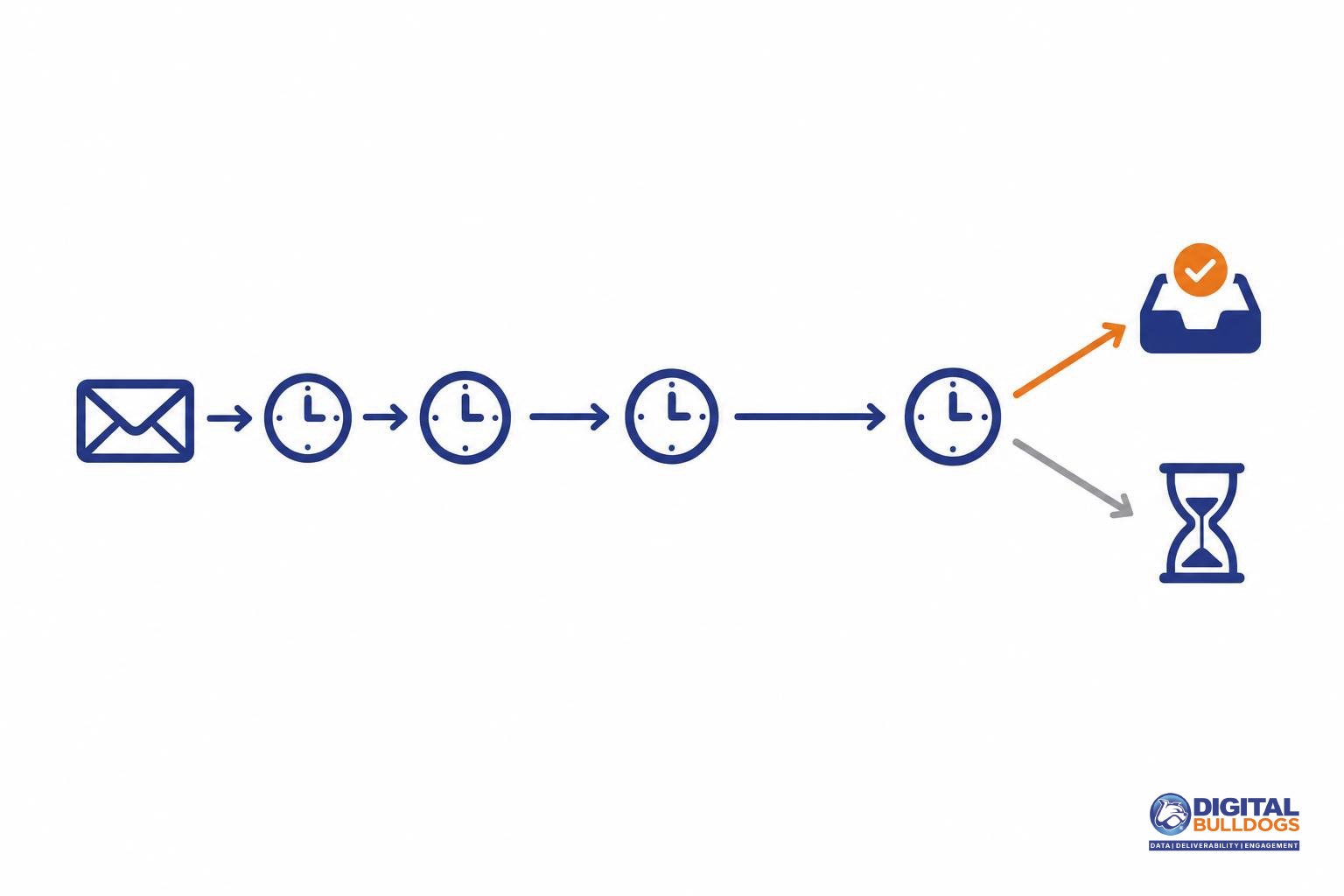
When a receiver sends back a 421 or 451, your ESP or mail server keeps the message in a queue and tries again later. A deferral only becomes a bounce when that retry window runs out. RFC 5321, the core SMTP standard, says the retry interval should generally be at least 30 minutes, and the give-up time should generally be at least 4-5 days.
What RFC 5321 says about retries
Delay before retrying
After a failed attempt, the sender MUST wait before retrying that destination.
At least 30 minutes
The retry interval SHOULD generally be at least 30 minutes. Variable strategies help when the cause is known.
At least 4-5 days
Retries continue until the message is sent or the sender gives up. The give-up time generally needs to be at least 4-5 days.
Configurable settings
The retry settings MUST be configurable, so each ESP's schedule can differ.
The standard sets out how a sending system should behave after a temporary failure:
- Queue and retry. Mail that cannot be delivered right away must be queued and retried. It is not thrown away.
- Wait before trying again. After a failed attempt, the sender must delay before retrying that destination. Hammering a server that just said “try later” works against you.
- Adjust to the reason. Smarter, variable retry strategies help when the sending system can tell why delivery failed. A busy server and a rate limit may call for different pacing.
- Keep going until delivery or give-up. Retries continue until the message is accepted or the sender reaches its give-up time.
- Make it configurable. Retry settings must be adjustable, so every ESP and MTA sets its own schedule. Check your platform’s documentation for its queue lifetime and retry intervals.
Greylisting depends on proper retries
Some receivers deliberately defer the first attempt from an unfamiliar sender and accept the message when it comes back later. This practice is called greylisting. It only works in your favor if your sending system queues and retries the way RFC 5321 expects. A system that never retries loses the message.
Where the bounce comes from
If a destination keeps deferring until the queue lifetime expires, your ESP stops trying and reports a final failure. This is how a temporary problem ends up counted as a bounce in your reports. Repeated deferrals to the same mailbox provider deserve attention before they reach that point.
What to change: throttle, segment and fix authentication
The short answer: slow down, separate your traffic, and fix whatever the reply names. Don’t resend deferred mail by hand, and don’t open more connections to push it through. Let your queue retry on its own schedule, and lower your sending pace to the provider that is deferring you.
Separate sending by mailbox provider
Set up throttling per destination so a Gmail or Yahoo deferral only slows mail to that provider. Mail to other domains should keep flowing at its normal pace.
Match the fix to the cause in the reply
- Authentication. If Gmail returns 421 4.7.26 (rate limited because the mail is unauthenticated), or Yahoo says it could not determine authentication results, check SPF, DKIM and the availability of your DNS before anything else. Yahoo’s list of 421 and 451 causes also includes a name server being unavailable, so make sure your DNS answers reliably.
- Complaints or unsolicited mail. If Yahoo points to user complaints, or Gmail returns one of its 4.7.28 unusual-rate replies, send only to recently engaged recipients and review where your list came from until the deferrals ease.
- A specific IP or netblock. Gmail’s 4.7.28 replies can be scoped to an IP, a netblock, a DKIM domain, an SPF domain or a URL domain. When the reply names an IP or netblock, review your IP setup and find out whether other senders share it. Our guide to choosing between a dedicated and shared sending IP walks through the trade-offs. If the reply names a domain, look at the mail sent under that domain instead.
Raise volume slowly
Neither provider’s error page lists a safe sending rate. Increase volume in small steps and watch the deferral replies after each one. Let those replies guide your pace, not a fixed number.
If you would like a second set of eyes on your throttling or authentication setup, you can book a free consult with our team.
When deferrals signal a wider reputation problem
Some deferrals are routine. A receiving server is busy, a rate limit kicks in, and the message goes through on a later retry. A reputation problem looks different. The same 4.7.x text about reputation, unusual rates or unsolicited mail comes back on every retry and across separate campaigns. When that happens, the receiver is telling you something about you as a sender, not about one busy moment.
Domain-level signals follow you
Gmail’s 421 4.7.28 messages about an unusual rate of mail can be scoped to an IP or netblock. They can also name your DKIM domain, your SPF domain or a URL domain in your message content. If the reply points to a domain, moving to a new IP will not fix it. The signal is attached to the domain you sign with or the links you send, and it travels with them.
Recipient reactions don’t clear on retry
Yahoo lists several reasons behind its 421 and 451 temporary errors. Some are mechanical, such as busy servers. Others include user complaints, spam characteristics and dynamic deprioritization. Those reflect how people respond to your mail. Your MTA can retry as often as it likes, but the underlying cause stays until the mail itself, the audience or the sending pattern changes.
Signs it’s more than a passing throttle
- The same reputation or unsolicited-mail wording appears on retries hours or days apart.
- Deferrals show up across different campaigns and lists, not just one send.
- The reply names a domain rather than an IP.
- Deferrals continue after you have slowed your sending, segmented to engaged recipients and confirmed authentication.
If you have already done that groundwork and deferrals persist, the next step is a structured reputation review. That means reading the logs by receiver, by domain and by campaign to find what is driving the signal. If you’d like a second set of eyes, Digital Bulldogs offers done-for-you email delivery and reputation repair. You can also book a free consult and we’ll look at your deferral logs with you and talk through what they suggest.
Frequently asked questions
Is a 421 error a bounce or a block?
Neither, at least not yet. A 421 is a temporary deferral. The receiving server is saying “not right now,” not “never.” Under RFC 3463’s enhanced status code definitions, a 4.X.X code is a persistent transient failure: the message itself is valid, but a temporary condition stopped delivery, and a later attempt may succeed. A 5.X.X code is the permanent failure that counts as a true bounce.
Will a deferred email still be delivered?
Often, yes, but it is not guaranteed. RFC 5321, the core SMTP standard, says queued mail must be retried and the sender must wait between attempts. It recommends a retry interval of at least 30 minutes and a give-up time of generally at least 4 to 5 days. If the receiving server keeps deferring until that window closes, the message is returned as undeliverable.
What does Gmail’s 421 4.7.28 unusual rate message mean?
It means Gmail noticed an unusual rate of mail tied to one of your sending identifiers and is slowing you down. In Gmail’s own list of SMTP errors, this family of messages is scoped to your IP address, netblock, DKIM domain, SPF domain or URL domain. Read the full reply to see which identifier is named. That tells you whether to slow a particular IP, a signing domain or the links in your content.
What is the difference between a 421 and a 451 from Yahoo?
Both are temporary errors. Yahoo’s SMTP error code reference for senders lists causes including unusual traffic patterns, spam characteristics, user complaints, busy servers, dynamic deprioritization, an unavailable name server and undetermined authentication results. Yahoo also notes that senders may retry 4XX errors later. In practice, the text after the code tells you more than the number does, so log and read the full reply line.
Should I resend emails that were deferred?
Usually not by hand. Your sending platform or mail server already keeps deferred messages in its queue and retries them on a delayed schedule. Resending manually adds volume at the moment a mailbox provider has asked you to slow down. It can also deliver duplicates when the original eventually lands. Let the queue work, reduce your sending pace to the affected domain, and fix whatever the reply text points to.
Only treat a message as failed once your system reports a final bounce after its retry window ends. If deferrals keep returning across campaigns, you can book a free consult to review your retry settings, authentication and sending patterns together.
Sources
- Gmail SMTP errors and codes · Google (Gmail Help)
- SMTP Error Codes · Yahoo Sender Hub
- RFC 5321: Simple Mail Transfer Protocol · IETF · 2008-10-01
- RFC 3463: Enhanced Mail System Status Codes · IETF / RFC Editor · 2003-01-01