
How to Improve Domain Reputation for Email Deliverability
Your domain’s reputation is shaped mostly by things you control: whether your mail is properly authenticated, how often people mark it as spam, how clean your list is, and how steadily you send. If you’re figuring out how to improve domain reputation email providers will trust again, the fix is to tighten authentication and DMARC alignment, reduce complaints, stop mailing people who don’t engage, and rebuild your volume slowly while you watch the data.
Mailbox providers are open about what they look at. Google’s sender guidelines ask senders to keep their spam rate below 0.10% and never let it reach 0.30%. Yahoo asks senders to send only mail people actually requested, at the frequency they expected, as part of its sender best practices. Microsoft now requires domains sending more than 5,000 emails a day to Outlook.com, Hotmail and Live addresses to pass SPF and DKIM and publish a DMARC policy. Those requirements give you a clear checklist to work from.
This guide walks through the reputation factors the major providers say they check, then takes you through the repair in order: authentication first, then complaints and unsubscribes, then list cleanup, then a gradual return to normal volume. You’ll also learn how to monitor your progress so you can tell whether recovery is happening, and how to decide when outside help makes sense. Recovery takes steady work over time, and no one can promise a specific result, but each step removes a known reason providers filter mail.
How to improve domain reputation for email: the short answer
To improve your domain reputation, do five things consistently:
- Authenticate your mail properly with SPF, DKIM and DMARC.
- Keep spam complaints low. Google asks senders to keep their spam rate below 0.10% and never let it reach 0.30%.
- Send only to people who asked for your mail.
- Increase volume gradually, starting with your most engaged subscribers.
- Watch the feedback each mailbox provider gives you and adjust when the numbers move.
None of these are quick tricks. Each one takes away a reason for a provider to distrust your mail, and over time that adds up.
What domain reputation actually is
Domain reputation is how a mailbox provider rates the mail that comes from your domain. Providers look at how recipients respond to your messages, whether your mail is properly authenticated and whether your sending patterns look steady or erratic. Those signals feed into a judgment about whether your next message belongs in the inbox, the spam folder or nowhere at all.
Gmail’s Postmaster Tools has described its Domain Reputation dashboard as a quality rating for the domains you send from, and its reports cover mail sent to personal Gmail accounts.
Each provider keeps its own score
There is no single, shared reputation score. Gmail, Yahoo and Outlook each judge your mail on their own, based on what they see in their own systems. A healthy picture in Gmail’s tools tells you how Gmail sees you. It tells you nothing about how Yahoo or Outlook see you, so you need to check each one separately.
What to realistically expect
The steps in this guide improve your odds of reaching the inbox. They can’t promise it. No mailbox provider guarantees inbox placement, and recovery usually comes in stages rather than all at once. The sections below walk through each step in the order that tends to matter most.
The domain reputation factors mailbox providers say they check
You don’t have to guess what shapes your domain reputation. Gmail and Yahoo publish the signals they watch, and they largely agree.
- User-reported spam complaints. This is the signal providers stress most. Google’s email sender guidelines tell senders to keep their spam rate below 0.10% and never let it reach 0.30%.
- Authentication. SPF, DKIM and DMARC should pass, and DMARC should pass with alignment. Alignment means the domain in your visible From address matches the domain that SPF or DKIM verified. Google’s Postmaster Tools dashboards show your pass rates for all three. Yahoo asks bulk senders to use both SPF and DKIM and to publish a DMARC policy of p=none or stricter.
- Unsubscribe handling. Bulk senders need a one-click unsubscribe option, and requests have to be processed quickly. Google says it won’t provide delivery support to senders who don’t honor unsubscribes within 48 hours. Yahoo’s sender best practices set the limit at 2 days.
- Sending patterns. Google’s guidelines ask for a steady sending rate instead of sudden bursts. A spike in volume from a domain looks a lot like a compromised account or a spam run.
- Infrastructure basics. Yahoo requires valid forward and reverse DNS for your sending IPs. It also requires messages that follow RFC 5321 and RFC 5322, the standards that define how email is transmitted and formatted.
Postmaster Tools reports two more things: delivery errors and encryption. They aren’t reputation scores, but they can point to problems a complaint rate won’t show. Examples include messages being rejected outright or mail being sent without encryption. Look at them alongside your spam rate and authentication results, not on their own.
Step 1: Fix authentication and DMARC alignment first
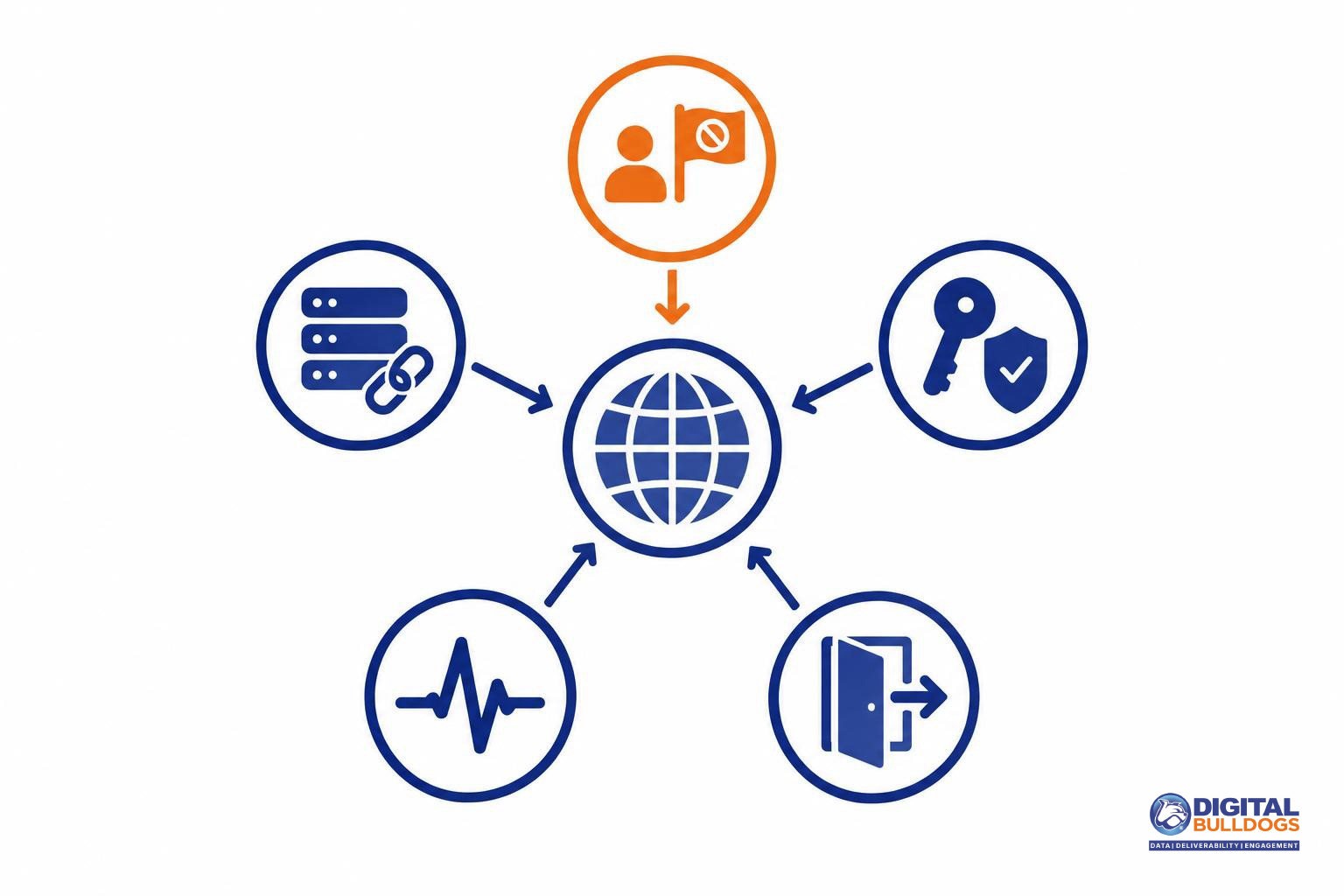
Start with authentication, because nothing else you fix will count until mailbox providers can confirm your mail really comes from your domain. SPF, DKIM and DMARC are how they check. Your reputation is built on your domain, so if your messages can’t be verified, providers have no reliable way to credit you for cleaner lists or fewer complaints.
The major providers now publish their minimum requirements:
| Provider | Who it applies to | What’s required |
|---|---|---|
| Microsoft (Outlook.com, Hotmail, Live) | Domains sending more than 5,000 emails a day to Outlook.com, Hotmail and Live addresses | Pass SPF and DKIM. Publish DMARC at p=none or stricter, aligned with SPF or DKIM (preferably both). |
| Yahoo | Bulk senders | Set up both SPF and DKIM. Publish DMARC at p=none or stricter, and align it with your From: domain. A rua tag is strongly recommended so you receive DMARC reports. |
| Yahoo | All senders, including those under 5,000 a day | SPF or DKIM at minimum. |
| Bulk senders | A DMARC record. Without one, Google won’t offer delivery support. |
The Yahoo rows come from Yahoo’s sender best practices. The Google row comes from its sender guidelines FAQ.
A few points that matter in practice:
- Alignment is the part people miss. SPF and DKIM can both pass while DMARC still fails. That happens when the domain they authenticate doesn’t match the domain in your From: address.
- p=none is a starting point. It meets the minimum and lets you collect reports, so you can see which services send on your behalf before you tighten the policy.
- Add the rua tag. Those reports show you where authentication is failing, which is the information you need for a repair.
If you need to build or rebuild these records, follow our step-by-step SPF, DKIM and DMARC setup for high-volume senders. Once every sending source passes and aligns, the remaining steps can start to have an effect.
Step 2: Bring spam complaints down and make unsubscribing easy
Spam complaints are one of the clearest signals mailbox providers use to judge your domain. The fastest way to lower them is to make leaving your list easier than clicking “Report spam,” and to send only what people asked for.
Know how your spam rate is measured
Google calculates spam rate daily, and the effect is graduated. According to Google’s email sender guidelines FAQ, a rate above 0.1% already hurts inbox delivery for bulk senders. Above 0.3%, you lose eligibility for mitigation until you have spent 7 consecutive days below that line. Google also won’t offer delivery support if one-click unsubscribe is missing or if unsubscribes aren’t honored within 48 hours.
Yahoo measures differently. Its sender best practices calculate spam rate only on mail delivered to the inbox and ask bulk senders to honor unsubscribes within 2 days. If your own dashboard divides complaints by everything you sent, your number may look lower than the one Yahoo sees, so keep that difference in mind when you compare them.
Make unsubscribing effortless
- Add a one-click List-Unsubscribe header so Gmail and Yahoo can show their built-in unsubscribe option.
- Keep a clearly visible unsubscribe link in the body. Don’t bury it in tiny gray text.
- Process opt-outs automatically so they take effect well inside both providers’ windows, not when someone gets around to it.
Send what people signed up for, as often as they expected
Yahoo advises sending only mail users requested and keeping to the frequency they expected. If someone joined for a monthly newsletter, switching to daily promotions all at once invites complaints. When you want to send more often, increase gradually or ask subscribers to choose their preferred frequency.
Step 3: Clean your list and focus on people who want your mail
Your list is one of the fastest levers you have for repairing domain reputation. Every message sent to someone who never asked for it, no longer reads it, or no longer exists gives mailbox providers another reason to distrust your domain. Cleaning the list means your next sends reach people who are likely to open them, not people likely to complain.
Yahoo is direct about this. Its sender best practices ask you to send only mail that users requested and to stay with the frequency they expected when they signed up. If someone joined for a monthly update and now gets three emails a week, that mismatch alone can turn a willing subscriber into a spam report.
Practical cleanup steps before your next send
- Remove hard bounces. Addresses that return permanent failures should come off the list for good. Mailing them repeatedly suggests you are not maintaining your data.
- Pause people who have stopped engaging. Set aside subscribers who have not opened or clicked in a long while. You can try a single re-permission message later, once your reputation is steadier.
- Quarantine purchased or unverified sources. Separate any contacts from bought lists, old imports, or sources you cannot trace to a clear opt-in. Do not mail them at all while you are repairing your domain.
- Lead with your most engaged segment. Google’s email sender guidelines recommend starting with low volume to engaged users and increasing slowly. A clean, active core audience gives you the strongest foundation for that.
Shrinking your list can feel like a step backward. In practice, a smaller list of people who want your mail usually does more for your reputation than a large list that mostly ignores you.
If your data is messy or comes from many systems, our list management and hygiene service can help you sort valid, engaged contacts from risky ones before you start sending again.
Step 4: Rebuild sending volume slowly
Once your authentication is fixed, complaints are falling and your list is clean, the next risk is going back to full volume too fast. A sudden jump can look like the very behavior that damaged your reputation in the first place. Bring volume back gradually, starting with the people most likely to open and engage, and keep a close eye on how mailbox providers respond.
Send steadily, not in bursts
Google’s email sender guidelines advise sending at a consistent rate and avoiding bursts. They also recommend starting with low volume to engaged users and increasing slowly. In practice, that means spreading sends evenly across days and hours rather than pushing one large campaign at once. It also means raising volume in modest steps you can easily pull back from.
Start each ramp with your most engaged segments
Whenever you raise volume, begin with subscribers who have opened, clicked or replied recently. Their positive engagement gives providers good signals before you reach less active contacts. A simple order to follow:
- Most engaged: recent openers, clickers and customers.
- Moderately engaged: people who interacted within a longer window.
- Least engaged: add these last, and only once the earlier groups are performing well.
Watch the signals as you grow
Google’s guidance also says to monitor server responses, spam rate and domain reputation while you ramp up. Pay particular attention to temporary deferrals or rate-limit responses. If you see them, pause or slow down and hold at your current volume until the signals settle. Then resume more gradually. Catching a problem early is much easier than recovering from a second round of damage.
The same principles apply when you’re starting fresh. For a step-by-step plan, see our guide on how to warm up a sending domain without hurting reputation.
How to monitor recovery and know when it’s working
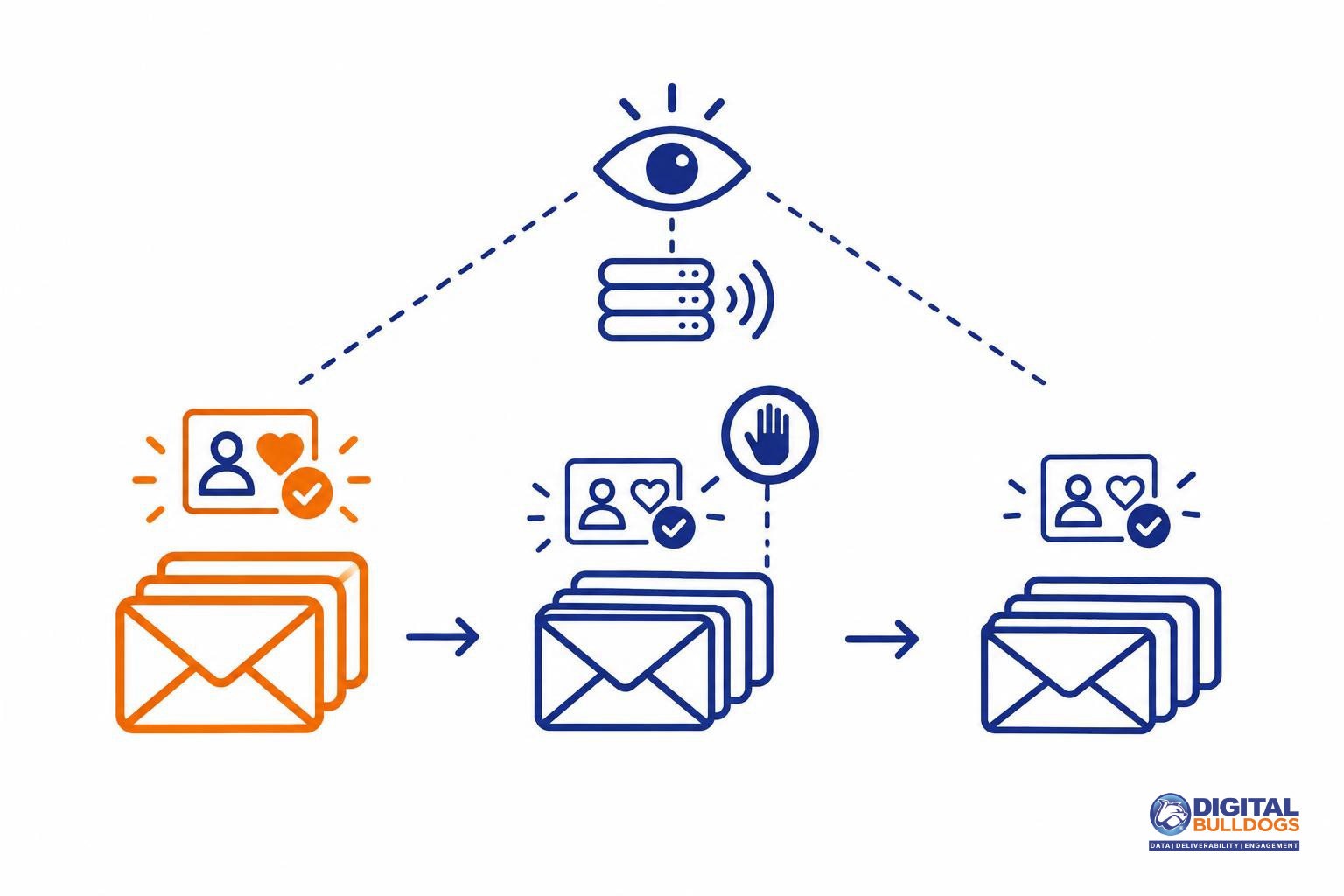
You’ll know your repair is working when your spam rate stays low, authentication passes consistently and delivery errors fade over several weeks. One good day doesn’t prove it. A sustained trend does.
Watch your Postmaster Tools dashboards
For Gmail, Google’s Postmaster Tools dashboards report compliance status, spam rate, authentication (SPF, DKIM and DMARC pass rates), encryption and delivery errors. The data covers only mail sent to personal Gmail accounts. These are the signals worth checking:
- Spam rate: Look for a steady downward line, not a single dip.
- Authentication: Pass rates should stay high after your DNS fixes.
- Delivery errors: Fewer rejections and deferrals suggest providers trust your mail more.
- Compliance status: This confirms whether Google sees you meeting its sender requirements.
Understand what the 7-day mark means
Google’s sender guidelines FAQ explains that spam rate is calculated daily. Bulk senders whose rate goes above 0.3% become eligible for mitigation again after their rate stays below 0.3% for 7 consecutive days. That window makes you eligible to ask for help. It doesn’t mean your reputation has recovered. Plan on continued monitoring well beyond that point.
Read trends, not single days
Daily numbers bounce around with campaign timing and audience mix. Compare week over week, and keep reducing volume or tightening targeting if the trend stalls. Check each mailbox provider separately, too. Strong Gmail numbers say nothing about how Yahoo or Outlook treat your mail. If you don’t have a Gmail reputation score to lean on, this guide covers how to check your domain reputation without a Gmail score.
A simple weekly log of spam rate, authentication pass rates and bounce counts for each provider makes progress easy to spot. Our free deliverability tools and resources can help you set that up.
When to get help repairing your domain reputation
If you’ve worked through the steps above and your numbers still won’t move, outside help can be worth it. It makes the most sense when the basics are already in place and something deeper is holding your domain back.
Signs it’s time for outside help
- Authentication passes, but complaints stay high. Your SPF, DKIM and DMARC checks look clean, yet your spam rate won’t come down. This matters because Google says senders above 0.3% aren’t eligible for mitigation until they stay below that level for 7 consecutive days.
- Rejections or rate limits keep returning. You’ve cleaned your list and slowed your sending, but delivery errors persist. That often points to a reputation or configuration problem that’s harder to spot from the inside.
- Several mail streams share one damaged domain. When newsletters, receipts and sales outreach all send from the same domain, a problem in one stream can affect the others. Separating them takes careful planning.
What a done-for-you repair usually covers
- An authentication audit: checking SPF, DKIM, DMARC alignment and DNS records against each provider’s rules. For example, Yahoo expects valid forward and reverse DNS, and Microsoft sets requirements for domains sending more than 5,000 emails a day to Outlook.com, Hotmail and Live addresses.
- List cleanup: removing invalid, risky and long-inactive addresses so your mail reaches people who want it.
- A planned warm-up and seeding: a written schedule for rebuilding volume, using engaged recipients to send positive signals.
- Inbox placement monitoring: tracking where your mail actually lands so the plan can be adjusted as you go.
If that sounds like what you need, our done-for-you domain reputation repair service handles each of these steps. Recovery depends on mailbox providers and your recipients, so no one can honestly promise a specific result. What we can do is look at your situation and give you a clear, realistic plan.
If you’d like to talk it through, book a free consult. There’s no obligation. You’ll leave with a better idea of what’s going on, whether or not we end up working together.
Keep researching on Digital Bulldogs
Frequently asked questions
How long does it take to repair a damaged domain reputation?
There’s no fixed timeline. It depends on how much damage was done and how consistently you fix the causes. Google offers one concrete checkpoint: Gmail calculates spam rate daily, and senders above 0.3% become eligible for mitigation again after 7 consecutive days below that level. The same guidance says the effect on delivery is graduated, so improvement usually shows up gradually rather than all at once.
If you’d like a second pair of eyes on where your domain stands and what a realistic recovery plan looks like, you can book a free consult with Digital Bulldogs.
Do these reputation rules apply if I send fewer than 5,000 emails a day?
Some of them do. Yahoo sets a baseline for everyone: all senders need SPF or DKIM, a spam rate below 0.3%, valid forward and reverse DNS, and messages that comply with RFC 5321 and 5322. The stricter rules for bulk senders, including DMARC and one-click unsubscribe, sit on top of that baseline.
Microsoft’s formal threshold is volume-based. Its requirements apply to domains sending more than 5,000 emails a day to Outlook.com, Hotmail and Live addresses. Smaller senders still benefit from meeting the same standards, especially if volume grows.
Is a DMARC policy of p=none enough to improve my domain reputation?
A p=none policy meets the minimum that Yahoo and Microsoft ask of bulk and high-volume senders, as described in the answer above. Both providers also expect the record to pass with alignment, which means your SPF or DKIM domain must match your visible From domain. A p=none record that fails alignment doesn’t satisfy the requirement.
Think of DMARC as the entry ticket rather than the cure. Reputation still comes down to what recipients do with your mail. Yahoo also recommends adding an rua tag so you receive reports showing who is sending under your domain.
What spam complaint rate should I aim for?
Aim to stay comfortably below 0.1%. Google’s guidance is to keep your spam rate below 0.10% and never let it reach 0.30%. Treat 0.3% as a hard ceiling, not a target. Bulk senders can already see delivery suffer above 0.1%, so the lower you keep complaints, the more room you have when a campaign lands badly.
Where can I see how Gmail views my sending domain?
Google Postmaster Tools is the place to look. It reports compliance status, spam rate, reputation, SPF, DKIM and DMARC pass rates, encryption and delivery errors for mail sent to personal Gmail accounts. You’ll need to verify your domain before data appears. Keep in mind that it covers only personal Gmail recipients, so it shows one important mailbox provider rather than your entire audience.
Sources
- Email sender guidelines · Google (Gmail Help)
- Email sender guidelines FAQ · Google (Gmail Help)
- Postmaster Tools dashboards · Google (Gmail Help)
- Sender Best Practices · Yahoo
- Strengthening Email Ecosystem: Outlook's New Requirements for High-Volume Senders · Microsoft Tech Community (Microsoft Defender for Office 365 Blog) · 2025-04-02
This article is general information, not legal advice. Laws and deadlines vary by state and change over time; check the linked sources or speak with a licensed attorney about your situation.