
Preference Center Spam Complaint Rate: Why Opt-Down Helps
Letting subscribers choose how often they hear from you and which topics they get can help lower your preference center spam complaint rate, because some people who click “report spam” want less mail, not none. You can build this without breaking unsubscribe rules as long as the opt-down choices sit alongside a working one-click unsubscribe, and any menu of choices includes an option to stop all marketing messages, as the FTC’s CAN-SPAM compliance guide requires.
Mailbox providers leave room for a preferences page, but only next to the real exit. Google’s email sender guidelines FAQ says extra unsubscribe links in the body may lead to a preferences page, but a body link alone doesn’t meet the one-click requirement. Yahoo’s sender best practices say unsubscribes must be honored within 2 days and the process can’t require a login. A preference center gives people a middle option. It doesn’t replace the way out.
This guide covers what a good preference center should offer (frequency, topics and a pause), where it belongs compared with your unsubscribe link, and the timing rules that apply to both opt-outs and opt-down changes. It also covers how to make sure choices are honored across every ESP, partner and affiliate that mails your list, how to measure opt-downs separately from opt-outs, and a build checklist you can hand to your team.
Why many complaints mean ‘less, please,’ not ‘never again’
An opt-down option can lower one common cause of spam complaints: people who don’t hate your mail but get more of it than they want. When the only choices are “stay subscribed” or “leave,” someone who simply wants fewer emails has no good option. Unsubscribing feels too final, so the spam button becomes the quick way to make the inbox quieter. To your sender reputation, that click counts as a complaint, whatever the subscriber meant.
Industry guidance supports thinking about frequency this way. The M3AAWG Sender Best Common Practices tell senders to tell subscribers how often and what kind of mail to expect. They also advise watching for jumps in unsubscribes and complaints when you change frequency. If you double your sends and complaints rise, many of those people were probably saying “less, please” rather than “never again.”
Those complaints matter because mailbox providers track them. Yahoo’s sender best practices say bulk senders must keep spam complaint rates low. They also require a working one-click unsubscribe and allow the visible unsubscribe link in the email body to point to a preference page. If you’re not sure where your numbers stand, it helps to know what a good spam complaint rate looks like before you change anything.
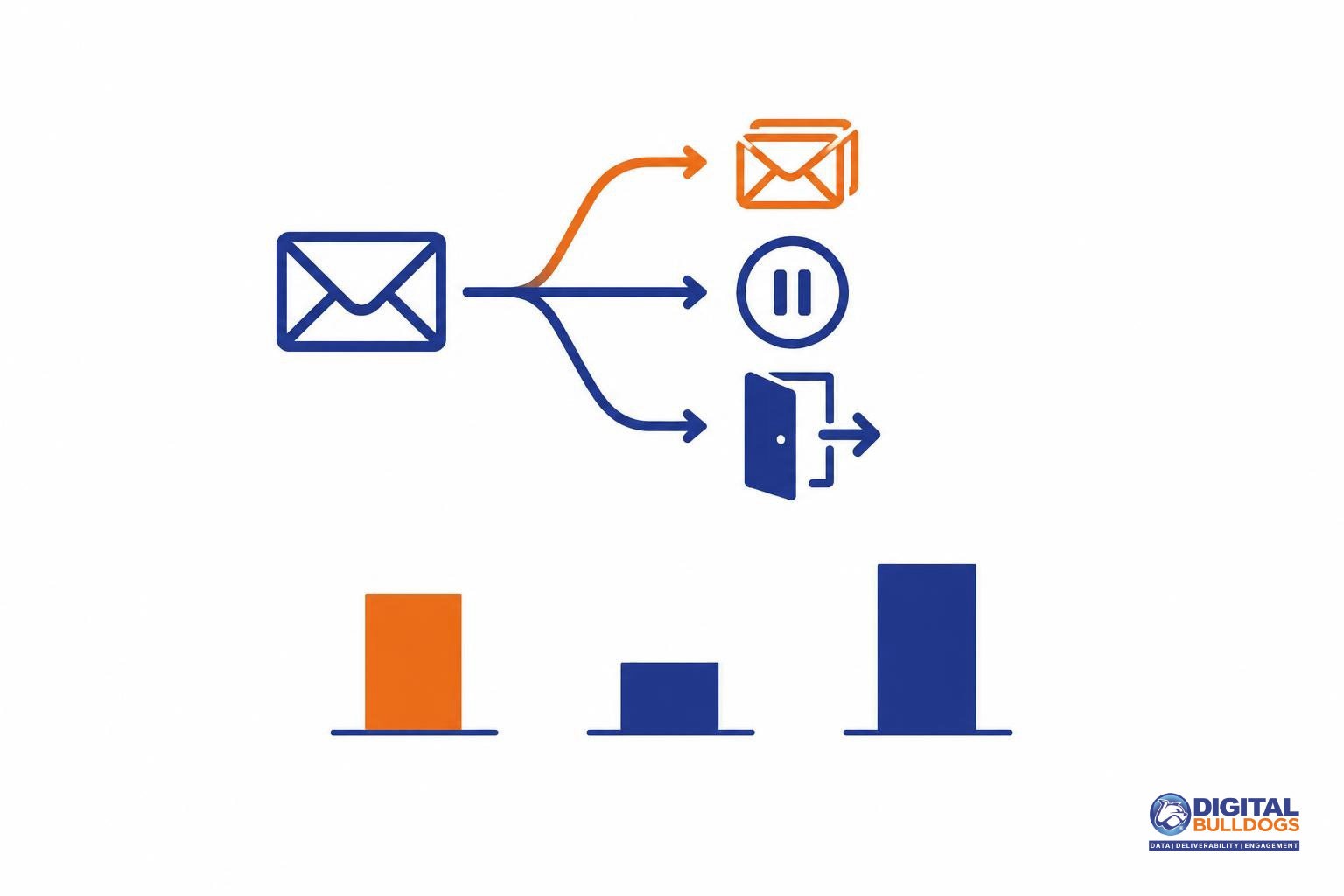
A preference center gives people a middle path. They can:
- Receive fewer emails instead of every send
- Choose only the topics they care about
- Pause for a while without leaving for good
A preference center can’t promise a lower complaint rate, and it won’t fix mail people never asked for. What it does is remove one common reason people complain: wanting a smaller dose of your email and having no way to ask for it. The rest of this guide covers how to build that option so it still meets every unsubscribe rule.
What a preference center should offer: frequency, topics and pause
A good preference center gives people three real levers: how often they hear from you, what they hear about, and whether they can step away for a while without leaving. Each option has to change what actually lands in the inbox. If it doesn’t, it’s just a nicer-looking unsubscribe page that people learn to distrust.
Frequency choices you can actually deliver
Offer only the cadences your sending setup can support. Common examples are every send, a weekly digest or a monthly roundup. If you list a weekly digest but have no digest built, someone who picks it will keep getting daily mail and may reach for the spam button next time. M3AAWG’s sender best practices recommend telling subscribers how often and what kind of mail to expect. Your frequency options are where you keep that promise.
Topics that match real content streams
Topic choices should map to the separate lists or segments you actually send from, such as offers, educational content or product updates. When someone opts down to one topic, the other streams should stop for that address. If every topic still feeds into one master send, the choice means nothing.
A pause or snooze option
Some people want a break, not an exit. A pause lets them stop mail for a set period, for example during a busy season, and then hear from you again. It keeps the relationship alive without forcing a yes-or-no decision.
The option that must always be there
The FTC’s CAN-SPAM compliance guide allows a menu of opt-out choices only if that menu also includes a way to stop all marketing messages from you. Make that option easy to see, not buried below the topic checkboxes.
When a request is ambiguous, such as a reply that just says “stop” or a form submitted with no boxes changed, M3AAWG’s guidance is to remove the person from all mail. Guessing that they “probably” meant one list is a fast way to earn a complaint.

Preference center vs unsubscribe link: where each one belongs
The short answer: the preference center belongs behind the visible link in your email body, never behind the one-click unsubscribe header. The header has to remove the person right away. The body link can offer choices.
Google’s email sender guidelines FAQ says extra unsubscribe links in the message body may lead to a preferences page. A body link alone doesn’t meet the one-click requirement, though. Marketing messages also need List-Unsubscribe headers that follow RFC 8058. That header pair (List-Unsubscribe plus List-Unsubscribe-Post) has to finish the removal by itself. It should never send someone to a preference page, a login screen or a survey first.
Yahoo’s sender best practices follow the same pattern. Bulk senders must have a working one-click list-unsubscribe header. The visible body link may go to a preference page. The unsubscribe process should be easy to find, and it can’t require a login.
The FTC’s CAN-SPAM compliance guide sets limits on whatever page your body link opens. Opting out can’t take more than a reply email or a visit to one web page. It can’t cost anything, and you can’t ask for any personal information beyond the email address. A menu of choices is allowed only if one option stops all marketing messages.
| Element | Where it lives | What it must do | Can it open a preference center? |
|---|---|---|---|
| One-click unsubscribe (RFC 8058) | Message headers | Remove the person in one action | No |
| Visible unsubscribe link | Email body, usually the footer | Lead to one simple page with a “stop all marketing” option | Yes |
| Preference center | A single web page with no login | Offer fewer emails, chosen topics, a pause, or a full opt-out | It is the preference center |
Set up this way, people who only want less mail can choose that, and people who want out can leave in one click. Both groups are less likely to reach for the spam button.
Timing rules for unsubscribes and opt-down changes
Process unsubscribes within two days, and apply opt-down changes just as quickly. U.S. law allows more time than that, but mailbox providers set a shorter deadline. That shorter deadline is the one that affects your inbox placement.
The FTC’s CAN-SPAM compliance guide says you must honor opt-out requests within 10 business days. It also says any opt-out mechanism you include must keep working for at least 30 days after you send the message. This matters if you retire landing pages, rotate tracking domains or move to a new ESP, because the unsubscribe link in last month’s campaign still has to work.
Yahoo is much stricter. Its sender best practices require bulk senders to honor unsubscribes within 2 days, and the process can’t require a login. If you send to Yahoo addresses at volume, treat that two-day window as your real deadline.
| Rule | Set by | Timing |
|---|---|---|
| Honor opt-out requests | CAN-SPAM (FTC) | Within 10 business days |
| Keep the opt-out mechanism working | CAN-SPAM (FTC) | At least 30 days after sending |
| Honor unsubscribes from bulk mail | Yahoo | Within 2 days |
Give opt-down changes the same urgency
No deadline in these sources covers frequency or topic changes, but subscribers treat them the same way. Suppose someone chooses monthly and keeps getting daily mail for another week. The preference center has just shown them that their choice didn’t count, and the spam button is easier to find than the settings page. Push preference updates to every sending system on the same schedule as unsubscribes. Then check scheduled and queued campaigns so nothing already in the pipeline overrides the new setting.
These timing rules are only one part of compliance. For the remaining requirements, work through our full CAN-SPAM requirements checklist.
Honoring choices across ESPs, partners and affiliates
The short answer: keep one master record of every subscriber’s preferences and suppressions, and push it to every system that sends mail before each send. When an opt-down or opt-out lives in only one tool, the next send from a different tool can ignore it, and that is how a “less, please” turns into a spam complaint.
Make that central record the source every sender reads from, whether it’s your main ESP, a second sending platform, an agency running campaigns for you, or an affiliate mailing your offer. Sync it to each one before every campaign, not on a weekly schedule.
This matters most for affiliates and agencies. Under the FTC’s CAN-SPAM compliance guide, both the company whose product is promoted and the company that actually sends the email can be held legally responsible. Once someone opts out, their address can’t be sold or transferred, except to a company helping you comply with the law. In practice, you can share a suppression file with a partner so they can stop mailing that person, but never so anyone can mail them again.
When a partner can’t tell which list or brand an opt-out applies to, M3AAWG’s sender best practices recommend defaulting to removing the person from all mail.
Where identity resolution helps
The same person often appears as several records: a work address in one ESP, a personal address in a partner’s file, a slightly different spelling in your CRM. Identity resolution can link those records so a choice made in one place applies everywhere. Use it only to honor choices. Never use it to find a new route back to someone who opted out.
Keep a record you can show
Log every preference change with:
- When: the date and time it was set
- Where: the system, brand or partner it came from
- How: one-click header, preference page or reply email
- Synced: when each sender received the update
If syncing preferences across several senders feels messy, Digital Bulldogs can help you map it out. Book a free consult.
Measuring opt-down vs opt-out
Opt-downs only help if you can see them. Log them as their own event, separate from full opt-outs, so you can tell whether people are trimming their mail or leaving entirely.
| Event | What it tells you | What to watch |
|---|---|---|
| Opt-down (frequency) | The subscriber wants the brand, just less of it | Which cadence people choose most often |
| Opt-down (topic) | Some content misses for this person | Which topics get dropped most |
| Pause | Timing is the problem, not the relationship | How many paused subscribers come back |
| Full opt-out | The subscriber wants no marketing mail | Spikes tied to specific sends or offers |
Compare complaints before and after a change
When you change frequency for a group, compare that group’s complaint rate before and after the change. Use the complaint data mailbox providers give you, plus the reports you get from how complaint feedback loops work. The M3AAWG Sender Best Common Practices advise watching for jumps in unsubscribes and complaints when frequency changes. A sudden rise after you increase volume is a signal to pull back, not something to push through.
Use engagement signals you can trust
Clicks and replies show a real action by a real person. Opens are a weaker signal because some mail apps load images automatically or block tracking. If a frequency change keeps clicks steady while complaints fall, the change is probably working.
Report opt-downs alongside complaints, not instead of them
For agencies and affiliates, opt-down and opt-out trends belong in client reports next to complaint rate. They should not replace it. Yahoo’s sender best practices require bulk senders to keep spam complaint rates low. A healthy opt-down trend does not offset a rising complaint rate. If you are building a reporting template, our guide to deliverability metrics worth reporting to clients covers how to present these figures together.
Preference center build checklist
Use this list to review your current setup before you add new options. Each item protects either the subscriber’s choice or your sender reputation.
- One-click unsubscribe header in place. Marketing messages need List-Unsubscribe headers that follow RFC 8058, and Google’s sender guidelines FAQ notes that a body link alone does not meet the one-click requirement. The header should remove the person right away, with no extra steps.
- Visible unsubscribe link in the body. This link can lead to your preference page, but “unsubscribe from all” should be easy to find there, not hidden below the topic options.
- No login, no fee, no extra data. Don’t make people sign in. Don’t charge anything or ask for more than their email address. The opt-out should take no more than a reply email or a single web page, per the FTC’s CAN-SPAM compliance guide. That guide also says any menu of choices must include an option to stop all marketing messages.
- Options that match real sending streams. Offer frequency, topic and pause choices only if your systems can actually send that way. A “weekly digest” option has to produce a weekly digest.
- Changes sync fast enough. Every ESP, partner and affiliate list should receive updates within Yahoo’s 2-day limit for honoring unsubscribes. That keeps you well inside the 10-business-day legal limit.
- Clear expectations at sign-up. Tell people how often you’ll email and what kind of mail they’ll get. When the opt-out scope is unclear, the M3AAWG Sender Best Common Practices recommend removing the person from all mail.
- Separate event tracking. Log opt-down, pause, opt-out and complaint events as four distinct signals. This lets you see whether frequency changes are driving complaints.
If keeping suppressions in sync across several platforms is where things break down, you can book a free consult with Digital Bulldogs to talk through list hygiene and suppression management. You can also browse more email deliverability and audience data guides.
Frequently asked questions
Can my unsubscribe link go to a preference center instead of unsubscribing right away?
Yes, for the visible link in your email body. Google’s sender guidelines FAQ says extra unsubscribe links in the body may lead to a preferences page. However, a body link alone doesn’t meet Gmail’s one-click requirement, and marketing messages also need List-Unsubscribe headers that follow RFC 8058.
Yahoo takes the same approach. The body link can point to a preference page, but bulk senders still need a working one-click list-unsubscribe header. The header handles “stop everything,” and the body link can handle “less, please.”
Does offering an opt-down option satisfy CAN-SPAM’s opt-out requirement?
Not by itself. Under the FTC’s CAN-SPAM guidance, you can give people a menu of choices, such as fewer emails or specific topics. That menu is allowed only if it also includes an option to stop all marketing messages from you. Opt-down is a useful addition to a full opt-out, but it can’t replace one. Put the “unsubscribe from everything” choice where people can see it easily.
How fast do I have to honor an unsubscribe request?
Under CAN-SPAM, the FTC’s compliance guide says opt-outs must be honored within 10 business days. Your opt-out mechanism must also keep working for 30 days after you send the message. Mailbox providers can be stricter than the law, though.
Yahoo’s sender best practices require bulk senders to honor unsubscribes within 2 days. If you mail Yahoo users, plan around the shorter window. Apply opt-down changes on the same fast schedule so people stop getting the mail they asked to reduce.
Can I ask subscribers to log in or explain why before they unsubscribe?
You can’t make either one a condition of leaving. The FTC guidance says you can’t charge a fee for opting out, and you can’t ask for personal information beyond the email address. Yahoo also says the unsubscribe process can’t require a login.
An optional “tell us why” question after the opt-out is confirmed is a reasonable way to learn what went wrong. Just don’t put it in front of the unsubscribe itself.
Who is responsible when an affiliate or partner mails someone who opted out?
Potentially both of you. Under CAN-SPAM, the company whose product is promoted and the company that actually sends the message can both be held legally responsible. Opted-out addresses also can’t be sold or transferred to someone else.
In practice, this means suppression lists and opt-down choices need to reach every ESP, partner and affiliate who mails on your behalf. If you need help setting up that kind of shared suppression process, you can book a free consult with Digital Bulldogs.
Sources
- CAN-SPAM Act: A Compliance Guide for Business · Federal Trade Commission
- Email sender guidelines FAQ · Google (Gmail Help)
- Sender Best Practices · Yahoo Sender Hub
- M3AAWG Sender Best Common Practices · M3AAWG · 2026-08-27