How Email Verification Works and What It Can’t Tell You
Here is how email verification works: a verifier checks that an address is written correctly, confirms that its domain is set up to receive mail, and then asks the receiving mail server whether it will accept that mailbox, usually without sending a message. A “valid” result means the address passed those technical checks at that moment. It doesn’t tell you that the person asked to hear from you, that anyone reads the inbox, or that the address isn’t a spam trap.
That gap matters more than most verification reports suggest. The mail protocol itself, RFC 5321, the SMTP standard, lets a server accept mail for an address it can’t or won’t confirm. Because of that, some results come back as catch-all or unknown instead of a clear yes or no. On the reputation side, Spamhaus’s sender guidelines state plainly that list validation doesn’t clean spam traps and is no replacement for permission.
Below, we walk through each layer in turn: syntax checks, domain and MX lookups, and the SMTP mailbox check. Then we cover what to do with catch-all and unknown results, where verification stops being useful, and when it makes sense to verify before you send. If you run campaigns for clients or for affiliate offers, this should help you read a verification report for what it actually says.
How email verification works: the short answer
Email verification runs an address through three checks, in order, and returns a judgment about whether that address can receive mail. It does not tell you whether the person behind it wants your mail. That gap matters more than any accuracy score.
Here are the three layers:
- Syntax: Is the address well formed? This means a valid local part, an @ sign, and a domain that follows the formatting rules.
- Domain: Can this domain receive mail at all? The checker looks up the domain’s mail exchanger (MX) records in DNS to find out where its mail should go.
- Mailbox: Will the receiving server accept this specific recipient? The checker opens an SMTP conversation and watches how the server responds to the address, without sending a message.
Each layer narrows the question. None of them involves the person who owns the address. A verifier talks to DNS and to mail servers, and those systems are allowed to be vague. Under the SMTP standard, RFC 5321, a server can permanently refuse a recipient, ask the sender to try again later, or accept a recipient it hasn’t actually confirmed.
That is why results usually come back in four buckets, and each means something different:
| Result | What it usually means |
|---|---|
| Valid | The server accepted the recipient during the check. |
| Invalid | The address failed syntax or domain checks, or the server permanently rejected it. |
| Catch-all / accept-all | The domain accepts any address, so this mailbox can’t be singled out. |
| Unknown | The server gave no clear answer, often a temporary error or a timeout. |
The sections below walk through what each layer can and can’t prove. They rely on the SMTP standard and mailbox provider guidance, not vendor accuracy claims, so you can decide what to do with every result you get back.
Syntax checks: is the address well formed?
A syntax check answers one narrow question: does this string look like an email address? It’s the cheapest, fastest step in verification. It catches junk, but it can’t confirm that anyone will ever receive your mail.
Every address has three parts: a local part (the bit before the @), the @ sign, and a domain. The SMTP standard sets size limits on these parts. RFC 5321 caps the local part at 64 octets and a domain name at 255 octets. A syntax check makes sure an address fits that basic shape.
What a syntax check catches
- A missing or extra @ sign: “janeexample.com” or “jane@@example.com”
- Spaces and stray characters: often left behind by copy-and-paste or autofill
- Double dots: “jane..doe@example.com” isn’t valid in an ordinary, unquoted local part
- Impossible lengths: local parts or domains longer than the standard allows, which often signal bot or form junk
Don’t make the rules too strict
The standard allows more characters in the local part than many sign-up forms accept. Plus signs, apostrophes, hyphens and several other symbols are legitimate. Addresses like “jane+offers@example.com” or “o’brien@example.com” are real.
A homemade regex that only accepts letters, numbers and a single dot will quietly turn these people away at the form. Those are subscribers who wanted to hear from you. Check for the clear structural errors, and let the later checks handle the rest.
Why passing syntax proves very little
A perfectly formed address can still fail you in several ways:
- The mailbox may have been closed years ago.
- The domain may be a typo of a real one, like “gmial.com”.
- The address may belong to someone who never signed up.
Syntax tells you whether an address is worth checking further. Whether it can actually receive mail is the job of the next steps.
Domain and MX checks: can this domain receive mail?
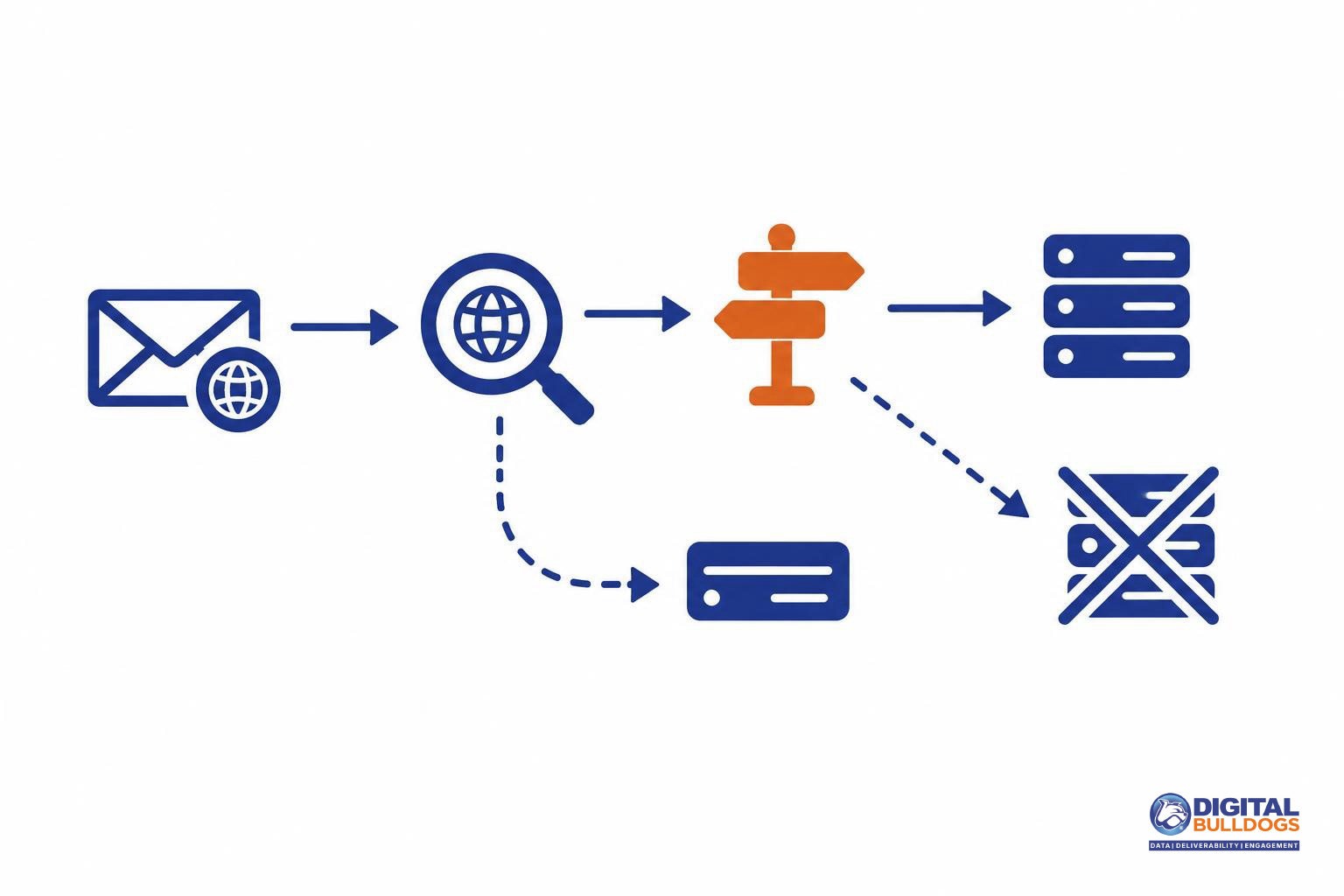
After syntax, verification asks whether the part after the @ can receive email at all. It answers this by looking up the domain in DNS, the same way a real mail server would before delivering a message.
Under RFC 5321, the standard that defines SMTP, a sending server looks up the domain’s MX (mail exchanger) records to find which hosts accept mail for it. If the domain has no MX records, the server falls back to the domain’s address record and treats that host as the mail destination. Verification tools copy this step to predict whether delivery is even possible.
What a fail tells you
A failed domain check is one of the most reliable signals verification gives you. If the domain doesn’t exist, or there’s no mail host to connect to, no message to that address can be delivered. These addresses can come off your list or be rejected at signup with confidence.
What a pass tells you
A pass means much less than it seems. It shows only that some server is set up to accept mail for the domain. It says nothing about whether this particular mailbox exists, whether the person behind it is still active or whether they asked to hear from you. A domain like a major consumer mail provider will pass for every address you test, real or made up.
Where domain checks earn their keep
The best place to run a domain check is on your signup form, before an address ever reaches your list. People mistype consumer domains all the time, adding a stray letter, swapping two letters or dropping the “.com”. A real-time check can catch domains that don’t resolve and prompt the person to fix the typo while they’re still on the page.
- Catch it at entry: fixing a typo during signup keeps a real subscriber you would otherwise lose.
- Pair it with a suggestion: some misspelled domains do exist and accept mail, so a “did you mean…?” prompt for common providers catches mistakes that a DNS lookup alone would pass.
Mailbox checks: what the SMTP conversation can and can’t reveal
A mailbox check asks the receiving server whether it will take mail for a specific address, then hangs up before any message is sent. The answer can be useful, but it is often less certain than a simple “valid” or “invalid” label suggests.
The checker connects to the domain’s mail server and goes through the opening steps of a normal delivery. It names the recipient with the RCPT TO command and reads the server’s reply. Then it ends the session without sending any content. RFC 5321, the standard that defines SMTP, also includes a VRFY command for asking directly whether a user exists. However, servers are allowed to decline to confirm. A server can reply with a 252 code, which means it cannot verify the user but will accept the message and attempt delivery. That reply tells you nothing about whether the mailbox is real.
The reply codes carry the most meaning:
- 5xx (permanent failure): A rejection such as “no such user” is the strongest sign that an address is invalid.
- 4xx (temporary failure): The server is saying “not now.” This can happen because of rate limits, maintenance or greylisting, where a server defers unfamiliar senders on purpose. These replies should be treated as unknown, not invalid.
- 2xx (accepted): The server will take the recipient for now. Some servers accept every recipient during the session and decide later whether to deliver or bounce. An “accepted” result at check time does not prove the message will land.
For these reasons, a mailbox check works best as one input to ongoing list management and hygiene, not a final verdict. The most reliable evidence comes from real sends. Process the hard bounces you receive after each campaign and suppress those addresses so you don’t mail them again.
Catch-all and unknown results: what to do with them
Catch-all and unknown results can’t be settled by running the check again. Verification reached its limit on these addresses, so treat them as untested and handle them with care rather than as good or bad.
Why catch-all domains stay unresolved
A catch-all (accept-all) domain says yes to every recipient during the SMTP conversation. It accepts a real mailbox and a made-up one in exactly the same way. Some of those messages may bounce later, after the server has looked at them more closely. Since the yes comes for every address, a verifier has nothing to compare and can’t tell real mailboxes from nonexistent ones.
What “unknown” really means
Unknown results come from timeouts, rate limits, servers that refuse to answer, or temporary failures. RFC 5321 separates 4xx temporary replies from 5xx permanent ones, and a temporary reply says nothing final about the mailbox. An unknown address hasn’t been tested.
Sensible handling
- Segment them. Keep catch-all and unknown addresses apart from your verified list so their results don’t mix with everything else.
- Check where they came from. Mail them only if they came from a confirmed sign-up.
- Start small. Send to a modest slice first, then grow volume only if the results hold up.
- Remove hard bounces right away. A permanent failure answers the question the verifier couldn’t.
Confirmation does the job that verification can’t. Google’s email sender guidelines tell senders to confirm each recipient’s email address before subscribing them. When someone clicks a confirmation link, you know a real person reads that inbox, whether or not their domain accepts everything.
After that, judge these segments by what actually happens to them, not by the label they were given. Inbox placement monitoring shows whether mail to catch-all and unknown addresses reaches the inbox or lands in spam. That tells you whether to keep mailing a segment, slow down, or retire it. If you’d like help setting up that kind of testing, you can book a free consult.
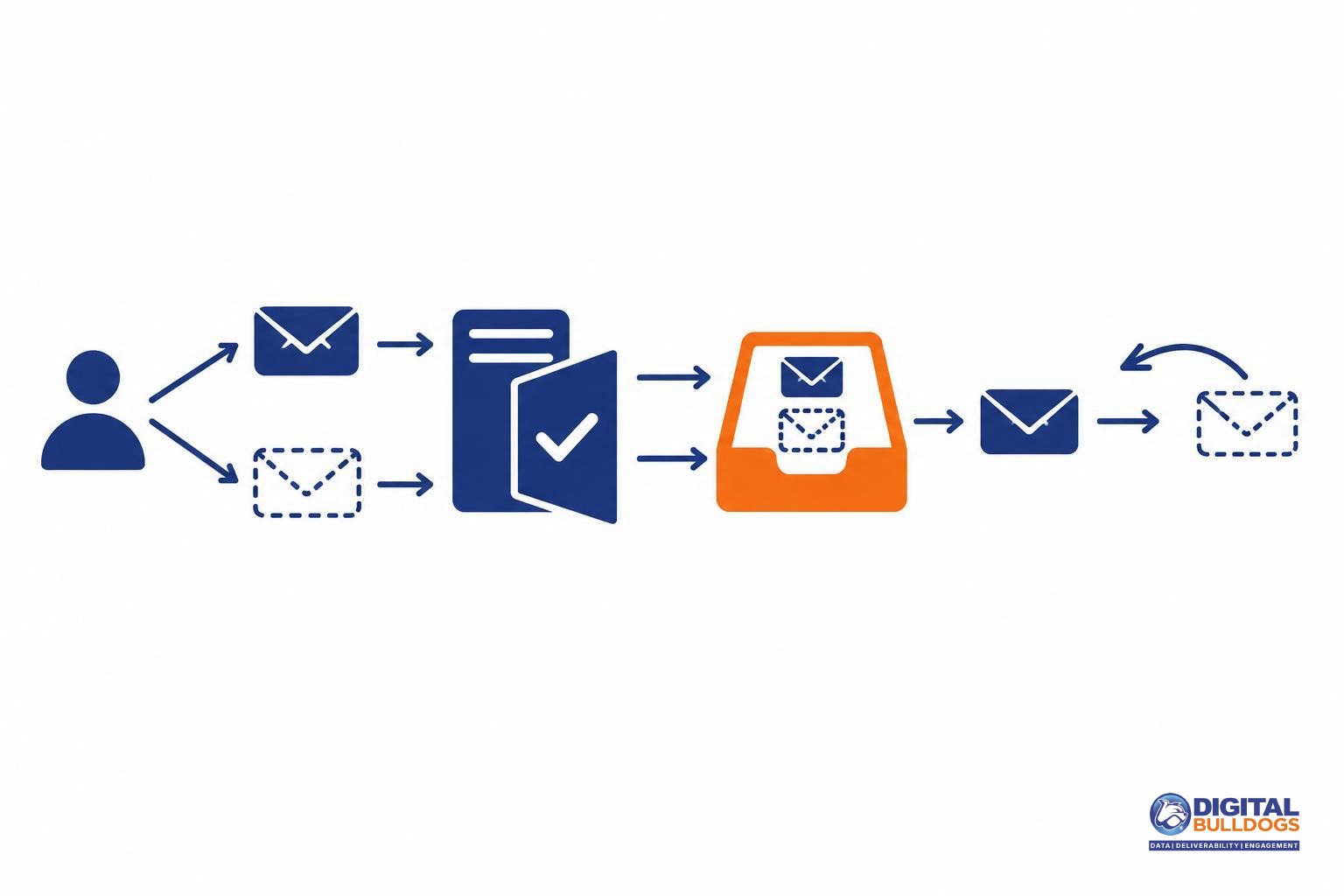
What verification can’t do: prove consent or remove spam traps
Verification answers one narrow question: can this mailbox receive mail? It can’t tell you whether the person behind the address ever asked to hear from you. That second question matters more. Google’s email sender guidelines ask senders to make sure recipients opt in, to confirm each recipient’s email address before subscribing them, and to check from time to time that recipients still want to stay subscribed. A clean verification result does none of those things.
Spamhaus is direct about this. Its sender guidelines state that list validation does not clean spam traps and is no replacement for permission.
Why traps pass verification
Spam traps are built to look like ordinary, working addresses. The syntax is valid, the domain has working mail servers, and the mailbox accepts mail. So a trap can pass every check described earlier in this article and still land in your “valid” pile. Spamhaus also notes that mailboxes left inactive for more than 12 months can be repurposed as traps. An address that once belonged to a real subscriber can become a trap without any visible change.
Fix the source, not the address
It’s tempting to hunt down the trap addresses and delete them. Spamhaus advises against trying to identify or suppress individual traps. Its advice is to audit where the addresses came from. It names purchased, rented and harvested lists as the most common source of trap hits.
M3AAWG’s guidance, Help! I Hit a Spam Trap!, says the same thing. Trap problems call for an audit of how you acquire addresses. Find the list segments or collection methods linked to the hits, fix them, and stop using the method that brought the traps in. It also points to automated form submissions and higher-risk collection practices as ways trap addresses get added.
If trap hits have already hurt your sending, another verification pass won’t undo the damage. Repairing domain reputation after trap hits starts with fixing how addresses enter your list. Only after that do you rebuild trust with mailbox providers. If you’d like a second set of eyes on your acquisition sources, you can book a free consult with our team.
When to verify an email address before sending
Verification helps most at four moments: when an address is first captured, before a new file enters your system, before you mail long-dormant contacts, and when you move to a new platform. At other times, it works as one part of a broader list-quality routine.
At the point of capture
Real-time syntax and domain checks on a sign-up form catch typos while the person is still there to fix them. Follow up with a confirmation email. Google’s email sender guidelines ask senders to confirm each recipient’s address before subscribing them and to periodically check that recipients still want to hear from them.
Before importing data from a new source
Verify a new file before it touches your sending reputation, so you can see what share fails or comes back unknown. A poor result is a signal about how the data was collected. M3AAWG’s guidance on what to do after hitting a spam trap notes that trap addresses can enter lists through automated form submissions and higher-risk collection practices. When a source is linked to trap hits, you should fix the problem or stop using that source.
Before reactivating dormant segments
Spamhaus, citing M3AAWG, notes in its sender guidelines that mailboxes inactive for more than 12 months can be repurposed as spam traps. Verification won’t detect these addresses, so treat old segments as a permission question as well as a data question.
After switching platforms
Carry your suppression lists across so past bounces and unsubscribes aren’t mailed again from the new setup.
When you manage several sources
For direct-response senders, affiliates and agencies juggling multiple lists, verification works best alongside source tracking, bounce processing and engagement-based sunsetting. If you’d like a second pair of eyes on how those pieces fit together, Digital Bulldogs can review your setup with you. You can book a free consult. You can also find more guides on email deliverability and audience data on our blog.
Frequently asked questions
Does a ‘valid’ verification result mean my email will reach the inbox?
No. A valid result means the address looks deliverable: the syntax is correct, the domain can receive mail, and the receiving server didn’t reject the mailbox. It says nothing about where your message will land. Inbox placement depends on your sender reputation, authentication, and how recipients engage with what you send.
A clean list helps you avoid bounces. It won’t make up for weak sending practices or for mail that people never asked to receive.
Should I send to catch-all addresses?
Send to catch-all addresses carefully rather than all at once. A catch-all domain accepts mail for any address during verification, so you can’t tell whether a specific mailbox exists until you actually send. Some of those addresses will be real and active. Others may bounce later or never be read.
A sensible approach is to keep catch-all contacts in their own segment, mail the ones with a clear opt-in record first, and watch bounces and engagement before you widen the send.
Can email verification remove spam traps from my list?
No. The Spamhaus sender guidelines state that list validation does not clean spam traps. They also advise against trying to identify individual traps. Instead, audit where the addresses came from. Purchased, rented and harvested lists are the most common source of trap hits. Spamhaus also notes that mailboxes left inactive for more than 12 months can be repurposed as traps.
M3AAWG’s guidance on what to do after hitting a spam trap takes the same view. Find the list segment or acquisition method linked to the hits, fix it, and stop using that method. Automated form submissions are one way trap addresses get in.
Does verifying a list replace confirmed opt-in?
No. Verification checks whether an address can receive mail. It can’t show that the person wants your mail. Google’s email sender guidelines ask senders to make sure recipients opt in and to confirm each recipient’s email address before subscribing them. They also ask senders to check periodically that recipients still want to stay subscribed.
Use verification to catch typos and dead addresses. Use confirmed opt-in to establish permission. You need both. If you’d like help setting up that process, you can book a free consult with Digital Bulldogs.
Why do some addresses come back as ‘unknown’?
An unknown result means the receiving server didn’t give a clear answer. Under RFC 5321, a server can reply that it cannot verify a user but will accept the message anyway. It can also return a 4xx code, which signals a temporary condition rather than a permanent 5xx rejection. Neither reply confirms that the mailbox exists.
Servers that are busy, rate-limiting checks, or deliberately hiding which mailboxes exist often produce these results. Re-checking later sometimes resolves them. If they stay unknown, treat them as uncertain rather than as proven good or bad.
Sources
- RFC 5321: Simple Mail Transfer Protocol · IETF / RFC Editor · 2008-10-01
- Help! I Hit a Spam Trap! · M3AAWG (Messaging, Malware and Mobile Anti-Abuse Working Group)
- Spamhaus Sender Guidelines · Spamhaus
- Email sender guidelines · Google (Gmail Help)