
What Is Data Onboarding? From CRM Records to Audiences
If you’re asking “what is data onboarding,” it’s the process of preparing customer records and matching identifiers, such as email addresses, to accounts on an advertising platform. Your offline CRM records become an audience you can potentially reach after upload, matching and eligibility checks—not every uploaded record becomes a reachable audience member.
This article walks through checking whether your records qualify, preparing them for the destination, hashing identifiers without treating them as anonymous, and understanding match rate versus reachable audience size. You’ll also learn how to activate the audience in the intended channel and build a clear handoff, with data collection, privacy disclosures and required consent checked before the upload.
What is data onboarding in marketing?
Data onboarding in marketing is the process of preparing existing customer identifiers, such as email addresses or phone numbers, so a destination platform can match them with its accounts and make the matched audience available for marketing. Unlike a basic CRM import, which adds records to a customer database, audience onboarding prepares those records for use in a specific advertising or marketing destination.
“Offline” records do not have to come from paper. A store loyalty file is already digital, but its customer details may still need preparation before they can be used to build an audience on an advertising platform.
Google Customer Match is one concrete implementation. Advertisers can upload supported customer identifiers in a prepared data file so Google can match them with Google accounts. The accepted fields, formatting requirements and upload process belong to that destination; they are not universal rules for every onboarding service.
The records also need to qualify for the intended use. For Customer Match, Google requires information collected in a first-party context, appropriate privacy disclosures and consent where required. Having a record in your CRM does not, by itself, establish that it is eligible for upload.
Onboarding is also distinct from enriching or consolidating your database. Data append adds attributes to existing records, while identity resolution connects records associated with the same person or entity. Understanding how data append differs from identity resolution helps keep the handoff clear: onboarding prepares an eligible audience for a destination rather than necessarily adding information or reconciling identities across your CRM.
Check whether the records qualify before uploading
Having a customer file does not automatically give you permission to use it for every advertising purpose. Before preparing an audience upload, check how the information was collected, what customers were told, and whether the intended use is permitted.
Under Google’s Customer Match policy, uploaded information must come from a first-party context: information customers shared directly with your business, such as through your website, app, or physical store. The policy also requires appropriate privacy disclosures, consent where applicable law or platform policy requires it, and use of Google’s approved upload interfaces.
For agencies, make the collection and intended use clear before preparing the file:
- Identify the collecting client. Establish which business customers shared their information with, rather than treating access to a CRM export as proof that the records qualify.
- Define the advertising purpose. Specify the destination and intended audience use, then check that the client’s disclosures and required consent support that use.
- Check activation restrictions. Google’s sensitive-category restrictions can rule out certain audience uses, and account eligibility requirements can limit access to Customer Match features.
- Confirm the upload route. Use an approved interface and establish who is authorized to submit and maintain the client’s audience.
These platform conditions are not a complete statement of US privacy law. Treat platform eligibility and legal permission as separate checks: a file being accepted for upload does not establish that every proposed advertising use is permitted.
Prepare CRM records for the destination
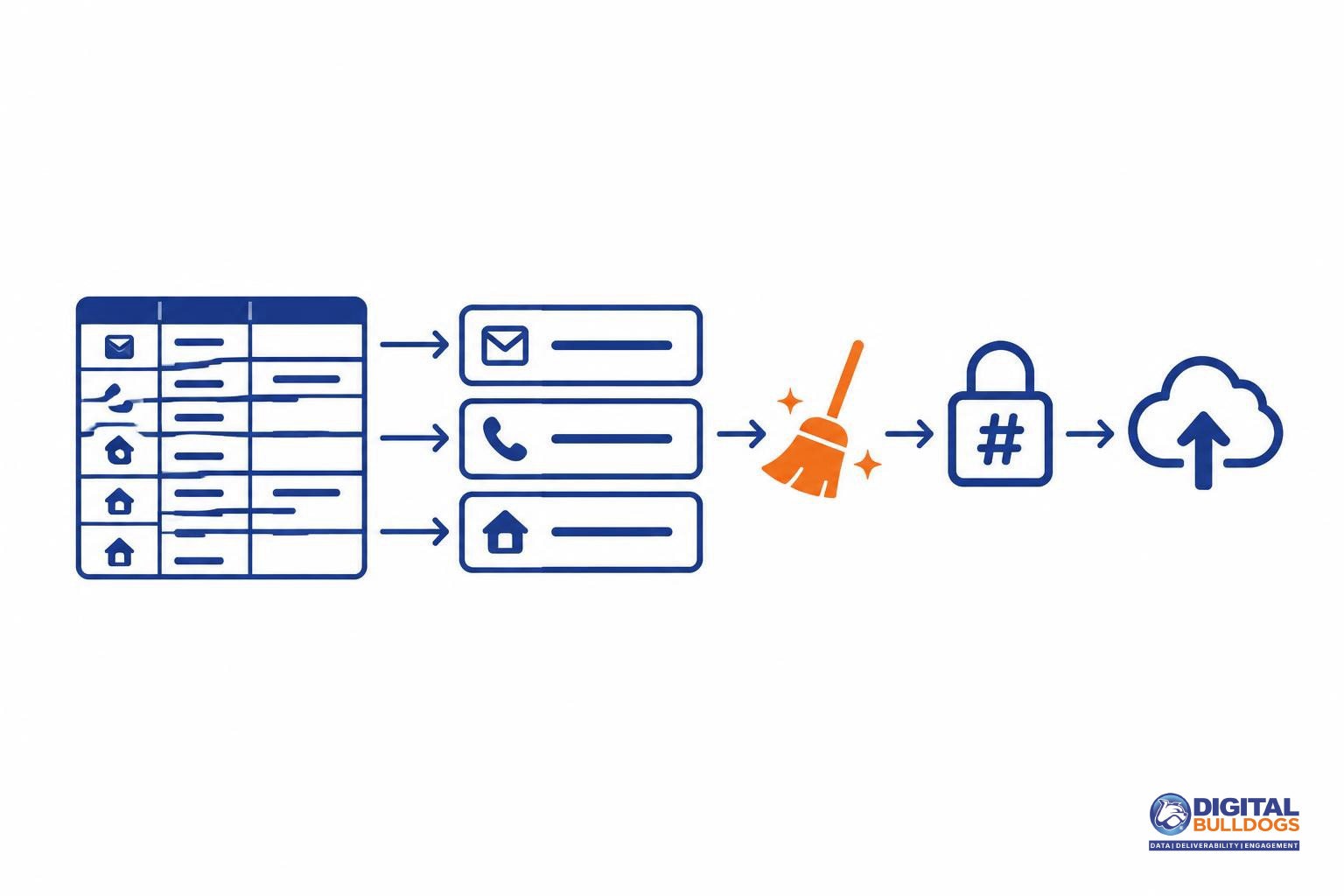
Prepare your CRM export around the destination’s accepted identifiers, not every field your CRM can supply. Map email addresses, phone numbers and mailing-address components to the corresponding upload fields. Keep an internal record ID in your working file so your team can trace changes without treating it as a matching identifier.
For Google uploads, follow Google’s Customer Match file requirements, including exact headers, ASCII or UTF-8 encoding, and field-specific formatting:
- Email: Use the Email header, remove extra whitespace and convert addresses to lowercase.
- Phone: Use the Phone header and standardize numbers to E.164 format, including the country code.
- Mailing address: Map components to First Name, Last Name, Country and Zip, following the requirements for each field rather than combining them into one address column.
Normalize identifiers before hashing. Trimming whitespace, applying required casing and standardizing phone formats must happen first; hashing a poorly formatted value does not correct it.
Keep enrichment separate from upload eligibility. An audience data append can add information to existing records, but an additional email address or phone number does not automatically qualify for upload. Google’s Customer Match policy requires customer information collected in a first-party context, appropriate privacy disclosures and consent where required. Check how each appended identifier was collected before including it—not merely whether it fits an accepted column.
Hash identifiers without calling them anonymous
Hashing helps match your CRM records to platform accounts. It does not make those records anonymous or give you permission to use them.
A hash consistently transforms an identifier, such as an email address, into a code. When both systems prepare and hash the same identifier in the same way, they can compare the resulting codes to find a match. That is why formatting matters: a differently prepared value can produce a different code.
In Google’s Customer Match file workflow, you can upload eligible private fields for Google to hash, or provide correctly prepared, pre-hashed values. Follow the instructions for your upload method rather than applying one rule to every column:
- Eligible identifier fields: Normalize values as instructed before hashing. For example, Google specifies trimming whitespace and lowercasing email addresses.
- Pre-hashed values: Use the required SHA-256 format; an arbitrary code will not serve the same matching function.
- Country and postal-code fields: Leave these unhashed, as Google’s customer-file instructions require.
The FTC’s explanation of hashed personal data makes the privacy distinction clear: hashed identifiers can still identify people. Their consistent nature enables matching, which is precisely why calling them anonymous is misleading.
Keep the technical and permission checks separate in your onboarding handoff. Confirm that the file follows the destination’s hashing rules, then independently confirm that the intended use is permitted. A correctly hashed file is not proof of consent, and hashing does not excuse improper use.
Understand match rate and reachable audience size
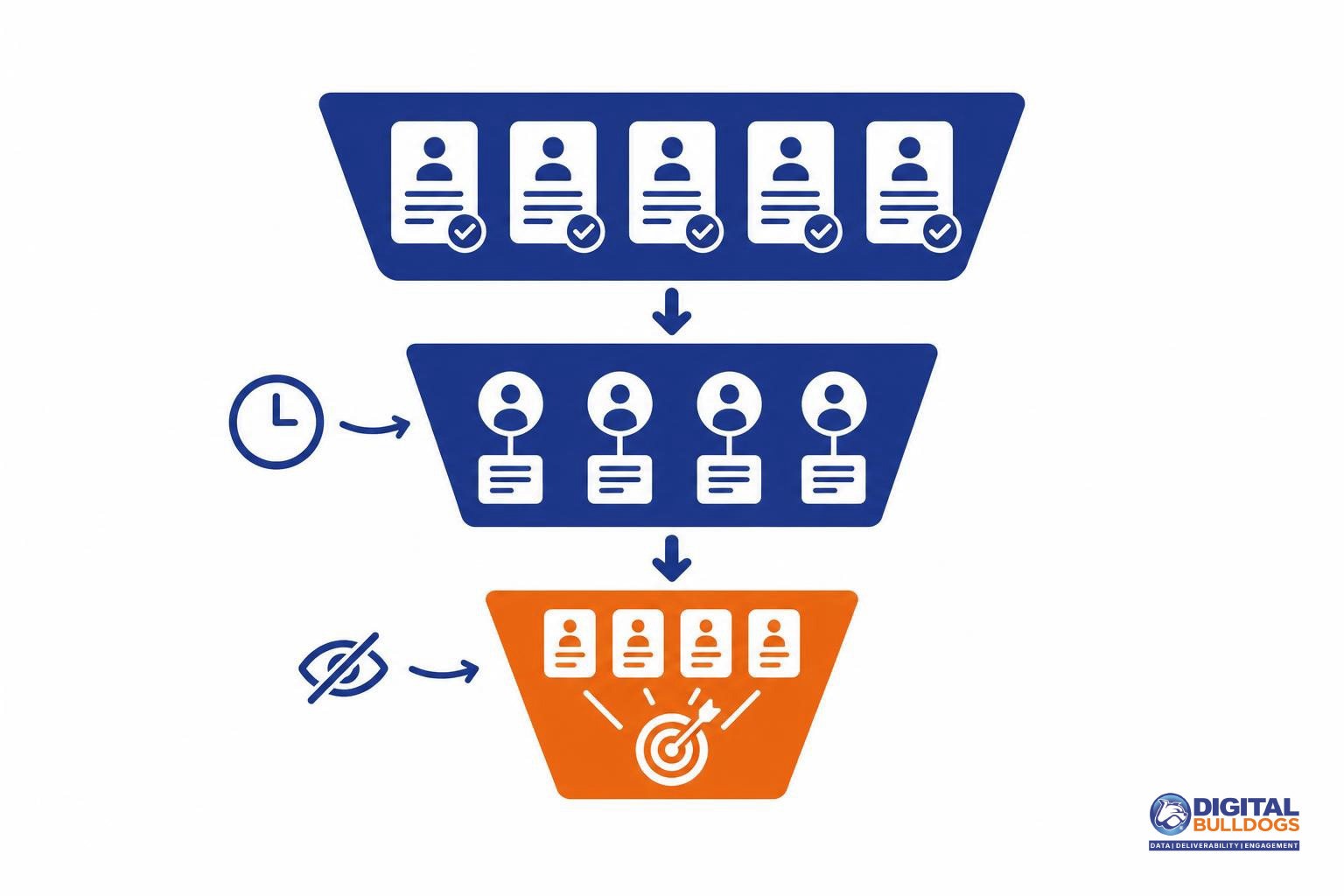
An accepted upload is not the same as a matched audience—and a matched account is not automatically available for targeting. Treat these as separate outcomes when reviewing an onboarding job:
- Upload validation: Did the file and its records meet the destination’s formatting and processing requirements? Acceptance does not prove that a record belongs to a reachable person.
- Matching: Could the destination connect the submitted identifiers to its own accounts? Valid records may still have no match.
- Audience eligibility: Which matched accounts can actually be used in the intended campaign? The final addressable audience can be smaller than the matched set.
Google’s Customer Match troubleshooting guidance identifies formatting, hashing, user activity, personalization opt-outs and list freshness as factors that can affect matching or usable audience size. These factors explain why the number of uploaded CRM records may differ from the audience shown in the platform.
Additional eligible identifiers can help the platform recognize a customer when one identifier does not match. They cannot force a match, make an inactive account reachable or override a user’s personalization choices. Keep records current and correct preparation errors rather than assuming that adding more identifiers will resolve every gap.
Read match-rate reporting alongside upload errors and audience eligibility. Each answers a different operational question: whether the data was processed correctly, whether accounts were recognized and whether the audience is available for activation. None of those measures, on its own, predicts campaign response or revenue.
Activate the audience in the intended channel
Once processing is complete, use the resulting audience through the advertising features available to your account—not as a ready-to-send email list. Your next step depends on Customer Match eligibility, permitted uses and policy requirements. Confirm that your intended campaign use is allowed before handing the audience to your media team.
Check the upload status and processing results before treating the audience as ready for activation. Then keep three outcomes separate:
- Processing: The platform has handled the uploaded file.
- Matching and reach: The resulting audience may differ from the records submitted. Google explains that matched users and users available for advertising are not necessarily the same, including because of account activity and personalization choices.
- Campaign performance: A match is not a promise of ad delivery, engagement or sales. Evaluate those outcomes in the campaign itself.
Email activation is a separate workflow. An advertising match does not establish that an email address is deliverable, that a message reached an inbox or that the contact should receive an email campaign. If email is the intended channel, turning customer data into an email activation workflow requires its own decisions about list eligibility, suppression, sender readiness and delivery monitoring.
Keep the handoff explicit: identify whether the output is an advertising audience or a list intended for email, name the destination and record what the processing report actually confirms. That prevents a successful upload from being mistaken for a successful campaign.
Build a clear onboarding handoff
Before sending CRM records to an agency, platform or activation team, create a short handoff brief. It should explain what the audience is for, which records qualify and how the destination expects the file to be prepared.
- Destination: Name the platform, intended channel and audience use—not just “customer upload.”
- Collection context and permitted use: Document how the records were collected, the relevant privacy disclosures and consent where required. For Google Customer Match, check the first-party collection, account eligibility and sensitive-category requirements before proceeding.
- Identifiers and transformations: List the identifiers available, map them to the destination’s fields and specify the required normalization and hashing. Use the destination’s instructions: Google’s file preparation guidance distinguishes fields that require hashing from those that remain unhashed.
- Ownership: Assign responsibility for preparing the file, approving its use, uploading it and maintaining the audience.
Keep the handoff report’s outcomes separate: upload acceptance means the file passed the relevant processing checks; matching concerns connections to platform users; activation eligibility concerns whether the audience can serve in the intended channel. Google’s Customer Match troubleshooting guidance explains why uploaded records, matched users and audience size can differ. Do not treat an accepted upload as proof of a reachable audience.
Then choose the next channel-specific task. Use our email deliverability and audience data guides to plan audience preparation or email readiness without treating them as the same workflow.
If the uncertainty is file quality, audience preparation or identity matching, Digital Bulldogs can help you scope the next step. Book a free consult.
Frequently asked questions
Is CRM data onboarding the same as uploading a contact file?
No. Uploading is one step in onboarding, not the whole process. For Google Customer Match, records must use supported identifiers and follow the destination’s preparation requirements, including formatting and hashing where applicable, as described in Google’s customer data upload instructions. A useful onboarding workflow also defines which records qualify, how the audience will be used, and who will check its status after processing.
Does hashing customer email addresses make them anonymous?
No. Hashing changes an email address into a consistent value, but that value can still be used to recognize or match a person. The FTC explains why hashed personal data is not anonymous. Treat hashed customer identifiers as personal data that still needs appropriate handling—not as information stripped of privacy responsibilities simply because the original address is no longer readable.
Why can the reachable audience be smaller than the uploaded file?
An uploaded record does not necessarily become a reachable audience member. Google distinguishes file validation from matching; formatting problems, outdated identifiers, account activity, and personalization opt-outs can affect the resulting audience. Its Customer Match troubleshooting guidance explains these differences. Check file quality and audience reporting separately rather than treating every gap as an upload error.
Can appended customer information automatically qualify for Google Customer Match?
No. Adding information to a CRM record does not, by itself, establish that the information qualifies for Customer Match. Google’s Customer Match policy requires customer information collected in a first-party context, along with appropriate disclosures and consent where required. Review the source of each identifier you plan to upload; an existing customer relationship is not a blanket approval for every appended field.
Does an accepted upload guarantee that an audience can be targeted?
No. File acceptance, audience availability, and permission to use Customer Match are separate checks. Matching and audience-size limitations can affect availability, while account eligibility and policy restrictions can affect targeting. Before handing the audience to a campaign team, check its reported status and intended use. Keep “upload accepted” separate from “ready for activation” in your handoff so a processing result is not mistaken for campaign readiness.
Sources
- Create a Customer Match list by uploading a data file · Google Ads Help
- Fix Customer Match issues with list upload, small list size, or low volume · Google Ads Help
- Customer Match policy · Google Advertising Policies Help
- No, hashing still doesn't make your data anonymous · Federal Trade Commission