SPF Softfail vs Hardfail: Choosing ~all or -all With DMARC
If your domain sends email, end its SPF record in ~all. If it never sends mail, publish v=spf1 -all, which is what the M3AAWG email authentication best practices recommend. DMARC does not make the spf softfail vs hardfail choice irrelevant, because the original DMARC specification warns that receivers applying SPF before DMARC may reject -all failures before DMARC processing ever runs.
Under RFC 7208, a softfail sits between a fail and a neutral result, and receivers should not reject a message on a softfail alone. A hard fail can be refused at the SMTP stage. That matters for legitimate mail, since SPF pass does not survive relaying or forwarding. A strict ending on an active sending domain can turn an ordinary forward into a bounce, even when DKIM would have carried the message through DMARC.
This guide covers what each SPF qualifier means and how receivers treat softfail, fail and neutral. It explains why +all and records with no all mechanism cause trouble and how your ending works alongside the current DMARC standard, RFC 9989. You’ll also find a decision table for picking the right ending for each domain and a short checklist to run before you change anything.
The short answer: ~all for sending domains, -all for domains that never send
If your domain sends email, end its SPF record with ~all (softfail). If a domain never sends email, publish v=spf1 -all so no server is authorized to send for it. That is the guidance in the M3AAWG Email Authentication Recommended Best Practices, which recommends ~all for mail-sending domains and a bare -all record for domains that send no mail.
Here is how that plays out in practice:
- Domains you mail from (your main brand domain, a sending subdomain for campaigns, a domain used by your ESP): list the servers and services that send for you, then close the record with ~all.
- Domains that never send (parked domains, defensive registrations, redirect-only domains): publish v=spf1 -all. Nothing legitimate depends on them, so there is no reason to leave any room.
Keep the stakes in perspective. If DKIM and DMARC are set up properly, SPF is only one of several authentication signals receivers weigh. It does not decide on its own where your mail lands. Getting the ending right is still worth doing, but it works alongside your other records.
No SPF ending can promise inbox placement. The ~all or -all at the end of your record only tells receivers how you want them to treat mail from servers you have not listed. Whether your messages reach the inbox still depends on your reputation, your list quality and how recipients engage with what you send.
The sections below explain what each qualifier means, how receivers actually handle them, and how your choice works together with DMARC. That way you can confirm the short answer fits your own setup before you change any DNS.
What the four SPF record qualifiers mean
An SPF record can use four qualifiers. Each mechanism in the record (such as ip4:, include: or all) can carry one, and the qualifier decides which result a receiver gets when that mechanism matches the sending server. The definitions come from RFC 7208, the SPF standard:
What each SPF qualifier returns
+ (default)
Returns pass when the mechanism matches. It is used when no qualifier is written.
– (fail)
An explicit statement that the server is not authorized.
~ (softfail)
A weak statement that the server is probably not authorized.
? (neutral)
Makes no claim either way. With no match and no redirect, the result is also neutral.
| Qualifier | As a record ending | Result | What it tells receivers |
|---|---|---|---|
| + | +all | pass | The server is authorized to send for this domain. |
| – | -all | fail | An explicit statement that the server is not authorized. |
| ~ | ~all | softfail | A weak statement that the server is probably not authorized. |
| ? | ?all | neutral | The domain makes no claim either way about the server. |
Two defaults catch people out. First, a mechanism written without a qualifier is treated as +. So include:example.net really means +include:example.net. Second, if no mechanism matches and the record has no redirect, the result is neutral, exactly as if the record ended in ?all. A record that simply stops without an all mechanism therefore says nothing about unlisted servers.
It also helps to be clear about which domain SPF checks. SPF evaluates the envelope sender: the MAIL FROM address used during the SMTP conversation, or the HELO name when MAIL FROM is empty. It does not check the From address your subscribers see in their inbox. That gap is why SPF alone cannot stop someone from putting your brand in the visible From line. Closing it is the job of DMARC alignment, covered later in this article. If you want a refresher on what SPF, DKIM and DMARC each actually do, that overview shows how the three fit together.

How receivers treat softfail, fail and neutral
Your SPF ending is a statement about your domain, not a command. The receiving mail server reads that statement and then decides what to do with the message. Here is how the SPF standard asks receivers to handle each result.
- Softfail (~all): RFC 7208, the SPF specification, says a softfail should be treated as somewhere between a fail and a neutral or none result. Receivers should not reject a message on a softfail alone, but they may look at it more closely.
- Neutral (?all): This result must be treated exactly like none. That is the same as having no SPF record at all, so it tells the receiver nothing useful.
- Fail (-all): What happens next is up to the receiver’s local policy. If the receiver rejects the message during the SMTP conversation, the standard points to reply code 550.
Even a hard fail is not proof of bad intent. The M3AAWG technology summary on SPF notes that an SPF fail does not equal malicious activity, because many harmless things cause SPF failures. A common example is forwarding. An SPF pass does not survive relaying or forwarding. When a message is passed along by another server, the receiver checks SPF against that server, not yours. As a result, legitimate forwarded mail can fail SPF even when your record is set up correctly.
This is why receivers weigh SPF alongside other signals instead of trusting it on its own. If you want to know how a specific message was judged, you can read the Authentication-Results header to see your SPF result. That header shows what the receiver concluded, which matters more than what you intended your record to say.
Why +all, and records with no all at all, are a problem
An SPF record that ends in +all authorizes the entire internet to send as your domain. A record with no all term, or one that ends in ?all, gives receivers no useful verdict about servers you didn’t list. None of these endings protects your domain.
+all turns every server into an approved sender
The + qualifier produces a pass result, and it is also the default when a mechanism has no qualifier at all. That is spelled out in RFC 7208, the SPF specification. So +all at the end of a record, or a bare all, means any IP address that reaches that point passes SPF for your domain.
The M3AAWG Email Authentication Recommended Best Practices advise that an SPF record should not authorize more IPs than necessary. Ending in +all is the extreme opposite of that advice. It is worse than having no record, because it actively tells receivers that a stranger’s server is legitimate.
No all term means neutral for everyone you didn’t list
If a message comes from a server that matches none of your mechanisms, and your record has no all term, SPF falls back to a neutral result. Receivers are expected to treat neutral the same way they treat “none,” as if you had published no SPF record at all. Your listed servers can still pass. Everyone else gets a shrug rather than a warning.
?all says the same nothing, on purpose
The ? qualifier also returns neutral. Ending a record in ?all tells receivers that you are making no statement about unlisted senders. It looks more deliberate than leaving the term off, but it gives the same weak signal.
- +all: every sender passes, so the record authorizes everyone.
- No all term: unlisted senders get neutral, which is treated like no SPF.
- ?all: unlisted senders get neutral, which still tells receivers nothing.
If your record ends in any of these, the real choice is between ~all and -all.
How your ~all or -all choice interacts with DMARC
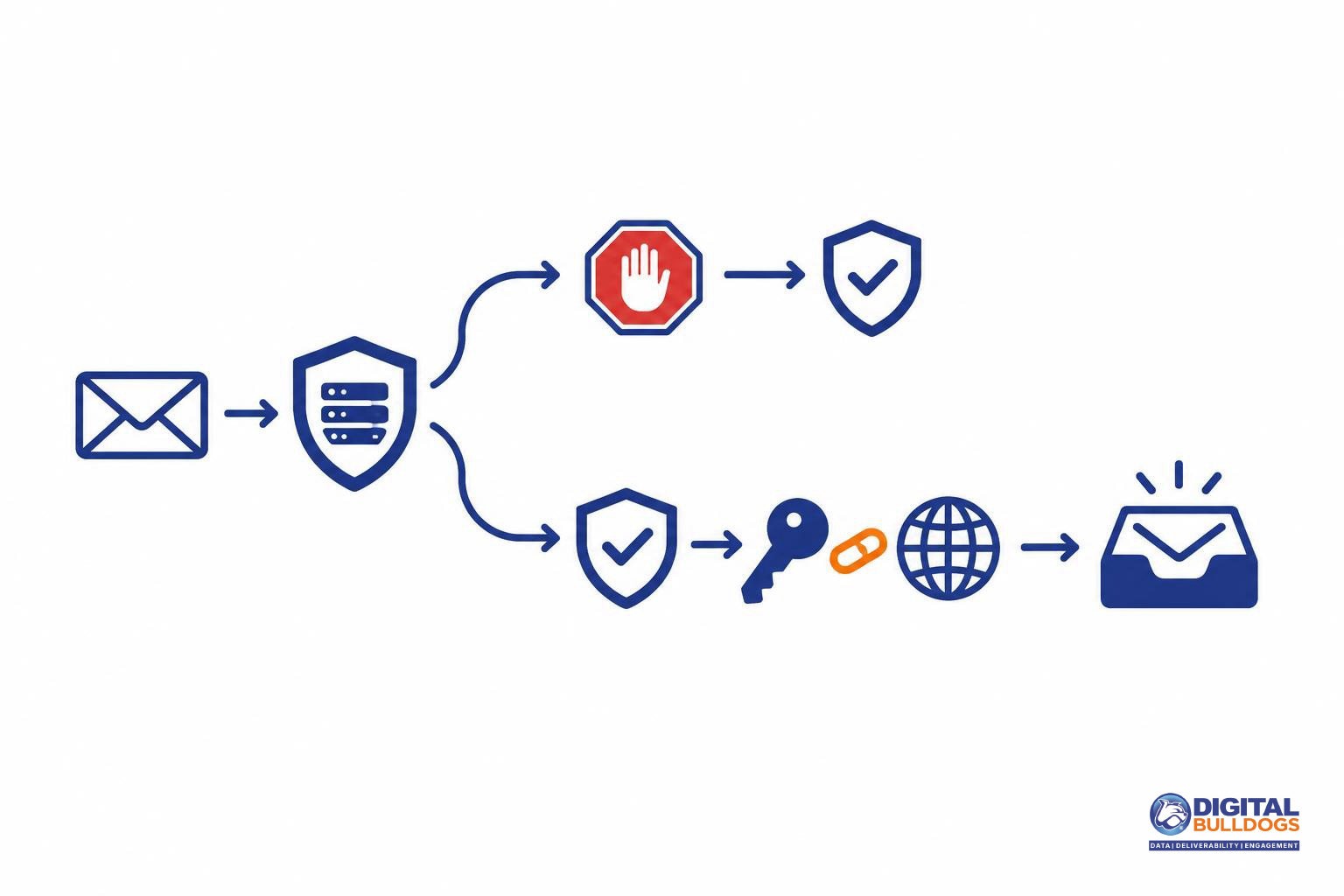
Once DKIM is aligned, your SPF ending matters much less, with one exception: a -all record can get mail rejected before DMARC is ever checked. DMARC passes when SPF or DKIM passes and the authenticated domain aligns with the domain in the visible From address. Softfail, fail and neutral all fail to give SPF a pass, so under DMARC, ~all and -all lead to the same SPF outcome.
Which DMARC standard applies
DMARC was first defined in RFC 7489, the original DMARC specification. It is now defined by RFC 9989, published May 2026, which obsoletes RFC 7489. RFC 9989 keeps the core idea: an authenticated identifier has to align with the From domain. The aspf tag controls how strictly SPF alignment is checked.
The early-rejection risk with -all
RFC 7489 warns that some receivers check SPF before DMARC. If your record ends in -all and a legitimate message fails SPF, that receiver may reject it on the spot. DMARC never gets a chance to see the aligned DKIM signature that would have passed.
The M3AAWG Email Authentication Recommended Best Practices addresses this risk. M3AAWG tells receivers that a DMARC pass should override an SPF fail, except when the record is exactly v=spf1 -all. That record means the domain never sends mail, so any message from it should be treated as suspect.
Why aligned DKIM carries the weight
SPF checks the server that hands the message over. When mail is forwarded, that server changes, and the SPF check often fails. A DKIM signature travels with the message itself, so it usually survives forwarding. That is why aligned DKIM does most of the work under DMARC, and why it matters as mailbox providers tighten their rules, including Outlook’s bulk sender requirements.
For a domain that sends mail, the practical setup is:
- Sign every stream with aligned DKIM.
- End your SPF record in ~all.
- Save -all for domains that never send.
Decision table: which SPF ending fits your domain
For most readers the choice is simple. Use ~all on domains that send mail, use -all on domains that never send, and never use +all. The table below matches common situations to an ending.
| Your domain situation | SPF ending | Why |
|---|---|---|
| Active sending domain with DKIM and DMARC in place | ~all | M3AAWG recommends ending SPF records in ~all, so DMARC can make the final call using DKIM alignment. |
| Parked or non-sending domain | v=spf1 -all | This tells receivers that no server is ever allowed to send as this domain. |
| Any domain, for any reason | Never +all | It authorizes every server on the internet. That is the opposite of authorizing only the IPs you need. |
| Domain still being mapped or tested | ?all (short term only) | A neutral result gives no protection, so do not leave it in place. |
Putting -all on a sending domain is a deliberate choice, and it carries a cost. Some receivers check SPF before they process DMARC. The original DMARC specification warns that these receivers may reject -all failures before DMARC is ever applied. That means a legitimate message relayed through a server you forgot to list could bounce even if DKIM would have passed. Choose -all on a live domain only if you are confident your record lists every source that sends for you.
Also check your envelope subdomains. Many ESPs use a subdomain such as bounce.yourdomain.com as the MAIL FROM address. That subdomain needs its own correct SPF record. Your root domain’s record does not cover it. The M3AAWG authentication best practices say to publish SPF for both the MAIL FROM and EHLO domains you use.
If you would rather have someone audit every domain and subdomain for you, our done-for-you DNS authentication setup reviews your SPF, DKIM and DMARC records together.
Before you change your SPF ending: a quick checklist
Switching between ~all and -all takes seconds, but it can quietly cut off mail you actually want delivered. Work through these checks first.
Check these before changing your ending
Every sending service listed
Include every platform that uses your domain in the envelope MAIL FROM.
Within 10 DNS lookups
Going over the lookup limit returns permerror.
One SPF record only
Publish a single SPF record per domain.
Aligned DKIM in place
DKIM signed with your own domain keeps DMARC from relying on SPF alone.
HELO hostnames covered
Publish SPF for EHLO names as well as MAIL FROM domains.
- Inventory every sender. List every service that uses your domain in the envelope MAIL FROM: your ESP, CRM, help desk, billing platform, and any affiliate or agency tools. Do this before you tighten anything. A sender you forgot is the one that fails once the record gets stricter.
- Stay under the lookup limit. RFC 7208 caps SPF evaluation at 10 DNS lookups, and going over it returns a permerror instead of a pass. If adding senders pushes you past the cap, start with fixing an SPF record that exceeds the 10-lookup limit before you touch the qualifier.
- Keep one SPF record per domain. Merge every authorized source into a single TXT record that starts with v=spf1. Don’t publish a second record for a new vendor.
- Confirm aligned DKIM. Make sure each platform signs with your own domain, not the vendor’s default. That way DMARC can pass on DKIM when SPF breaks, for example after forwarding, and it doesn’t rely on SPF alone.
- Cover HELO/EHLO hostnames. The M3AAWG email authentication best practices recommend publishing SPF for your HELO/EHLO hostnames as well as your MAIL FROM domains. The same document advises against authorizing more IPs than you need and recommends including an rua tag in your DMARC record.
- Read your aggregate reports. Add that rua tag and review the reports before the change and again after it. Look for SPF failures from sources you recognize as legitimate, and fix them before they turn into delivery problems.
If the reports show failures you can’t trace to a sender, our team can help. Book a free consult to walk through your records together.
Keep researching on Digital Bulldogs
Frequently asked questions
Is ~all less secure than -all?
Not by much in practice. Under the SPF specification (RFC 7208), a softfail sits between fail and neutral. It signals that the sender is probably not authorized, but receivers are told not to reject on a softfail alone. A hardfail is a firmer statement, yet both endings mark the same unauthorized senders. What protects your domain is SPF working together with DKIM and an enforced DMARC policy.
Keep in mind that SPF is a weak verdict on its own. M3AAWG’s SPF technology summary points out that an SPF pass does not survive relaying or forwarding, and that an SPF fail does not mean the mail is malicious. Receivers weigh SPF alongside other signals rather than treating -all as an automatic block.
Will -all make my emails bounce?
It can, if a legitimate service sends for you and isn’t listed in your record. A receiver that rejects on an SPF fail is expected to use a 550 SMTP reply code, which shows up as a hard bounce. Forwarded mail is the usual victim, because the forwarding server’s IP isn’t in your record even though the original message was genuine.
DMARC doesn’t always save you here. The original DMARC specification (RFC 7489) warns that receivers applying SPF before DMARC may reject -all failures before DMARC processing ever runs. That means a message carrying a valid, aligned DKIM signature can still be turned away at the SMTP stage.
What does ?all (neutral) actually do?
Almost nothing. A neutral result means the domain owner is making no statement about whether the IP is authorized, and RFC 7208 says receivers should treat neutral exactly like having no SPF policy at all. Since an IP that matches no mechanism also defaults to neutral, ending with ?all gives receivers no useful guidance about unauthorized senders.
Does the SPF qualifier matter if DMARC is set to p=reject?
Less than most people think. Under the current DMARC standard, RFC 9989, a message passes DMARC only when an authenticated identifier aligns with the From domain. Softfail and fail are both “not a pass,” so the DMARC outcome is the same either way. An aligned DKIM signature can still carry the message through.
The ending still matters before DMARC runs, because of the early SMTP rejection risk covered in the previous answer. That risk is the main reason a sending domain with p=reject is usually better off with ~all. DMARC enforcement already does the blocking, and the softer ending keeps forwarded mail from being dropped before DMARC can check DKIM.
What should a parked domain’s SPF record look like?
Publish a single TXT record that reads v=spf1 -all. This is what M3AAWG’s email authentication best practices recommend for domains that never send mail. It authorizes no IPs and tells receivers that any message claiming the domain should fail. Pair it with a DMARC record set to p=reject so spoofed mail using the domain in the From line is refused too.
If you manage a portfolio of parked or retired domains and want a second pair of eyes on the records, you can book a free consult with Digital Bulldogs.
Sources
- RFC 7208: Sender Policy Framework (SPF) for Authorizing Use of Domains in Email, Version 1 · IETF / RFC Editor
- RFC 9989: Domain-Based Message Authentication, Reporting, and Conformance (DMARC) · IETF / RFC Editor · 2026-05-20
- RFC 7489: Domain-based Message Authentication, Reporting, and Conformance (DMARC) · IETF / RFC Editor
- M3AAWG Email Authentication Recommended Best Practices · M3AAWG
- M3AAWG Technology Summaries: Sender Policy Framework (SPF) · M3AAWG
- Internet Engineering Task Force (IETF) S. Kitterman